(302) 262 8484
The Tiny Email Setting Hackers Change So You Never See Their Messages

That Silent Backdoor Hiding in Your Inbox
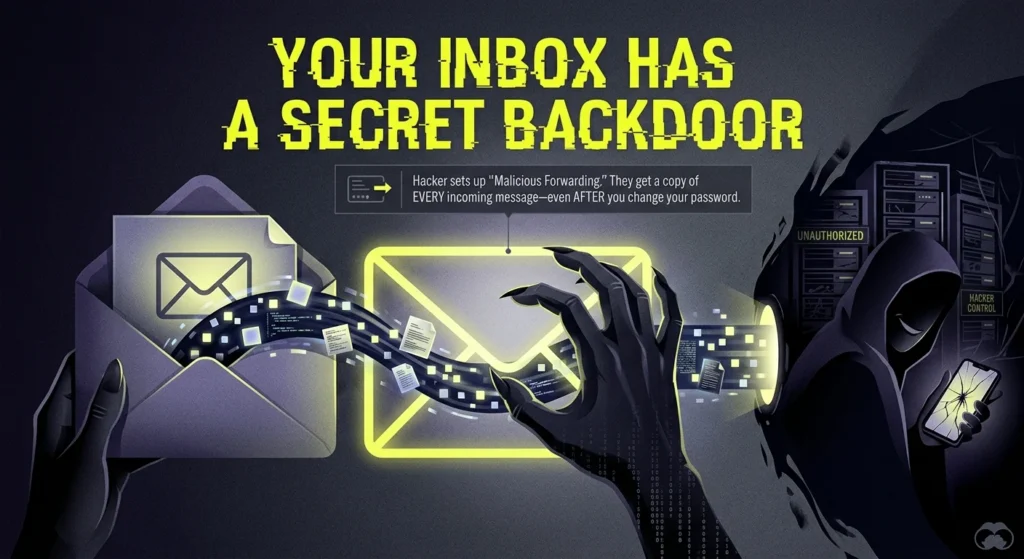
You did everything right. You fell for a phishing link once, but you quickly changed your password. You turned on multi-factor authentication and implemented robust small business cybersecurity protection to keep your accounts secure. You figured the danger had passed. But here is the catch. You might still be compromised. There is a tiny email setting that hackers tweak the second they breach your account to make sure they never lose access. And they do it using malicious email forwarding.
This is honestly one of the smartest and quietest tricks hackers use after a breach. Once they get inside your account—even if it's just for a few minutes—they don't always steal your files right away. Instead, they quietly rewrite your inbox rules to build a permanent, invisible backdoor. This lets them copy your incoming messages, intercept your invoices, and hijack your password resets. All without you ever noticing.
How Malicious Forwarding Keeps Hackers in the Driver's Seat
Mailbox rules are great for organizing your daily mess. You probably use them to dump newsletters into a reading folder or automatically send specific client emails over to a colleague. Sadly, attackers love these rules for the exact same reasons.
When a hacker breaks into your inbox, their very first priority is persistence. They want to guarantee that even if you realize you've been hacked and lock them out, they still have a pipeline to your data. By setting up a malicious email forwarding rule, they just tell your email server to automatically send a copy of every single incoming message straight to an outside address they control.
Why This Creates a Permanent Backdoor
What makes this specific attack so scary is where these rules actually live. Since the rules are saved directly on the cloud server, they sync up automatically across all your devices. You can change your password. You can run a dozen antivirus scans or schedule a professional virus and spyware removal to ensure no hidden threats remain. You could literally throw your laptop in a dumpster and buy a brand-new one. It doesn't matter. The forwarding rule stays active. It just keeps quietly feeding your private emails to the attacker until you go in and manually delete the rule yourself.
The "Delete and Hide" Trick: Stealing Invoices and Passwords
So how do they actually use this access to drain your bank account or hijack your other apps? Well, they don't just forward everything. That would be too noisy and might trip a security alarm. Instead, they hunt for specific keywords and pair their forwarding setup with suppression rules.
Here is exactly how this plays out in the real world:
- Targeting the money words: The hacker sets up a rule looking for words like "invoice," "payment," "wire," or "bank." The second an email hits your inbox with one of those words, it gets instantly forwarded to the attacker. Then, they just reply to your clients pretending to be you, swap out the bank details, and run off with your payments.
- Intercepting password resets: Let's say the hacker wants to break into your Amazon, PayPal, or bank account. They just go to those sites and hit the password reset button. The reset link gets emailed to you, but your compromised inbox immediately forwards it straight to the hacker.
- The suppression rule: To make absolutely sure you don't notice that reset email, the hacker adds a second command. The rule tells your inbox to immediately delete the incoming message or bury it in a folder you never check, like Archive or RSS Subscriptions. You never see your phone buzz. But the hacker gets the link and completely takes over your account.
It's an incredibly effective way to pull off Business Email Compromise. And it's a trick that ends up costing companies billions of dollars every single year.
How to Spot and Destroy These Malicious Rules
Because these rules run completely silently in the background, you aren't going to get a pop-up or an alert when they fire off. You actually have to go looking for them. The good news? Checking your settings takes maybe sixty seconds.
Quick side note: if you think your entire company system has been hit, definitely check out our guide on [how to handle a business email compromise] to get your organization locked down.
Checking Your Outlook Settings
If you use Microsoft Outlook or Office 365, just follow these steps to make sure your account is clean:
Checking Your Gmail Settings
If you are on Google Workspace or just using a personal Gmail account, the steps are pretty similar:
Protecting Your Business from the Start
If you manage the IT environment for your company, crossing your fingers and hoping users check their own settings is a losing game. The best move here is to block external auto-forwarding entirely at the tenant level. Both Microsoft 365 and Google Workspace let admins disable automatic forwarding to outside addresses by default. Do it.
But here is the really important part. You also need to set up alerts for whenever new inbox rules get created. Especially rules that forward mail or dump messages into the trash. Catching a bad rule the exact second it's created is really the only way to stop a minor password leak from turning into a massive financial disaster.
Take a minute to check your inbox settings today. It's a tiny step. But it could easily be the only thing standing between you and a completely silent, devastating hack.