(302) 262 8484
Why IT Professionals Never Buy Refurbished Hard Drives From Amazon

If you have browsed for cheap storage online, you have probably noticed the low prices on refurbished hard drives from Amazon. Getting an enterprise-grade 14TB or 18TB drive for a fraction of its original price looks like a great deal. But people who work in IT or manage a home lab generally avoid these listings. There are specific reasons why experienced tech professionals skip these drives, and it has nothing to do with avoiding older hardware.
The Problem With Refurbished Hard Drives From Amazon
A hard drive is not like a refurbished monitor or a used keyboard. It is a highly sensitive mechanical instrument with spinning platters and microscopic read-write heads flying nanometers above magnetic disks. Buying refurbished hard drives from Amazon exposes you to poor shipping practices and systematic fraud that can result in unexpected data loss.
Packaging Issues With Amazon Refurbished Drives
Amazon’s shipping methods are notoriously hard on bare drives. Instead of using custom foam inserts and double-boxing, warehouse staff frequently put bare, anti-static sleeved drives directly into flimsy bubble mailers or flat cardboard envelopes. These precision instruments endure physical shocks in delivery vans and are often dropped on concrete porches before they reach your computer. A drive packaged this way might boot up and pass a quick initial test, but the micro-fractures and bearing damage caused by inadequate shipping will dramatically cut its lifespan, leading to sudden failure months down the road, which is why you should always prioritize reliable PC upgrades in Delaware over risky second-hand hardware.
S.M.A.R.T. Reset Fraud
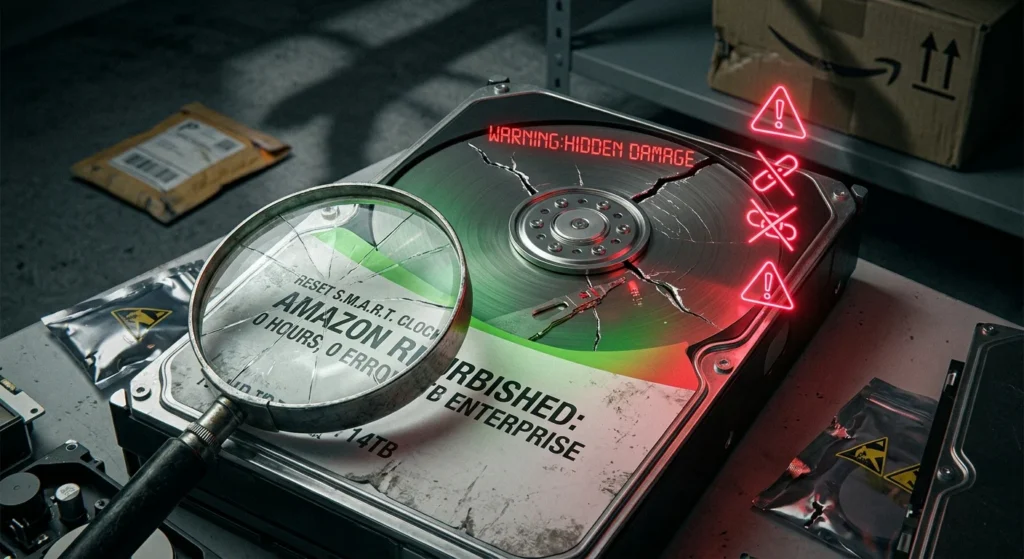
Data recovery experts and hardware journalists have also exposed a widespread gray-market scam on online retail platforms. Suppliers take heavily used, decommissioned enterprise drives from data centers—disks that have spent 30,000 to 50,000 hours spinning 24/7—and use specialized hardware tools to manually zero out their S.M.A.R.T. counters. When you plug the drive in, your operating system reports zero power-on hours and zero bad sectors, making it look like a barely used drive. However, deep-level forensic analysis of the drive’s internal FARM data reveals its true age. The drive you bought is already nearing the end of its mechanical lifespan, making it a ticking time bomb that could lead to a digital disaster.
The Commingled Inventory System
Buying from a highly rated, reputable third-party seller on Amazon does not bypass these risks. Amazon uses a commingled inventory system, meaning products from different sellers claiming to offer the exact same model are stored in the same physical bin at the fulfillment center. When you place an order, a warehouse worker grabs a drive at random from that bin. You might pay a premium to buy from a trusted vendor, but still receive a drive from a supplier who resets S.M.A.R.T. data, putting your data at risk.
What You Should Do Instead
If you need high-capacity storage but do not want to pay full retail prices for brand-new drives, you do not have to rely on Amazon listings. IT professionals have a safer strategy for sourcing reliable, affordable storage by consulting with experts on proper IT infrastructure for small businesses.:
- Buy Manufacturer Recertified, Not Seller Refurbished: Look for drives officially recertified by the original manufacturer like Seagate or Western Digital. These undergo rigorous factory testing and come with legitimate warranties backed by the brand itself.
- Use Specialized Enterprise Vendors: Instead of Amazon, buy from dedicated storage specialists like ServerPartDeals or GoHardDrive. These companies specialize in server hardware, package their drives in heavy-duty foam cutouts, and have a proven track record of honest testing.
- Run a Rigorous Burn-In Test: No matter where you buy your drive, never trust it out of the box. Run a comprehensive burn-in script using tools like badblocks or preclear to stress-test every single sector of the disk before putting any actual data on it.
A warranty on a cheap drive is useless when it comes to data loss. The seller might gladly mail you another refurbished disk when yours dies, but they will not recover your lost family photos, your media library, or your critical business backups. Buy your storage from trusted enterprise vendors to protect your data. For more tips on setting up your storage, see our guide on [how to build a home NAS].