(302) 262 8484
Windows 11 26H2: Everything You Need to Know About the Upcoming Update

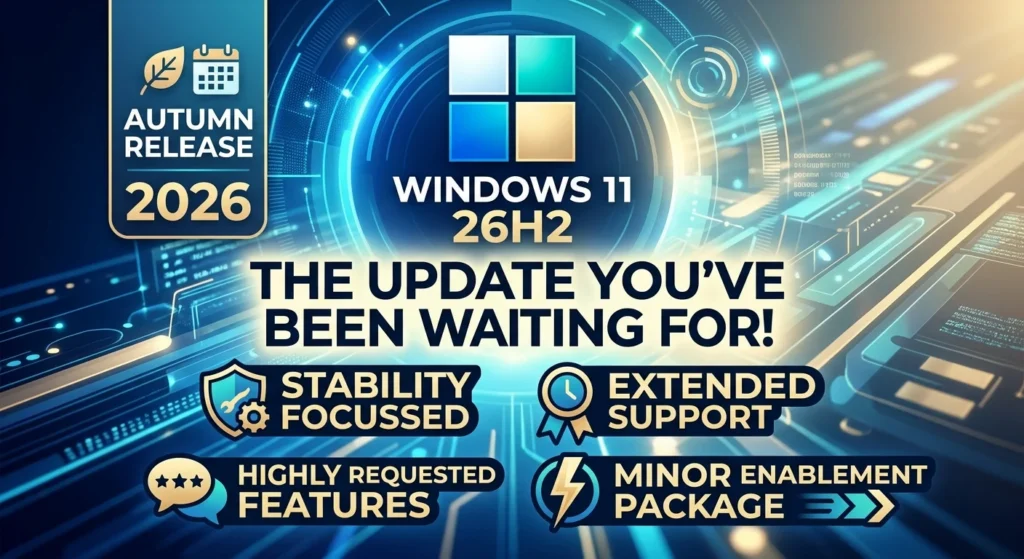
If you've been tracking Microsoft's recent updates, you know they can be a bit of a rollercoaster. But the upcoming autumn release of Windows 11 26H2 is right around the corner. And honestly? It's shaping up to be one of the most interesting updates we've seen in years. Instead of reinventing the wheel and accidentally breaking your system, Microsoft is actually focusing on stability this time. They're extending support timelines. Better yet, they're finally giving us some of the features we've been begging for since day one.
What exactly is Windows 11 26H2?
Basically, Windows 11 26H2 is the big annual feature update hitting our machines in autumn 2026. The whole point of this release is to reset the operating system's support cycle for another 24 months. But the good news is that it also brings in some highly requested usability tweaks without messing up your system's stability. If you're already running a recent version of Windows, this isn't going to be a massive, disruptive rewrite. It's just going to install quickly as a minor enablement package.
Why this update is a breath of fresh air
Let’s be honest for a second. The rollout for Windows 11 24H2 was a bit of a disaster. It introduced weird compatibility issues, broke hardware configurations, and left a lot of us dealing with bugs that took months to patch. It seems like Microsoft actually learned its lesson, though businesses should always maintain proactive IT monitoring for small business to ensure stability during major OS transitions.
Here’s the deal. Instead of moving to an entirely new platform, Windows 11 26H2 is built on the exact same Germanium platform as the versions before it. That means the core of your operating system stays completely stable. The update acts more like a layer of polish rather than a ground-up rebuild. It also resets your support cycle clock. That's a big deal since older versions like 24H2 hit their end of support in October 2026.
So what does this mean for your day-to-day? If you’re already running version 24H2 or 25H2, the update will just download quietly in the background. When it's ready, a tiny enablement package basically flips a switch. You do one quick reboot, and you're done. No more staring at a screen that says "working on updates" for an hour.
The best new features in Windows 11 26H2
Microsoft is heavily pitching this as a stability and servicing update. But they've also snuck in some incredibly welcome visual and functional changes. Here are the features you'll actually notice when you look at your screen.
Moving the taskbar (Yes, they finally did it!)
It's hard to believe it took years to get this back. But Microsoft finally listened. In Windows 11 26H2, you aren't locked into keeping your taskbar at the bottom of the screen anymore. You can move it to the top, left, or right sides. If you work on a massive ultrawide monitor or a multi-display setup, this one single change is going to reclaim a ton of valuable vertical space.
Snappier performance with the Low Latency Profile
Ever feel like your PC takes just a second too long to react when you click the Start menu or launch an app? Windows 11 26H2 introduces a new feature called the Low Latency Profile. Whenever you perform a common action, the system briefly pushes your processor to full speed for a second or two. It makes the entire desktop experience feel so much faster. Way more responsive.
Smart quality-of-life improvements
Beyond those headline changes, there are quite a few smaller tweaks designed to just make your daily workflow smoother. Here's what is coming:
- Screen Tint: This is a built-in eye comfort feature that adjusts your display to cut down on eye strain during those late-night work sessions.
- Cloud Rebuild Recovery: If your system ever totally crashes, you can reinstall Windows directly from the cloud. No need to go hunting for a physical USB drive.
- Cleaner Search and Run Dialog: They refined Windows Search to show much cleaner results. Plus, the classic Run dialog box finally got a modern visual overhaul.
- Start Menu Customization: You can actually adjust the size of your Start menu now. You can even hide your account name and profile picture if you want a bit more privacy.
- File Explorer Upgrades: The file manager now remembers exactly which folders you had expanded or collapsed. And the File Properties window got a complete redesign.
How to prepare and upgrade your PC
Now, this is where it matters. How you actually get this update depends entirely on what version of Windows you're currently running. If you want to make sure your system is totally ready, you should check out our guide on [how to optimize Windows performance] before you install any major update.
If you're on version 24H2 or 25H2, you don't need to do anything special. The update will just arrive automatically through Windows Update. It's small, it's safe, and it installs incredibly fast.
But, if you're still running an older version like 22H2 or 23H2, this is going to be a full feature upgrade. You'll definitely want to back up your files first, just to be safe. You can also force the update early by joining the Release Preview ring of the Windows Insider Program. Though honestly, most of us should probably just wait for the official public rollout.
So, are you excited to finally move your taskbar again? Or are you just happy to get a Windows update that promises not to break your computer? Either way. Windows 11 26H2 looks exactly like the stable, user-focused update we've all been waiting for.