(302) 262 8484
The Panic of the Accidental Delete (And How to Fix It)

We have all been there. You hit the delete key, empty the recycling bin, and suddenly realize your most important document is gone. Your stomach drops. Before you start looking up expensive data rescue services or professional PC repair in Delaware, take a breath. There is plenty of excellent, completely free software to help recovery efforts right from your own computer, though you should always maintain backups as part of your scalable IT services for small businesses.
You do not necessarily need to pay a premium to get your data back. You just need to act fast and use the right tools, or consult with experts in personalized IT solutions for small businesses if the data is mission-critical.
Stop What You Are Doing Right Now
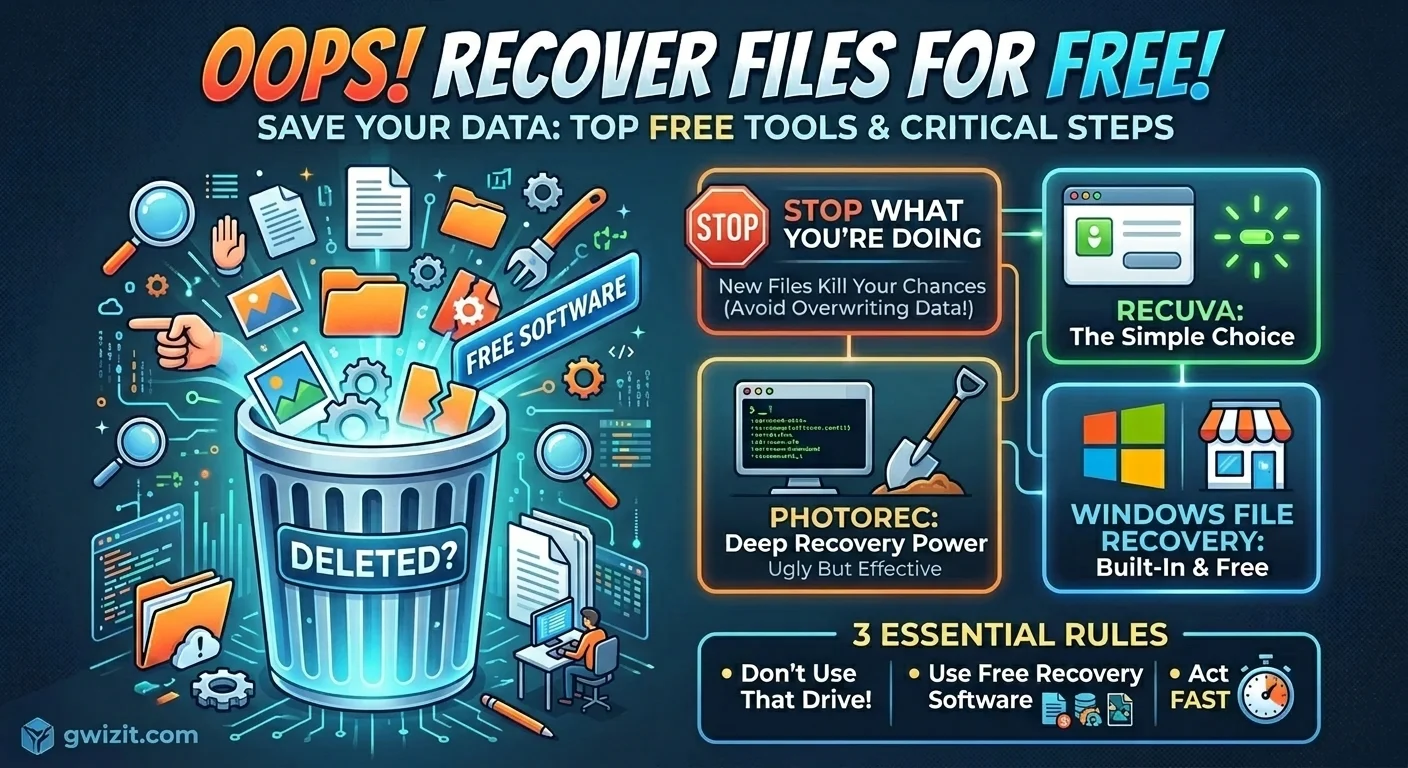
The absolute most critical thing you need to know right now is to stop using that drive. If you deleted a file from your main computer drive, do not download anything massive, as you should also ensure you have proper small business cybersecurity protection in place. Do not install system updates.
When you delete a file, your computer does not actually destroy the data immediately. It just marks that specific storage space as available. The file is still sitting there invisibly. But if you save new things to your computer, you risk overwriting the very file you want to save. Once a file is overwritten by new data, it is usually gone forever.
Top Free File Recovery Software That Actually Works
There is a lot of garbage out there masquerading as helpful data recovery tools. Many claim to be free but then ask for a credit card right when you try to hit the restore button. That is a terrible practice. Here are the tools that actually deliver without the bait and switch.
Recuva: The Old Reliable
Recuva is usually my first recommendation for anyone who is not super technical. It is built by the same people who made the popular CCleaner tool. The interface is incredibly simple to navigate.
You just tell the program what kind of file you lost and where you think it was located. It runs a scan and gives you a straightforward traffic light system. Green means you are good to go and the file is intact. Red means the file is probably corrupted and unrecoverable. It is fast, lightweight, and genuinely free.
PhotoRec: Ugly but Incredibly Effective
Do not let the name fool you. PhotoRec recovers way more than just photos. It digs deep into your hard drive to pull out documents, videos, and compressed archives.
Here is the catch though. The interface looks like something out of the 1990s. It runs in a text-based command window which can be intimidating for casual users. But if Recuva fails to find your lost document, PhotoRec is absolutely the next best step. It ignores the standard file system entirely and looks directly at the raw underlying data.
Windows File Recovery: Microsoft’s Hidden Gem
If you are on Windows 10 or 11, Microsoft actually has its own dedicated recovery tool. You can grab it right from the Microsoft Store. It is not the most user-friendly option since it also relies on text commands. However, it is highly effective for standard Windows drives and completely free of any shady third-party tracking.
How Free Software to Help Recovery Actually Works
You might be wondering how these programs pull files back from the dead. It is actually a fairly simple process.
- Your operating system uses a hidden index to keep track of where files live on your hard drive.
- When you delete a file, the system just deletes that specific index entry.
- The actual data remains on the physical disk until new data is written over it.
- Recovery tools scan the raw disk sectors to find those orphaned files and rebuild them so you can access them again.
Steps to Maximize Your Chances of Getting Data Back
Having the right tool is only half the battle. How you use it matters just as much. If you want to successfully recover deleted files, follow these rules.
Install the software elsewhere. If possible, download and install your recovery tool onto a USB thumb drive rather than your main hard drive. This prevents the installation files from accidentally overwriting your lost data.
Recover to a different drive. Never restore a recovered file to the exact same disk it was lost from. If you are recovering a file from your C drive, save the rescued version to an external drive or a different partition. Saving it to the same drive can corrupt the recovery process.
Act quickly. The longer you wait, the higher the chance your operating system overwrites the data in the background with temporary files or system logs.
Wrapping Up Your Rescue Mission
Getting a crucial file back from the digital graveyard is a massive relief. Using free software to help recovery is a lifesaver when accidents happen. Just remember to stay calm, avoid saving new files, and run a scan as soon as possible.
But keep in mind that software recovery is never a total guarantee. Sometimes a file is just gone for good. That is exactly why having a solid backup routine is the only real way to protect your work. If you want to avoid this stress in the future, check out our guide on [setting up automated backups] to make sure you never have to feel that deleted file panic again.