(302) 262 8484
Why You Need to Know How to Recover Quickly From a Tech Failure

Every business runs on technology until it suddenly doesn’t. Servers crash. Software updates break everything. Sometimes a simple power surge takes out your primary database. When the screen goes dark, panic is the natural response. But if you want to recover quickly from a tech failure, you have to push past the panic.
Getting back online fast is about having a clear head and a solid plan.
Let’s be honest about something. Most companies are completely unprepared for a major outage and lack the proactive IT monitoring for small business that could prevent these issues before they start. They assume their cloud provider has everything handled. Then a massive outage happens and everyone is running around the office unplugging routers hoping for a miracle.
Knowing how to recover quickly from a tech failure is the difference between a minor hiccup and a catastrophic loss of revenue. Downtime costs money. It damages your reputation. Clients do not care why your website is down. They just care that they cannot buy what they need.
Stop, Breathe, and Assess the Damage
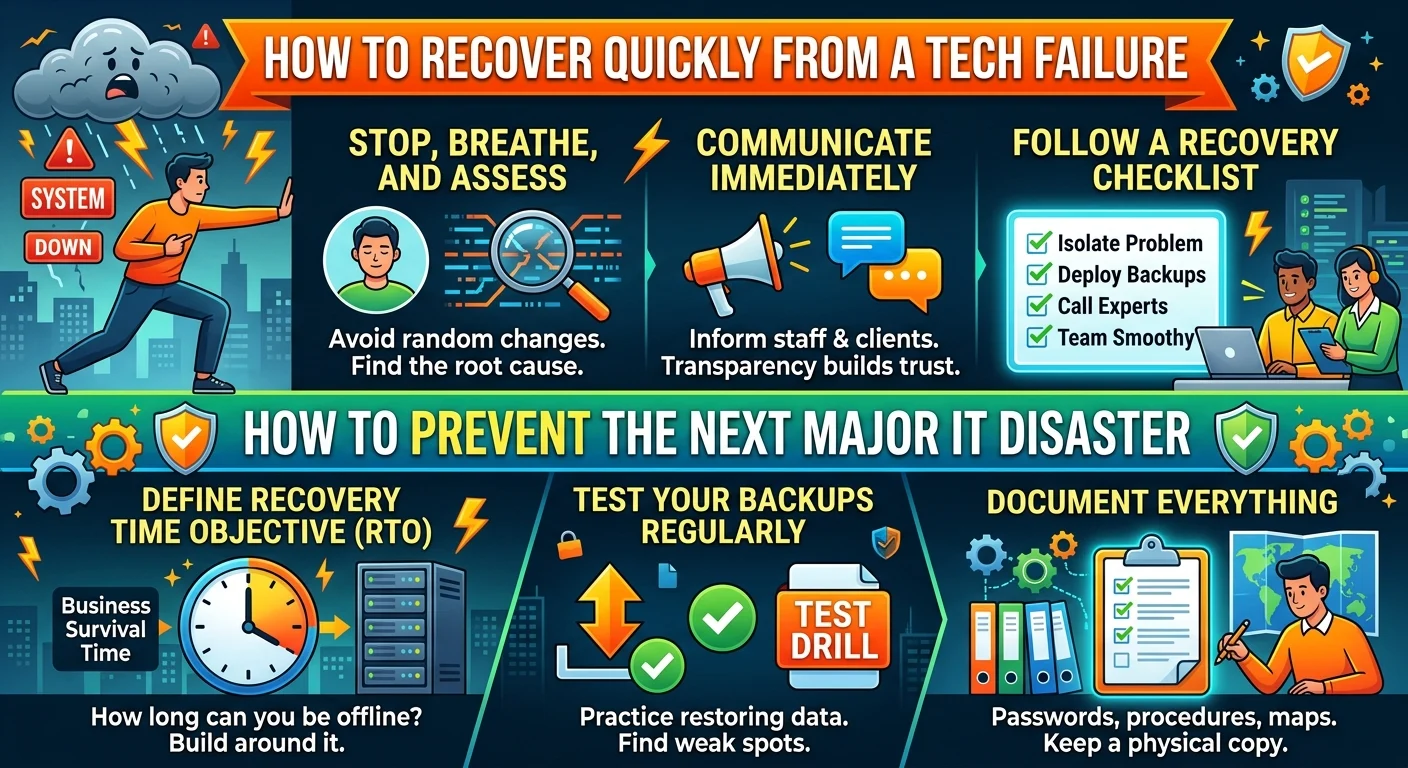
The absolute worst thing you can do during a system crash is start randomly changing settings. Do not reboot the main server just because you hope it will fix things. You might actually overwrite the error logs you need to find the root cause.
Take a minute to figure out exactly what is broken. Is the entire network down? Is it just one specific application? Pinpointing the exact point of failure saves hours of wasted troubleshooting.
Communicate Before People Start Guessing
Silence breeds panic. If your team cannot access their files, they will start bombarding IT with support tickets.
Get ahead of the chaos. Send out a quick update letting everyone know you are aware of the issue.
Tell your clients too. A simple post on social media or a status page update works wonders. People are surprisingly forgiving when you are transparent with them. If you try to hide a massive outage, you just look incompetent.
The Step-by-Step Recovery Process
When you are in the middle of a technology breakdown, you need a logical sequence to follow. Guesswork will only extend your downtime.
Here is a quick checklist to follow when critical systems go dark:
- Isolate the affected hardware: Disconnect infected or failing machines to protect the rest of the network.
- Identify the root cause: Check error logs before making any configuration changes.
- Communicate the outage: Alert your staff and customers immediately.
- Deploy your backups: Begin restoring data to a clean environment.
- Contact vendor support: Escalate to external experts if the problem is beyond your internal capacity.
1. Isolate the Problem
If a virus or ransomware caused the crash, your first priority is containment. Disconnect the infected machines from the network immediately. Unplug the ethernet cables. Turn off the Wi-Fi. Do whatever it takes to stop the spread.
If it is a hardware failure, physically inspect the equipment. Look for obvious signs of damage like blown power supplies or overheating drives.
2. Activate Your Backup Systems
This is where you find out if your IT team has been doing their job. A good backup system is your best friend during an outage.
But here is the catch. Having backups is not enough. You need to know how to restore them safely. Start the restoration process on a clean, isolated system to ensure the backup files are not corrupted.
If you are relying on cloud backups, check your bandwidth limits. Downloading terabytes of data takes much longer than most people expect.
3. Bring in the Experts
There is no shame in admitting you are out of your depth. If your internal team cannot fix the issue within an hour, it is time to escalate. Call your managed service provider or vendor support lines.
Do not wait until the end of the day to ask for help. The longer you wait, the more expensive the recovery will be. Check out our guide on [choosing an IT support partner] if you do not already have someone on speed dial.
How to Prevent the Next Major IT Disaster
Fixing the immediate problem is only half the battle. Once the dust settles, you need to make sure this never happens again. Most tech failures are entirely preventable if you put the right systems in place.
Audit Your Recovery Time Objective
Your Recovery Time Objective is simply how long your business can survive being offline. For an e-commerce site, that might be five minutes. For a local bakery, it might be a full day.
Define this metric clearly. Then build your IT infrastructure around it. If you cannot afford to be down for more than an hour, you need redundant servers ready to take over instantly.
Test Your Safety Nets Regularly
A backup plan that has never been tested is just a wish. I cannot tell you how many companies wait for a real disaster to try restoring their data. Half the time, the backup files are empty or completely corrupted.
Run practice drills. Pull the plug on a test server and see how long it takes your team to get it running again. Find the weak spots in your process while the stakes are low.
Document Everything
When a critical system goes down at 3 AM on a Sunday, the person fixing it might not be your senior engineer. It might be a junior tech who has never seen that specific server before.
They need clear documentation. Write down passwords, network maps, and step-by-step recovery procedures. Keep a physical copy of this document. Digital notes are completely useless if the network is down.
Tech failures are going to happen. Hardware degrades and software contains bugs. You cannot control when a system will crash, but you have total control over how you respond to it.