(302) 262 8484
iOS 27 Pros and Cons: Should You Install the Beta Right Now?

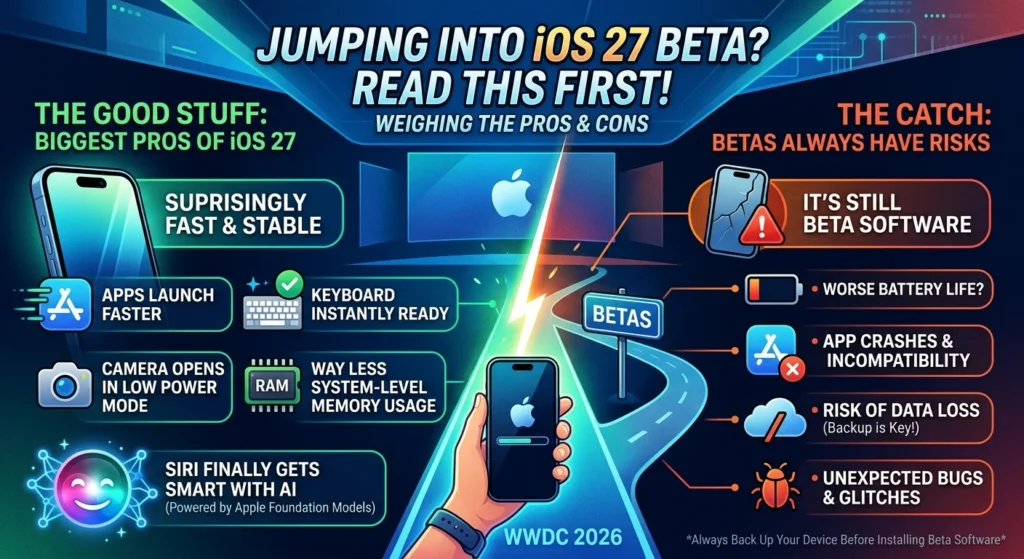
Apple just showed off its next big software update at WWDC 2026, and people are definitely talking about it. If you’re thinking about jumping the gun and downloading the public beta, stop for a second. Weighing the pros and cons of iOS 27 is the smartest thing you can do before hitting that update button. Sure, it promises a huge jump in performance. But beta software always comes with a catch.
The Good Stuff: Biggest Pros of iOS 27
This year, it looks like Apple finally stopped chasing flashy, half-baked gimmicks. Instead, they focused on raw, under-the-hood optimization. If you’ve been dealing with a sluggish phone lately, you might consider professional mobile repair services in Delaware, or simply wait for this update which is going to feel like a massive upgrade.
Surprisingly Fast and Stable
Here’s the deal. Unlike the betas we’ve seen in the past, the iOS 27 public beta is actually incredibly stable. Apple went in and completely rebuilt the search index. They also tweaked the CPU scheduler to keep everything running as smoothly as possible.
You’ll feel it right away. Apps launch way faster, and the keyboard actually pops up when you need it. Even the camera opens instantly when your phone is stuck in low power mode. And we both know that’s been a huge headache for iPhone users forever, especially when you are trying to fix an iPhone storage full error without deleting photos.
Performance Tweaks You’ll Actually Notice
Apple is promising a ton of backend fixes this time around. Here are a few of the performance bumps you’ll actually feel in your day-to-day:
- Way less system-level memory usage, so switching between apps feels much smoother.
- Fewer background processes eating up your battery for no reason.
- A totally rebuilt search index that gets you answers faster.
- Much cleaner handoffs when your phone drops Wi-Fi and switches to cellular.
Siri Finally Gets Smart With AI
The redesigned Siri is easily the star of the show. It’s powered by the new Apple Foundation Models, meaning it actually understands personal context now. It can even pull off actions across a bunch of different apps without skipping a beat.
So it isn’t just a glorified voice search tool anymore. It honestly feels like a real personal assistant that knows exactly what you’re looking at on your screen.
Fixing the Control Center
Apple finally addressed some of the most annoying parts of the Control Center. You can actually turn your Wi-Fi and mobile data on and off with a single tap now. No more expanding that giant connectivity block just to find the right button. Plus, the whole Control Center is fully optimized for landscape mode. Which is great when you’re in the middle of watching a video.
The Catch: Biggest Cons of iOS 27
No software update is flawless. And that goes double for a beta. Before you go all in, we need to talk about the headaches that come with this version.
The Usual Suspects: Bugs and Battery Drain
So what does this actually mean for your daily driver? If you put this beta on your main phone, you’re going to deal with battery drain. Your phone will probably run hot sometimes, too. Yes, it’s way more stable than the iOS 26 beta was. But it’s still pre-release software. Don’t be surprised when your go-to apps crash out of nowhere.
Siri AI is Locked Out for Some
Here is a major catch. If you live in the European Union, you aren’t getting the new Siri AI features at launch. Regulatory red tape is keeping it blocked. So for EU users, the biggest selling point of this whole update is completely off the table for now.
Say Goodbye to Your Muscle Memory
Apple decided to move things around. They completely changed the swipe gestures for pulling up the Notification Center and Control Center. It breaks over ten years of hardwired muscle memory. Expect to accidentally open the wrong screen constantly for the first few weeks.
The Final Verdict: Do the Pros Outweigh the Cons?
So, should you install the iOS 27 public beta today? For most people, I’d say a cautious no. Unless you’re a developer or just a massive tech nerd who doesn’t mind dealing with random glitches, hold off. Wait for the polished, official release in September.
But if you’re determined to take the plunge anyway, back up your iPhone first. Seriously. You can check out our guide on [how to safely backup your iPhone] before you make any huge software changes.
“Beta software is exactly that—beta software. Don’t mistake a polished preview for a finished product.”
At the end of the day, the performance upgrades in iOS 27 make it one of the best updates we’ve seen in years. Just make sure you’re ready to put up with the early-stage weirdness before you hit install.