(302) 262 8484
The Dangerous Illusion of Cloud Storage

We all use cloud storage every single day. Whether you drop files into Google Drive, rely on iCloud for your phone photos, or use Dropbox for work, it feels like magic. You put a file in a folder and it lives everywhere at once. But there is a massive misconception about how this technology actually works.
The one thing no one explains about cloud storage is that it does not automatically mean your files are safe.
People treat the cloud like an indestructible vault. You upload a document and assume it is protected from hardware failures, fires, and accidental clicks. That makes sense on the surface.
Here is the problem. Most popular cloud platforms are designed for synchronization. They are not designed for true data backup.
Syncing vs Backing Up
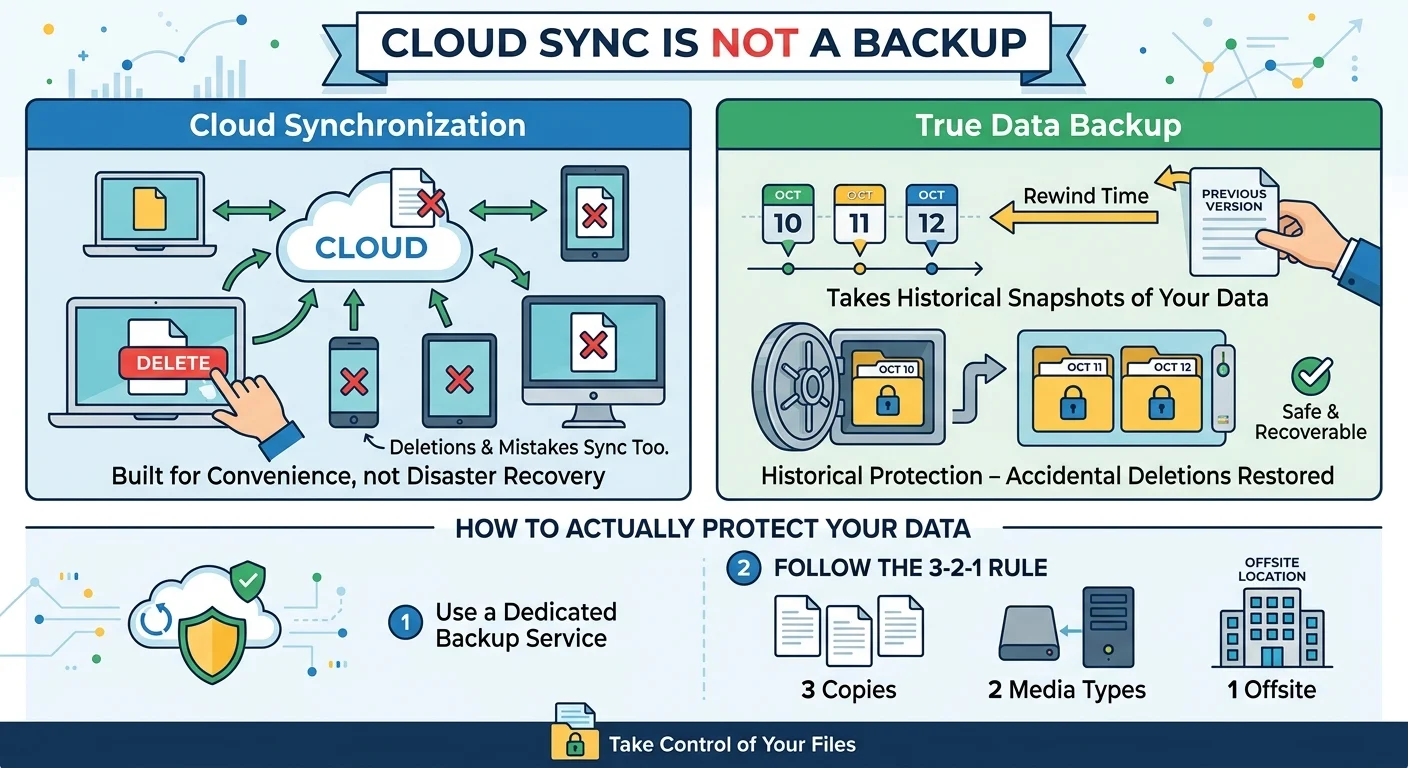
This is where things go wrong for a lot of people. Syncing means your files mirror each other across all your devices. If you add a file to your laptop, it appears on your phone.
But what happens if you accidentally delete that file?
The deletion syncs too. Within seconds, that crucial spreadsheet or family photo is wiped from the cloud and every device connected to your account.
Cloud synchronization is built for convenience, not for disaster recovery.
True backup systems work differently. They take historical snapshots of your data. If you delete something today, a real backup lets you rewind time to yesterday and grab the file before it disappeared. Standard cloud storage plans rarely offer this kind of historical protection.
Why Your Cloud Storage Provider Cannot Save You
Let’s talk about ransomware. It is a nightmare scenario that happens more often than you might think.
If malicious software encrypts the files on your local hard drive, your sync client will immediately update the cloud versions. Suddenly, your pristine cloud storage is filled with locked, unusable files.
Most providers do offer a trash bin or a basic version history. But there is a catch. Those safety nets usually expire in 30 days. If you don’t notice a missing or corrupted file within that window, it is gone forever.
Relying entirely on a sync folder is a terrible practice. It gives you a false sense of security right up until the moment you lose everything.
How to Actually Protect Your Data in the Cloud
You don’t need to abandon your favorite cloud apps. You just need to change how you rely on them.
Here is how to set up a system that actually protects your digital life.
Use a Dedicated Backup Service
Keep using your standard cloud storage for your daily workflow. But run a dedicated backup tool in the background. Services like Backblaze or IDrive are built specifically for disaster recovery.
They don’t sync your mistakes. They quietly copy your entire system and keep historical versions of your files safe from accidental deletions.
Follow the 3-2-1 Rule
IT professionals have sworn by this rule for decades. It is still the gold standard for data protection, especially when paired with proactive IT monitoring for small business to catch potential vulnerabilities early.
- Keep three total copies of your important data.
- Store them on two different types of media.
- Keep at least one copy offsite.
Your primary cloud storage account only counts as one of those copies. You still need a local backup on an external drive and a true offsite backup. Check out our guide on [how to set up an external hard drive] for a step-by-step walkthrough.
Stop Trusting the Sync
The cloud is brilliant for collaboration and access. It lets you work from a coffee shop just as easily as your office desk. But you have to treat it for what it is.
It is a convenience tool.
Don’t let the seamless nature of cloud storage trick you into thinking your data is invincible. Take control of your files, set up a real backup strategy, and stop trusting a simple sync folder to do a backup system’s job.