(302) 262 8484
How to Spot an Email Scam Before It Is Too Late

Learning how to spot an email scam is one of the most important digital skills you can develop. Phishing attempts are getting incredibly sophisticated. They no longer look like obvious letters from distant royalty asking for wire transfers. Modern scams perfectly mimic your bank, your boss, or your favorite streaming service. The good news is that these fake emails almost always leave clues behind. If you know what to look for, you can protect your personal information and keep your accounts secure. Here are the most reliable ways to identify a phishing attempt before you click.
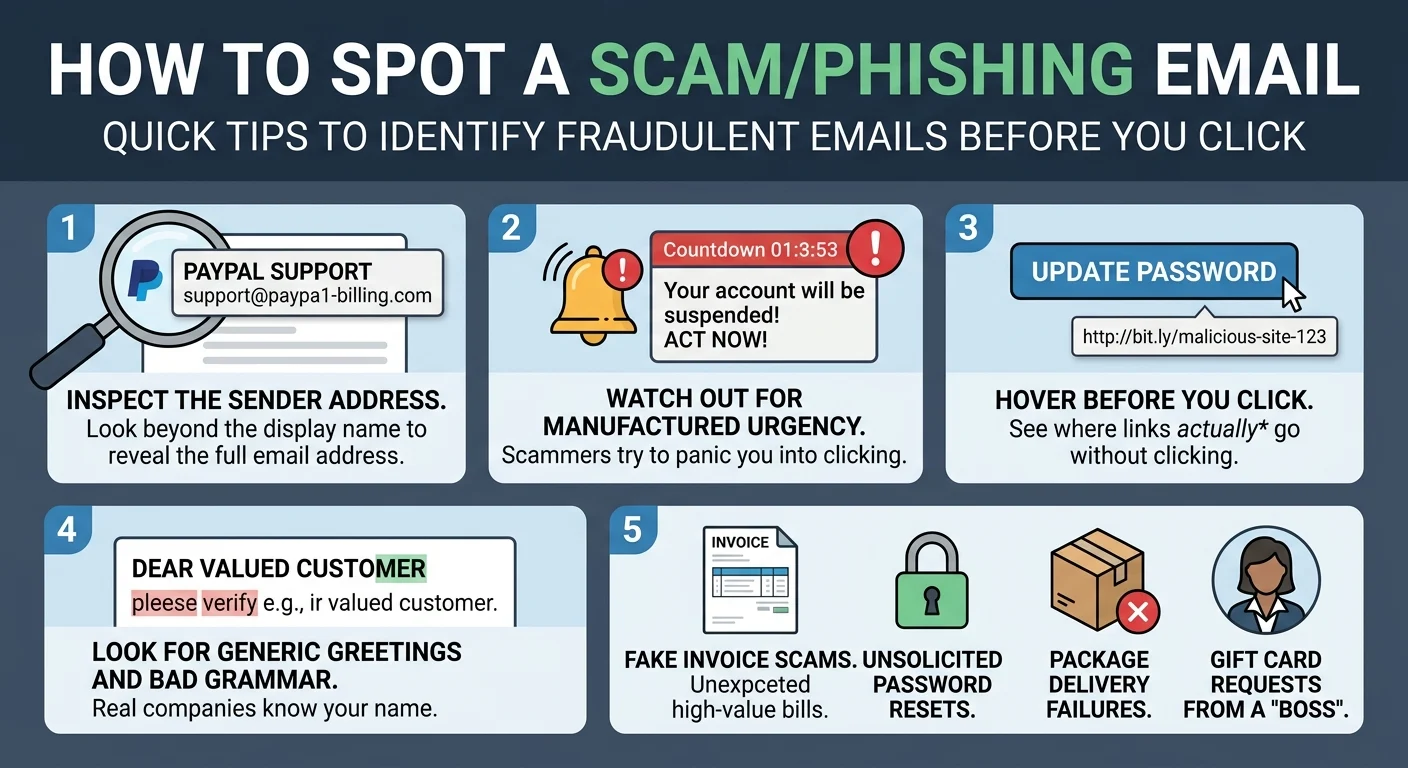
Inspect the Actual Sender Address
Most phishing emails rely on you taking a quick glance at your inbox. The display name might say PayPal Support or Apple Security but the actual email address tells a different story. Click or tap on the sender name to reveal the full address. If it says something like paypal-security-update@gmail.com or support@paypa1-billing.com, you are definitely looking at a scam. Legitimate companies always use their official corporate domain names for communication.
Watch Out for Manufactured Urgency
Scammers want you to panic. They know that if you stop to think, you will probably realize something is wrong. A classic phishing attempt will claim your account is suspended, a massive payment is processing, or you are facing immediate legal action. Take a deep breath. Real organizations give you plenty of notice before taking drastic action. If an email demands immediate payment or account verification to avoid a penalty, treat it with extreme suspicion.
Hover Over Links Before Clicking
Never click a link in an unexpected email without checking it first. If you are on a computer, hover your mouse pointer over the button or link without clicking. A small box will appear in the bottom corner of your browser showing the actual destination URL. If the text says Update Password but the hidden link points to a random string of letters and numbers, do not click it. On a mobile device, you can usually long-press the link to see the destination URL pop up on your screen.
Look for Generic Greetings and Bad Grammar
While artificial intelligence has helped scammers improve their spelling, many phishing attempts still contain awkward phrasing or strange formatting. Another dead giveaway is a generic greeting. If your bank is emailing you about a serious account issue, they will use your actual name. Emails starting with Dear Customer or Valued Member are usually mass-mailed scams hoping someone takes the bait.
The Most Common Phishing Attempts Right Now
Scammers closely follow consumer trends. They constantly update their tactics based on what people are buying and doing online. Here are a few common setups you should watch out for in your inbox:
- Fake invoice scams claiming you bought expensive software or electronics.
- Password reset requests for accounts you have not tried to access.
- Package delivery failures asking for a small credit card fee to reschedule.
- Messages from a supposed boss or CEO asking you to quickly buy gift cards.
What to Do When You Find a Fake Email
Just opening a scam email usually will not hurt your computer. The danger only starts if you interact with the contents. Do not reply to the sender or click any unsubscribe links at the bottom of the message. Clicking unsubscribe just confirms to the scammer that your email address is active and monitored. Instead, use the report phishing button built into your email provider. This helps train your spam filter to catch similar messages in the future. Once reported, simply delete the email. If you are worried the message might actually be real, open your web browser and log into your account directly instead of using the links provided in the email. You can also read our related guide on [securing your online accounts] for more advanced protection tips.
Key Takeaways to Stay Safe
Spotting a phishing attempt really comes down to slowing down and verifying details. It is easy to get caught off guard when you are busy clearing out your inbox. Remember these core rules to keep your data safe:
- Always check the full sender email address instead of just the display name.
- Ignore threats that demand immediate action or payment.
- Never click unverified links or download unexpected attachments.
- When in doubt, contact the company directly through their official website.