(302) 262 8484
Why You Need to Back Up Your Photos Today

We all have that one friend who dropped their phone in a lake and lost years of memories. Maybe you are that friend. If you want to know how to back up your photos before disaster strikes, you are in the exact right place. Phones break, laptops crash, and accidental deletions happen more often than anyone wants to admit, which is why having access to reliable PC repair in Delaware can be a lifesaver.
Taking a few minutes now to secure your digital memories will save you a massive headache later. Relying on a single device is a recipe for heartbreak. Your smartphone might hold thousands of irreplaceable pictures of your kids, pets, and vacations. If that device gets lost or damaged, those moments are gone forever.
Setting up a solid photo backup strategy is the only way to guarantee your pictures survive hardware failures or theft. It does not have to be complicated or expensive, and our team offers personalized IT solutions for small businesses to help you manage your digital assets effectively. You just need a plan.
The 3-2-1 Photo Backup Strategy Explained
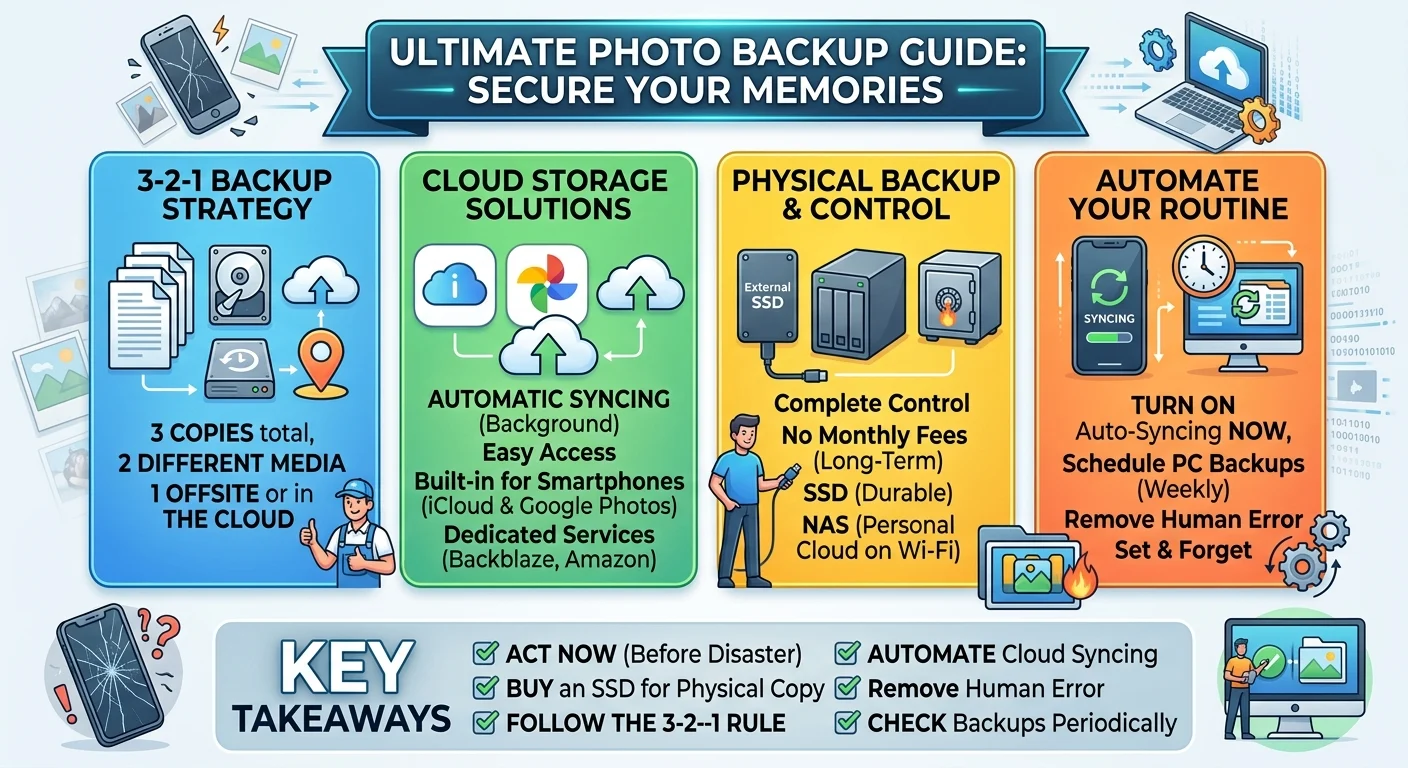
If you ask any data recovery expert how to keep files safe, they will tell you about the 3-2-1 rule. It is the gold standard for protecting digital data. This simple framework ensures you never lose sleep over a broken hard drive.
- Keep three total copies of your photos.
- Store two copies on different types of media.
- Keep one copy offsite or in the cloud.
Following this method means a single dropped laptop or a forgotten password will not wipe out your entire camera roll. You always have a fallback option ready to go.
The Best Ways to Back Up Your Photos
You have plenty of options when it comes to saving your images. The best approach usually combines a physical drive with an online service to hit that 3-2-1 rule perfectly.
Cloud Storage Solutions
Cloud storage is the easiest way to back up your photos because it happens automatically in the background. You just take a picture and the app syncs it to a remote server. You do not have to plug anything in or remember to run a manual update.
Apple iCloud and Google Photos
For most smartphone users, the built-in options make the most sense. iPhone users lean heavily on iCloud. It is baked right into iOS and keeps everything updated across your Mac and iPad. Android users typically turn to Google Photos.
Both services offer a small amount of free storage. You will definitely need to pay a few bucks a month to back up a full library, but the convenience is well worth the price of a cup of coffee.
Dedicated Backup Services
If you shoot high-resolution RAW files or want an alternative to big tech ecosystems, look into services like Backblaze or Amazon Photos. They offer different pricing models and often provide massive storage limits for serious photographers. You can learn more about choosing a provider in our guide on [choosing the right cloud storage].
External Hard Drives and SSDs
You should never rely entirely on the cloud. What happens if you lose access to your account or your internet goes down, or if you encounter issues like ransomware removal in Delaware that could threaten your local files? Buying a physical drive gives you complete control over your files.
Solid State Drives (SSDs) are fantastic because they have no moving parts. This makes them much more durable than older spinning hard drives. Just plug your SSD into your computer once a month and drag your newest folders over. Keep this drive in a fireproof safe or a desk drawer for ultimate peace of mind.
Network Attached Storage (NAS)
Think of a NAS as your own personal cloud. It is a box of hard drives that sits in your house and connects directly to your Wi-Fi router. You can set your phone to automatically back up your photos to the NAS the second you walk through the front door.
Setting up a NAS requires a bit of technical know-how upfront. However, it pays off massively in long-term convenience and avoids monthly cloud subscription fees.
How to Automate Your Backup Routine
The biggest reason people lose their photos is simply forgetting to back them up. Human error is your worst enemy here. You need to remove yourself from the equation completely.
Turn on automatic background syncing for your mobile apps right now. If you use a computer, schedule your backup software to run weekly while you sleep. The goal is to set it up once and let the technology do the heavy lifting. A backup routine only works if it actually happens.
Key Takeaways for Protecting Your Digital Memories
Do not wait until your phone is sitting at the bottom of a swimming pool to think about this. It only takes about ten minutes to get a basic system running and secure your files.
- Turn on automatic cloud syncing today.
- Buy an external SSD for a physical backup copy.
- Follow the 3-2-1 rule to eliminate single points of failure.
- Check your backups periodically to make sure they are actually working.
Your memories are worth protecting. Take action right now to secure them before it is too late.