(302) 262 8484
How to Tell if Someone is Watching What You Do Online

Have you ever had that weird, sinking feeling that your digital privacy has been breached? You are not just being paranoid. Figuring out how to tell if someone is watching what you do online is a crucial skill right now. Whether it is a nosy partner, an overstepping boss, or a malicious hacker, digital snooping is way more common than people like to admit. Let us break down the actual signs that your devices or networks are compromised.
There is no single flashing red light that alerts you to a digital spy. Instead, you have to look for a combination of small and annoying glitches. Most monitoring software is designed to run quietly in the background. But it is rarely perfect. These programs use up system resources and leave tiny digital footprints if you know where to look.
Your Device is Suddenly Slow or Overheating
Phones and laptops get old and slow down. That is perfectly normal. But if your brand new smartphone suddenly feels like it is running through molasses, you need to pay attention.
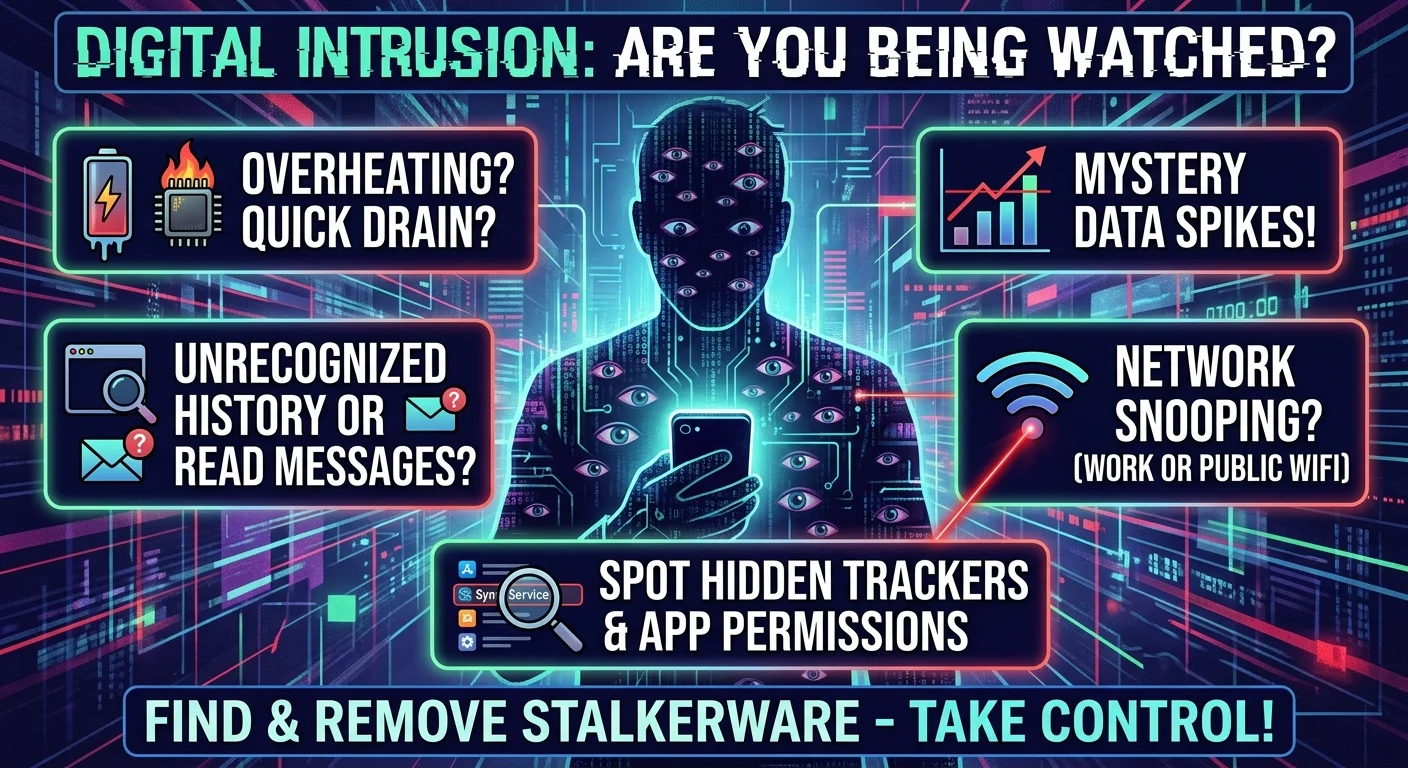
Spyware runs constantly. It tracks your keystrokes, records your screen, and sends that data to someone else over the internet. All that heavy lifting drains your battery fast. If your phone is hot to the touch while sitting idle on your desk, that is a massive red flag. A battery that used to last all day but now dies by lunchtime is another strong indicator of hidden background activity.
Weird Digital Glitches and Red Flags
You know your own digital habits better than anyone. When things look out of place, trust your gut.
Unexplained Browser History and Read Messages
If you open your email and see unread messages suddenly marked as read, someone else might be logged into your account. The same goes for your browser history. Seeing websites you never visited or weird search queries is a dead giveaway. Sometimes people forget to cover their tracks when snooping through your linked accounts.
Massive Spikes in Data Usage
Tracking apps need a way to send your private information back to the person spying on you. This requires data. Check your monthly data usage in your phone settings. If you normally use a few gigabytes but suddenly hit your data cap halfway through the month, you should look into professional malware, ransomware, and virus removal services in Delaware to ensure your system is clean. Look for unfamiliar apps consuming the most data.
Are You Being Monitored on a Wi-Fi Network?
Now, network monitoring is a completely different beast from device hacking. If you are using a Wi-Fi network that you do not control, you should learn how to tell if your network isn’t secure and assume the owner can see something.
Work and School Networks
If you are on a company laptop or office Wi-Fi, your employer absolutely has the right to monitor your traffic. In fact, you should assume they do. Most corporate IT setups use SSL inspection. This allows them to see exactly which websites you visit and sometimes even the messages you send.
Never do anything personal on a work device. Just keep those worlds separate. It is the easiest way to protect your privacy.
Public Wi-Fi Dangers
Coffee shop Wi-Fi is notoriously unsecure. A hacker sitting a few tables away can use simple software to intercept your traffic. They can easily steal your passwords if you are logging into unencrypted websites. Always use a reputable VPN when connecting to public networks. You can read more about securing your connection in our guide on [how to choose the best VPN].
How to Find and Remove Stalkerware
Stalkerware is the most insidious type of tracking software. It is usually installed by someone who has physical access to your phone. Think abusive partners or overly controlling family members. Finding it takes a bit of digging.
Check Your App Permissions
Most people never look at their app permissions. Now is a great time to start. Dig into your phone settings and look at which apps have access to your camera, microphone, and location.
- Look for generic names. Spyware often hides behind boring names like “System Update” or “Sync Service” to avoid detection.
- Check for hidden apps. Some tracking software hides its icon from your home screen entirely. You have to look in your full application list to find it.
- Review device administrators. If an app you do not recognize has admin privileges on your phone, remove it immediately.
Steps to Take if You Are Being Watched
Discovering that someone is tracking you is terrifying. Your first instinct might be to confront them or immediately delete the app. Take a breath first. If you are dealing with an abusive situation, suddenly going dark could escalate things and put you in danger. Your physical safety is always the priority.
Here is what you should do when you are ready to take action.
- Document everything. Take screenshots of the weird apps or settings before you change them. You might need this evidence later.
- Change your passwords. Do this from a safe device that you know is not compromised. Think about using a library computer or a trusted friend’s phone.
- Enable two-factor authentication. This stops people from logging into your accounts even if they have your password.
- Factory reset your device. This is the nuclear option. It wipes everything clean, including the hidden spyware.
Protecting your digital privacy is an ongoing habit. Keep your devices locked with strong passcodes. Never leave your phone unattended around people you do not fully trust. Once you know what to look for, spotting a digital spy becomes much easier.