(302) 262 8484
Yes, You Can Finally Change Your Gmail Address

For years, getting stuck with an embarrassing childhood email was just a fact of life on the internet. If you wanted a professional name, you had to create a brand new account and manually migrate your entire digital life.
That frustrating era is finally over.
Google is rolling out a highly anticipated feature that lets you change your Gmail address without losing your data, your purchases, or your sanity. It is a massive shift for the platform and a huge relief for anyone who created their account back in 2008.
How to Change Your Gmail Address (Step-by-Step)
Ready to ditch that old username? The process to change your Gmail address is actually pretty straightforward. You can do this from either your desktop browser or the mobile app.
Here is the exact process to update your account.
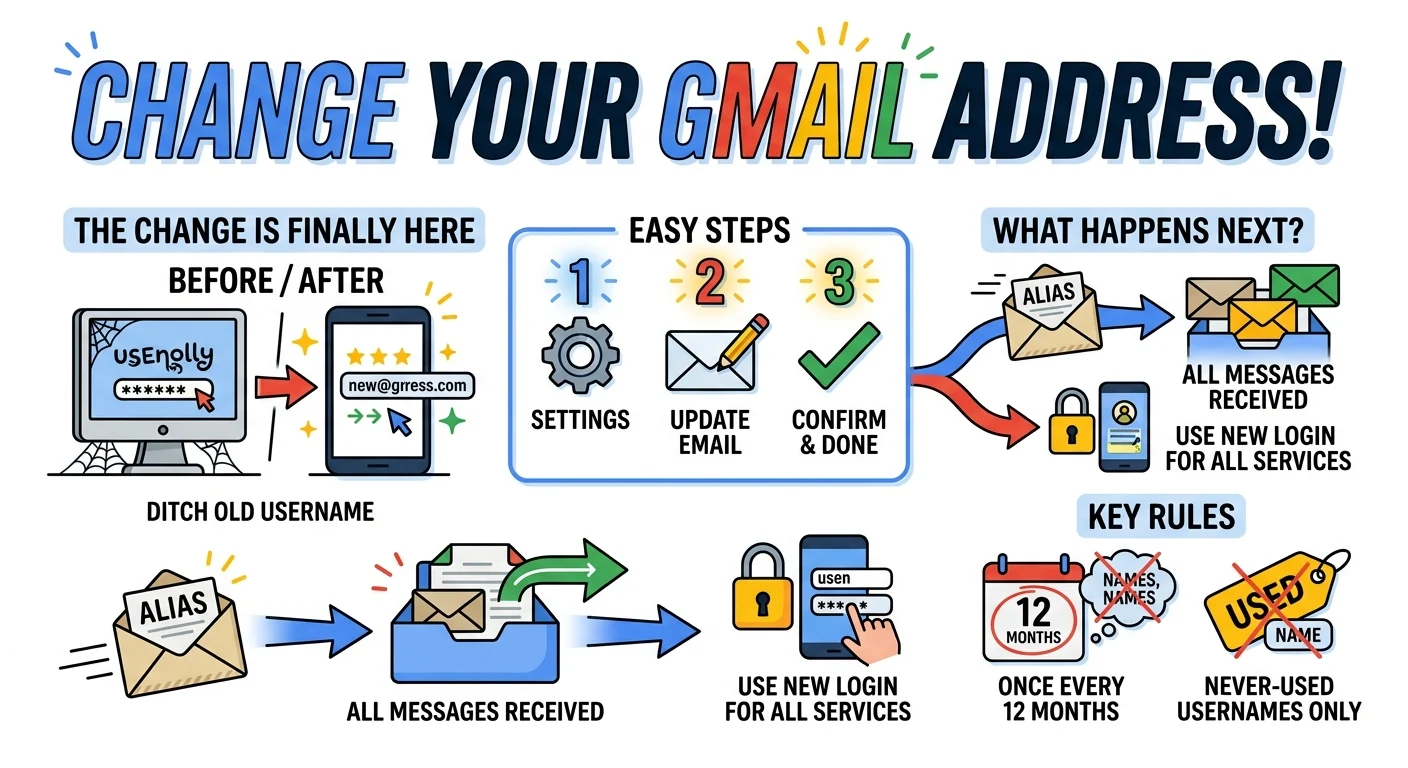
- Access Account Settings: Go to myaccount.google.com on a browser. If you are on mobile, tap your profile picture inside the Gmail app and select “Manage your Google Account”.
- Navigate to Email: Tap or click on “Personal info” and then select “Email”.
- Change Email: Select “Google Account email” and click on “Change Google Account email”.
- Create New Address: Enter your new desired Gmail username and follow the prompts on the screen.
- Confirm Change: Verify your identity if prompted and click to finalize the update.
If you do not see the change button yet, do not panic. Google is still rolling this feature out. Check back in a few weeks.
What Happens When You Update Your Google Account Email?
So what does that mean for you and your inbox? A lot of people worry about losing important messages when they switch things up, which is why we often help clients navigate the risks of why people lose access to their accounts every day.
Here is the best part of this new feature. Your old email address automatically becomes an alias.
Any messages sent to your old address will still land right in your primary inbox. You will not miss important bills or messages from friends who have not updated their contact lists. For more tips on keeping your inbox clean, check out our guide on [how to organize your Gmail inbox].
Prepare for Sign-In Changes
There is a slight catch when it comes to logging in. Once the change goes through, you must use your new address to sign into all Google services.
This also affects third-party apps connected to your account. Smart home devices like Alexa or Ring might get confused and disconnect. You will likely need to log back into those services using your updated credentials.
Important Rules and Restrictions to Know
Google is not making this a free-for-all. There are some strict limitations in place to prevent abuse and confusion across the platform, much like the security protocols we implement through our small business cybersecurity protection services.
The 12-Month Waiting Period
Choose your new name carefully. You can only change your email address once every 12 months.
If you make a typo or decide you hate the new name a week later, you are stuck with it for a full year. Take an extra second to double-check your spelling before you hit confirm, as recovering from digital errors is much harder than using our professional virus and spyware removal services to keep your system clean.
Username Availability
You cannot claim a username that is already in use by someone else. That part is obvious.
More importantly, you cannot claim a username that someone else used in the past and deleted. The name has to be completely fresh and untouched by any previous user.
The Gradual Rollout
As mentioned earlier, this is a slow release. Google is primarily starting the rollout in the US. If you live elsewhere, you might have to wait a little longer before the option appears in your settings.
Keep an eye on your account settings. The freedom to finally fix your email address is just around the corner.