(302) 262 8484
What to do after your website goes down: The first 15 minutes

Seeing a blank screen or a massive error message instead of your homepage is a terrible feeling. Panic usually sets in immediately. But knowing exactly what to do after your website goes down can mean the difference between a minor hiccup and a massive loss of revenue.
Take a breath. Website crashes happen to the biggest companies in the world.
The goal right now is to stop clicking refresh and start troubleshooting systematically. Getting your business back online requires a cool head and a clear process.
Time is money when your site is offline. Before you start ripping apart your code or firing off angry emails, you need to figure out the actual scope of the problem.
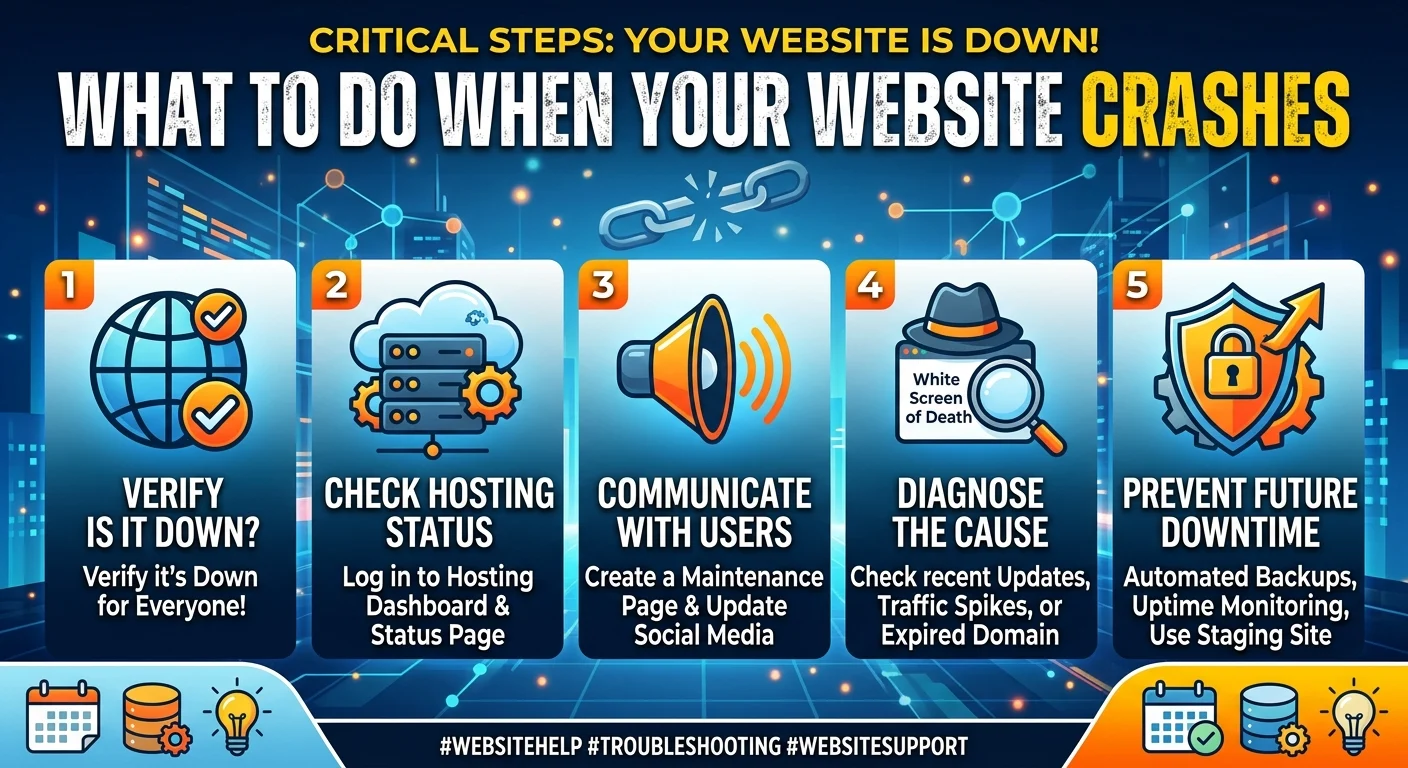
Verify it is actually down for everyone
Sometimes the problem is just your local internet connection or a cached browser error. Do not assume the worst right away.
Use a free tool like Down for Everyone or Just Me to check your URL. If the tool says your site is up, clear your browser cache or try loading the page on your phone using cellular data. If it is genuinely offline for the rest of the world, it is time to dig deeper.
Check your hosting provider status
Here is the thing. The outage might not be your fault at all.
Web hosts experience server failures, network routing problems, and hardware issues daily. Log into your hosting dashboard and look for any active alerts. You should also check their official status page or support accounts on social media.
If your host is having a massive system outage, you unfortunately just have to wait it out. If you find yourself waiting on your host frequently, it might be time to explore our professional Website Solutions to ensure your site stays online.
Communicate with your users
If you have access to your server or a DNS tool like Cloudflare, route your traffic to a simple static maintenance page. This tells visitors you are aware of the problem and actively working on it.
Then get on social media or email your list if the outage is affecting a major product launch or service. Silence frustrates customers far more than technical difficulties do. Just be honest and give them a realistic timeline if you have one.
Diagnosing why your website crashed
Once you know the problem is isolated to your specific site, you need to play detective. Most website crashes come down to a handful of very common culprits, which is why we recommend proactive IT monitoring for small business owners to catch issues early.
Did a plugin or update break things?
Think about the last thing you did before the site went offline. Did you update a core file? Change your active theme? Add a new snippet of tracking code?
Bad plugin updates are notorious for causing the dreaded white screen of death. If you suspect a plugin is the villain, access your site via FTP and temporarily rename your plugins folder. If your site instantly comes back online, you know a plugin is to blame. You can then reactivate them one by one to find the exact offender.
Traffic spikes and resource limits
Going viral is great until it melts your server.
If you just sent out a massive email blast or got linked by a huge publication, your server might simply be out of memory. Cheaper shared hosting plans put strict limits on your server resources. When you hit that ceiling, the host will automatically suspend your site to protect the rest of the server.
Check your hosting analytics for a sudden wall of traffic. You might need to temporarily upgrade your plan to get back online.
Domain and DNS issues
This happens more often than people like to admit. Did your domain name expire?
Log into your domain registrar and make sure your credit card on file did not fail. You should also double check that your DNS records have not been accidentally modified. A missing or incorrect A record will drop your site offline instantly.
How to prevent future website downtime
Fixing a broken website is incredibly stressful. Preventing it from breaking in the first place is much easier. Once the dust settles and your site is back online, you need to put a proper safety net in place.
Here are the non-negotiable steps every site owner should take:
- Set up automated uptime monitoring. You should not rely on your customers to tell you when your site is broken. Use a service like UptimeRobot to get instant text alerts the second your site drops.
- Take daily off-site backups. Your host might offer backups but you need your own independent copies. If your host gets hacked, their backups might be compromised too. Store your backups on a separate secure cloud service.
- Use a staging environment. Never test new plugins or design changes on your live site. Push them to a staging server first to see if anything breaks before making it public.
- Upgrade your hosting. If you outgrow your cheap shared hosting plan, move to a VPS or a dedicated managed host. The extra monthly cost is entirely worth the peace of mind.
Getting back to business
Nobody likes dealing with server errors and broken code. But experiencing a crash is almost a rite of passage for website owners.
The trick is to stay calm and isolate the variables. Figure out if the server is down, check your recent changes, and restore a backup if you get completely stuck. Every time you fix an outage, you learn a little more about how your tech stack actually works. And that makes you much better prepared for whatever the internet throws at you next.