(302) 262 8484
Getting a text from a friend asking if you just sent them a weird link is a horrible feeling.

Panic sets in fast when you realize your inbox has been compromised. If you need to fix a hacked email account sending spam to your contacts, you are in the right place. Time is of the essence here. Every minute someone else has access to your inbox is another minute they can reset your other passwords or scam your colleagues.
We are going to lock down your account, kick the bad guys out, and stop the bleeding right now.
Are you actually hacked or is it just email spoofing?
Before you tear down your entire digital life, let us figure out if someone actually broke into your account. Sometimes scammers use a trick called email spoofing. They forge the “From” address to make it look like the spam came directly from you.
If it is spoofing, your actual account is completely safe. The bad guys are just pretending to be you to trick your friends.
How do you tell the difference? Check your Sent folder. If you see the spam messages sitting in your Sent folder, your account is definitely compromised. If your Sent folder is clean but people are still getting junk from your address, you might just be the victim of spoofing.
If it is a true hack, keep reading.
Steps to fix a hacked email account sending spam to your contacts
Let us get straight to the fix. You need to regain control of your account and make sure the attacker cannot easily sneak back in.
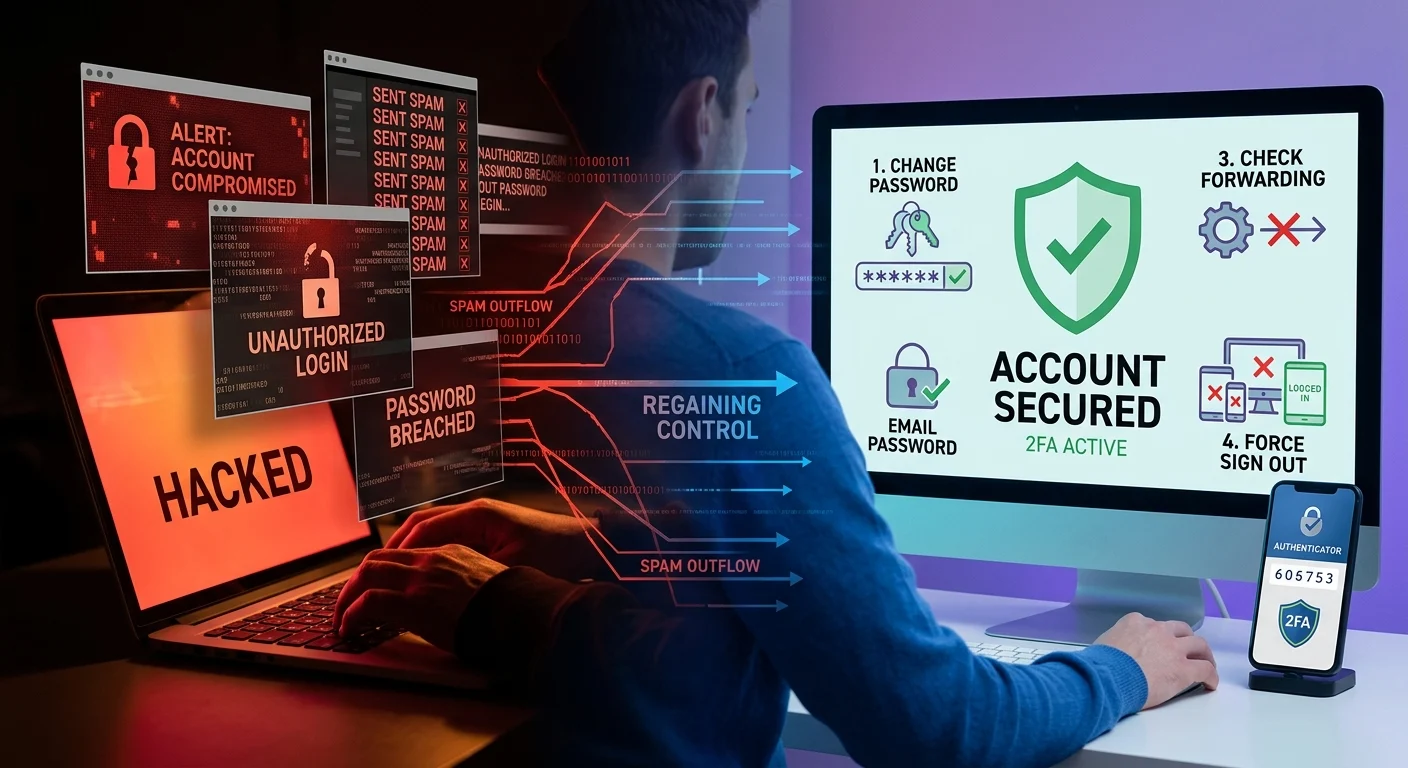
1. Change your password right this second
This is obvious but critical. You need to cut off the attacker’s primary way in. Go to your email settings and update your password immediately.
Do not use a password you have used anywhere else. If you reuse passwords, a data breach on a random website can hand hackers the keys right back to your inbox, which is why understanding what a data breach is and how to tell if you’re affected is so important. Use a password manager to generate something long and completely unique, and remember that the brutal truth about how fast a weak password gets cracked is that it takes only seconds for automated tools to break them.
2. Force a sign out on all devices
Changing your password does not always kick out someone who is already logged in. You need to manually end all active sessions.
Gmail, Outlook, and Yahoo all have security pages where you can view logged-in devices. Find the option to sign out of all active web sessions. This forces everyone to log back in with the new password you just created.
3. Check for sneaky forwarding rules
Hackers love to leave a backdoor open. They often set up automatic forwarding rules. This means even after you change your password, copies of your incoming emails get sent straight to them.
They might also create filters to automatically delete password reset emails from your bank so you never see them. Dig into your email settings and delete any forwarding rules or filters you did not create.
4. Turn on two-factor authentication
If you take away one thing from this guide, make it this. Two-factor authentication is your absolute best defense against future attacks.
Even if a hacker steals your new password, they cannot get in without the second piece of the puzzle. Set up an authenticator app or at least turn on text message codes. See our guide on [setting up two-factor authentication] for a step-by-step walkthrough.
5. Do damage control with your contacts
Once your account is secure, you need to warn your network. Send a quick, clear email to your contacts.
Let them know your account was compromised and tell them not to click any links or download attachments from recent emails. Keep it simple. A short apology and a clear warning will save your friends from getting hacked next.
How did your email get hacked in the first place?
Figuring out how this happened helps you prevent it from happening again. Most email accounts get compromised in one of three ways.
- Phishing: This is still incredibly effective. You might have clicked a link in a fake email that looked like a Google security alert. Once you typed in your password, the hackers had it.
- Password reuse: This is a massive problem. If you used the same password for your email and a random forum that got breached, hackers will just try that password everywhere.
- Malware: Malicious software on your computer or phone can scrape your login credentials. If you recently downloaded sketchy software, run a virus scan immediately.
Keeping your inbox safe from future attacks
You never want to fix a hacked email sending spam ever again. It is stressful and highly embarrassing. The good news is that locking down your account is pretty straightforward once you know the basics.
Rely on a password manager to keep your credentials unique. Never ignore security alerts from your email provider. And always take a second look at the sender address before clicking links in your inbox.
Your email is the master key to your digital life. Protect it like you would your physical wallet.