(302) 262 8484
The Easy Way to Detect Spyware on Your Phone

If you have ever felt like someone is watching your digital moves, you are not alone. Finding the easy way to detect spyware on your phone is the first step to reclaiming your privacy and peace of mind. Spyware operates silently in the background, but it always leaves clues if you know where to look.
Whether it is a jealous partner using stalkerware or a hacker aiming for your bank details, mobile surveillance is a real threat. Fortunately, you do not need to be a cybersecurity expert to figure out if your device has been compromised. Here is exactly how to spot the red flags and clean up your device.
The Easy Way to Detect Spyware on Your Phone: Spotting the Red Flags
Spyware is designed to be invisible. It will not show up on your home screen with a bright red warning label. Instead, it disguises itself as a harmless utility app, like a calculator or a system update file. However, running these hidden programs takes a toll on your device resources.
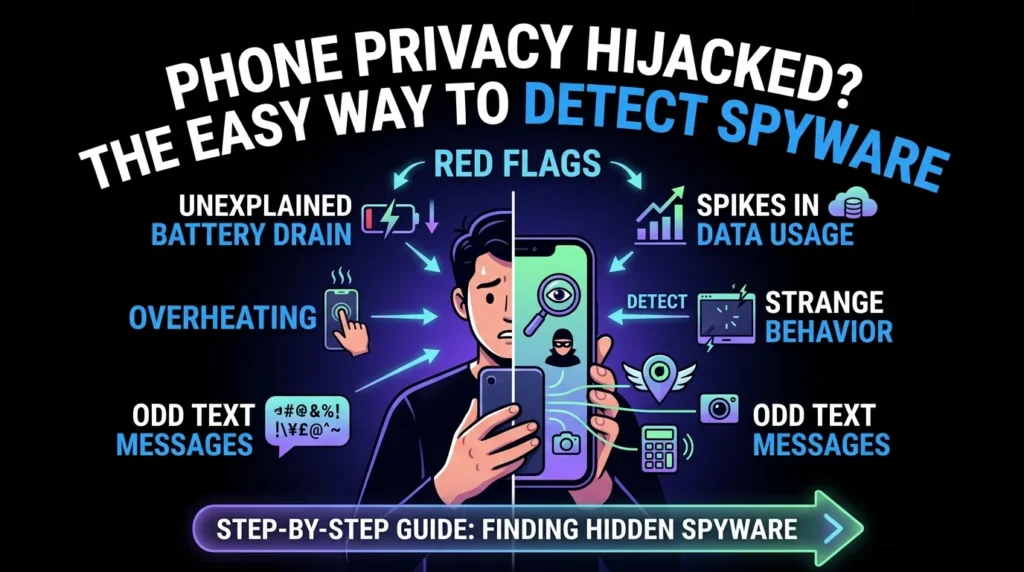
Here are the most common warning signs that your phone is hosting an unwanted visitor:
- Unexplained battery drain: If your battery suddenly starts dying twice as fast as usual, background spyware might be running constantly.
- Overheating: A phone that feels hot to the touch even when you are not using it is often a sign of intense background processing.
- Spikes in data usage: Spyware has to send your stolen photos, messages, and location data back to the hacker. This process eats up your mobile data.
- Strange behavior: Random reboots, flashing screens, or your camera light turning on for no reason are major red flags.
- Odd text messages: Receiving texts filled with random characters, numbers, or links can indicate that a remote control command was sent to the spyware on your device.
Step-by-Step Guide to Finding Hidden Spyware
Now, this is where it matters. If you suspect something is off, you need to take action. You can easily investigate your phone using built-in settings and a few smart habits.
Check Your Data Usage Statistics
Because spyware constantly transmits data, checking your network usage is one of the most reliable detection methods. You can easily see which apps are consuming the most data in your settings menu.
On an iPhone, go to Settings, then tap Mobile Data. Scroll down to see a detailed list of how much data each app is using. If you see an unfamiliar app, or a simple calculator app using gigabytes of data, you have found your culprit.
On an Android, open Settings, go to Network and Internet, and look for Mobile Data Usage. Look closely at the background data usage of apps you rarely use.
Inspect Your App Permissions
Spyware needs permissions to do its dirty work. It needs access to your camera, microphone, location, and contacts. If a basic wallpaper app or a simple puzzle game has permission to track your GPS and record audio, that is a massive warning sign.
Take five minutes to review your app permission manager. Revoke any permissions that do not make sense for the app in question.
Run a Dedicated Security Scan
The absolute easiest way to catch sneaky malware is to let a professional tool do the heavy lifting. Standard antivirus programs sometimes miss highly customized stalkerware, so you want to use a reputable mobile security app.
Download a trusted scanner like Malwarebytes or Kaspersky from the official app store. Run a full system scan to find hidden processes that are masked as system files.
Special Clues for Android and iPhone Users
Different operating systems have different vulnerabilities. Depending on what phone you carry, here is what you need to look out for.
Android Vulnerabilities and Android 16 Safeguards
Android devices make it easier for users to sideload apps from third-party sources. Go to your settings and search for “Install unknown apps.” If this setting is enabled for random browsers or file managers, someone may have manually installed spyware on your phone.
Fortunately, modern security is catching up. Google recently introduced an Intrusion Logging feature for Android 16. This tool maintains an encrypted record of background changes, app installations, and USB transfers that even spyware cannot delete. If you use a compatible device, keeping this feature active is a game changer.
iPhone Security and Jailbreak Warnings
iPhones are generally highly secure, but they are not invincible. To install deep-level spyware on an iPhone, an attacker usually has to jailbreak the device first.
Search your phone for an app called Cydia. Cydia is an app store used on jailbroken iPhones. If you see it on your device and you did not put it there, someone has physical access to your phone and has compromised its security.
What to Do If You Find Spyware
If you find a suspicious app, do not panic. Here is how to handle it safely.
If you suspect you are being monitored by an abusive partner through stalkerware, prioritize your physical safety first. Removing the app might alert them that you know. Consider using a different, safe device to seek help before deleting anything.
If you are ready to remove the threat, start by booting your phone into Safe Mode. This prevents third-party apps from running in the background, allowing you to uninstall the malicious file without interference.
After deleting the app, change all of your major passwords immediately. This includes your email, banking apps, and social media accounts. Finally, if you want to be absolutely sure the device is clean, perform a full factory reset. Just make sure to back up your essential photos and contacts first.