(302) 262 8484
Why Websites Know It’s You Even in Incognito Mode

We have all been there. You open a private window, search for a product you would never normally look up, and close the tab. You think you are a digital ghost.
Yet, a few hours later, an ad for that exact product pops up on your social media feed. How does this happen?
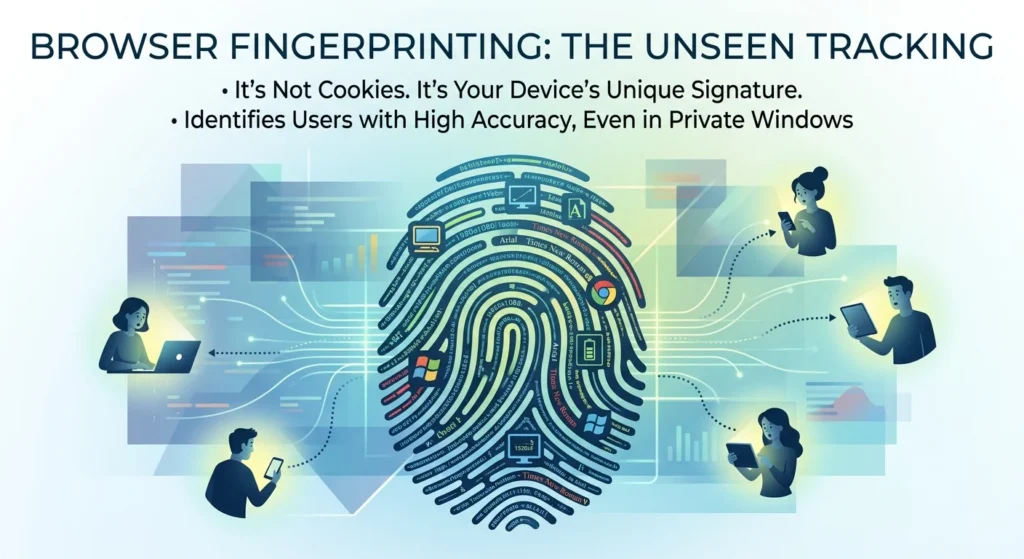
The uncomfortable truth is that private browsing does not make you invisible. Websites are increasingly relying on a silent tracking technique called browser fingerprinting to identify your device without needing a single cookie.
What is Browser Fingerprinting and How Does It Work?
To understand why private browsing fails, you have to understand how tracking has evolved. For decades, websites relied on cookies, which are small files stored directly on your computer. When you clear your history or open an incognito window, those cookies are wiped clean, though you should still be aware of how to stop saving passwords in your browser for better overall security.
But browser fingerprinting is entirely different because it does not store anything on your machine. Instead, it takes a snapshot of your system’s unique configuration.
Every time you load a webpage, your browser naturally shares a massive amount of technical data with the server so the page displays correctly. This includes your operating system, screen resolution, installed fonts, and even the way your graphics card processes images, which is why understanding the differences between AMD vs Nvidia graphics cards can be useful for hardware enthusiasts.
Why Browser Fingerprinting is More Dangerous Than Cookies
While none of these technical details are unique on their own, when you stitch them all together, they form a highly specific digital signature. Researchers have found that this method can identify individual devices with over 99% accuracy. Unlike cookies, you cannot simply delete a fingerprint because it is built from your actual hardware and software settings.
For a long time, tech companies claimed this kind of tracking was mostly theoretical. However, a landmark study by researchers at Texas A&M University recently provided the first hard proof that websites and advertisers are actively using browser fingerprinting to track real-world users across the web.
How Websites Build Your Browser Fingerprinting Profile
So what exactly are these websites looking at when they build your profile? They are not just checking your location or browser version. They are gathering dozens of highly specific hardware and software details, including:
- Canvas Rendering: The website asks your browser to draw a hidden, complex image in the background. Because every computer’s graphics card and driver handle rendering slightly differently, the resulting image is unique to your device.
- Audio Context: Sites can analyze how your device’s audio stack processes sound waves, creating a distinct acoustic signature.
- Installed Fonts: Your browser shares a list of the exact fonts installed on your computer, which varies wildly from person to person.
- Hardware Specs: Details like your device memory, processor cores, and screen resolution are easily harvested.
- Network and System Settings: Your language preferences, timezone, and even your precise battery level can be used to narrow down your identity.
Why Incognito Mode and VPNs Fail to Protect You
Now, this is where it matters. Many people assume that turning on a VPN or switching to incognito mode acts as an impenetrable shield. Here is the thing: they do not.
Incognito mode is designed to protect your privacy from other people who use the same physical computer. It prevents your browser from saving your history, search queries, and local cookies. It does absolutely nothing to alter your computer’s hardware, graphics card, or installed fonts. A site that fingerprints you in a normal window will recognize your device’s fingerprint instantly when you open an incognito tab.
What about VPNs? A VPN is great for hiding your IP address and changing your apparent geographic location. But that is only one single data point. Your canvas rendering, audio settings, and timezone still match the device behind the VPN. The moment you connect, the tracking scripts can easily link your new IP address back to your existing digital profile.
Why the Ad Industry is Doubling Down on Fingerprinting
So why has this practice suddenly exploded? The simple answer is money. Advertisers are willing to pay up to 40% more to serve ads to users they can recognize and profile.
So what does that mean for you? It means that as major browsers have cracked down on traditional third-party cookies, the advertising industry has scrambled for alternatives.
In fact, the landscape shifted dramatically when Google updated its advertising policies to officially permit fingerprinting for ad measurement and targeting. This policy change essentially gave the entire ad tech industry the green light to use these silent tracking methods. Because Chrome dominates the browser market, this shift means that passive tracking is now the new normal.
Can You Actually Stop Browser Fingerprinting?
Here is the hard truth: you cannot easily block or delete your browser fingerprint. You cannot clear your graphics card or opt out of your screen resolution. However, you can take steps to make your device blend in with the crowd.
If you want to reduce your digital footprint, your best bet is to use browsers designed specifically to combat this tracking. The Tor Browser, for example, is engineered to make every user look exactly the same, reducing your fingerprint uniqueness to almost zero. Privacy-focused browsers like Brave and Firefox also offer built-in fingerprint protection by spoofing or blocking common tracking scripts. For average users, switching to one of these browsers is the most effective way to reclaim some control over your digital identity.