(302) 262 8484
The Silent Killers: How You Are Slowly Destroying Your Mechanical Keyboard

You bought a mechanical keyboard because it’s durable, tactile, and built to last. But here’s the painful truth: you’re probably slowly destroying your mechanical keyboard without even realizing it. From daily desk habits to well-intentioned cleaning mistakes, several common behaviors are actively shortening its lifespan.
Quick Answer: What is Destroying Your Mechanical Keyboard?
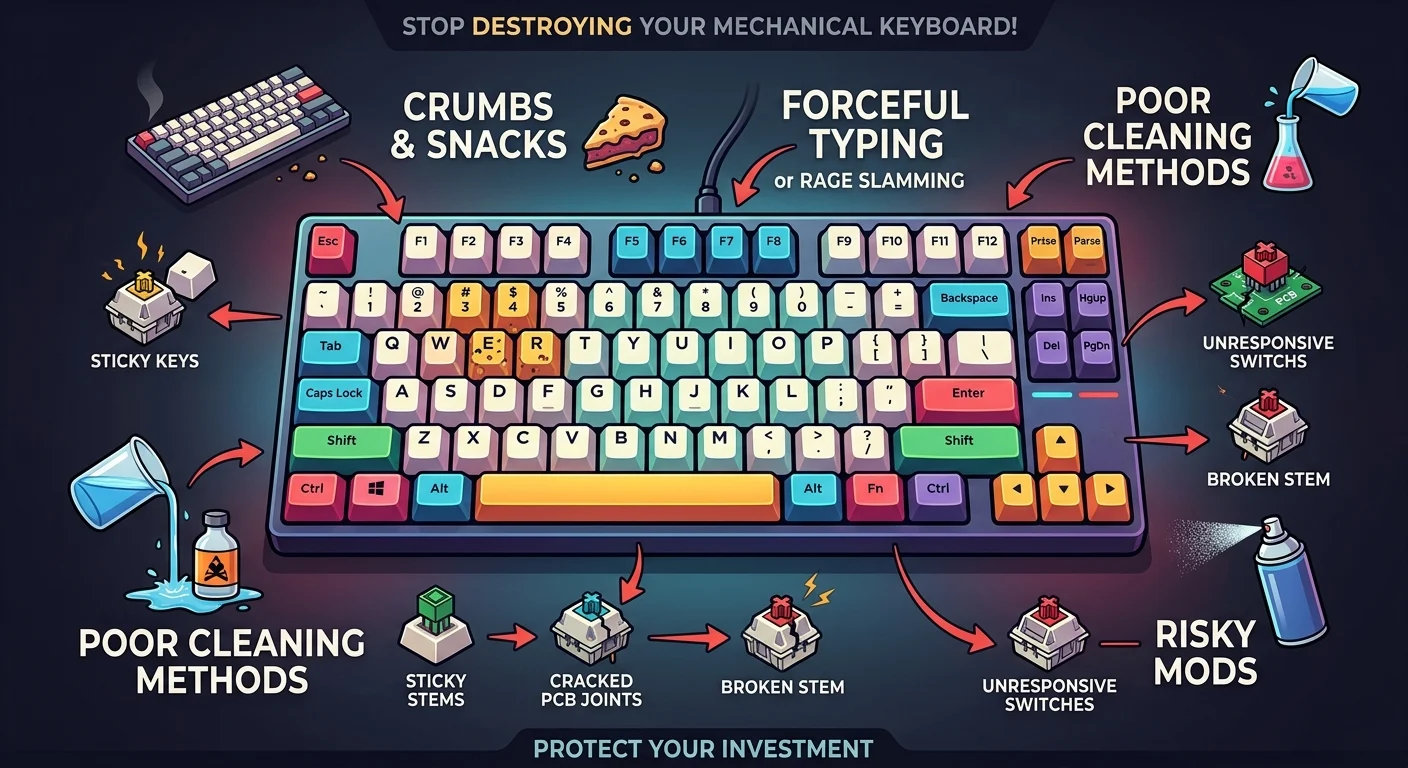
Most mechanical keyboards don’t die from old age. Instead, they die from user error. The fastest ways to ruin your board include eating near your desk, typing with excessive force, using incorrect cleaning methods like flooding switches with alcohol, and attempting risky mods like spray lubing.
1. Treating Your Keyboard Like a Dinner Plate
We all do it. You’re in the middle of a gaming session or a long work day, and you grab a quick snack over your keys.
Those tiny crumbs of bread, chips, or cookies don’t just disappear. They slip past the keycaps and build up on the plate and inside the switch housings.
Over time, this debris mixes with natural skin oils and pet hair to create a sticky, grimy paste. This clogs the delicate leaf springs inside your switches, leading to sticky keys, missed inputs, or double-typing.
If you have pets, their hair acts like a magnet for static electricity and dust. If you don’t use a dust cover when you walk away from your desk, you’re practically inviting a slow death for your switches.
2. Heavy-Handed Typing and Rage-Slamming
Mechanical switches are incredibly tough, often rated for tens of millions of keystrokes. However, they aren’t designed to withstand brute force.
Practice a gentler typing technique instead of bottoming out with massive force on every single keystroke. Heavy-handed typing slowly wears down keycap stems, causing them to crack or bend over time.
Even worse, rage-slamming your keyboard after a lost match can crack the solder joints on the printed circuit board. Once those electrical traces crack, your expensive custom build is essentially a paperweight, and you may need professional PC repair in Delaware to salvage the components.
3. Destructive Cleaning Methods
You might think you’re doing your keyboard a favor by giving it a deep clean, but cleaning it incorrectly is one of the easiest ways to ruin your mechanical keyboard.
Some users resort to flooding sticky switches with isopropyl alcohol or hot water, hoping to dissolve spilled soda. Here’s the thing: pouring liquids directly into the switches can wash away the factory lubricants, corrode the metal contacts, and permanently ruin the printed circuit board.
If you need to clean your board, do it safely. See our guide on [how to clean mechanical keyboards safely] to avoid these costly mistakes.
Using harsh chemicals on your keycaps can also dissolve the legends or degrade the plastic, especially if you have ABS keycaps. Stick to a damp microfiber cloth and mild soap for keycaps, and use compressed air for the base.
4. The Danger of Lazy Modding (Like Spray Lubing)
The mechanical keyboard community loves a good modification. Smooth, lubed switches sound amazing, but doing it the lazy way will destroy your mechanical keyboard in seconds.
Spray lubing is a popular shortcut where people spray aerosol lubricant directly into the switches without desoldering or opening them.
This is a recipe for disaster. Aerosol lubricants contain propellants and solvents that can melt plastic housings, degrade rubber gaskets, and coat the electrical contacts, making keys completely unresponsive.
If you want that deep, thocky sound, take the time to desolder and lube each switch manually, or buy pre-lubed switches. Shortcuts in this hobby almost always end in tears.
Essential Rules to Keep Your Keyboard Alive
So what does that mean for you? You don’t need to baby your keyboard, but a few simple habits will keep it clicking happily for a decade.
Here is a quick checklist of best practices to implement today:
- Use a simple plastic dust cover when your keyboard is not in use to keep pet hair and dust out.
- Keep drinks at a safe distance or use a heavy, spill-proof mug.
- Invest in a proper wire keycap puller rather than using your fingers or a plastic ring puller, which can scratch keycaps and strain stems.
- Clean your keyboard gently with compressed air and a soft brush once a month.
- Never spray lubricants or liquid cleaners directly onto the board.
Protect Your Investment
At the end of the day, mechanical keyboards are premium tools. They offer an unmatched typing experience, but they require just a tiny bit of respect to survive.
Stop pounding your keys like they owe you money, keep the snacks away from the desk, and avoid lazy modding shortcuts. Your fingers, your wallet, and your switches will thank you.