
(302) 262 8484
Obvious Signs You Might Need a New PC Soon

You sit down to work, press the power button, and wait. And wait some more. If your daily routine now includes making a full pot of coffee just while your desktop boots up, you might have a serious hardware problem. You will quickly find yourself wondering if you need a new PC.
Recognizing the signs your computer might be on its way out is crucial. It gives you time to save your important files before a total crash happens.
Machines simply do not last forever. Internal components degrade over time from heat and daily use. While some software issues are easily fixed with a quick update, physical hardware failure is a completely different story. Let us look at the biggest red flags that indicate your PC or laptop is nearing the end of its lifespan.
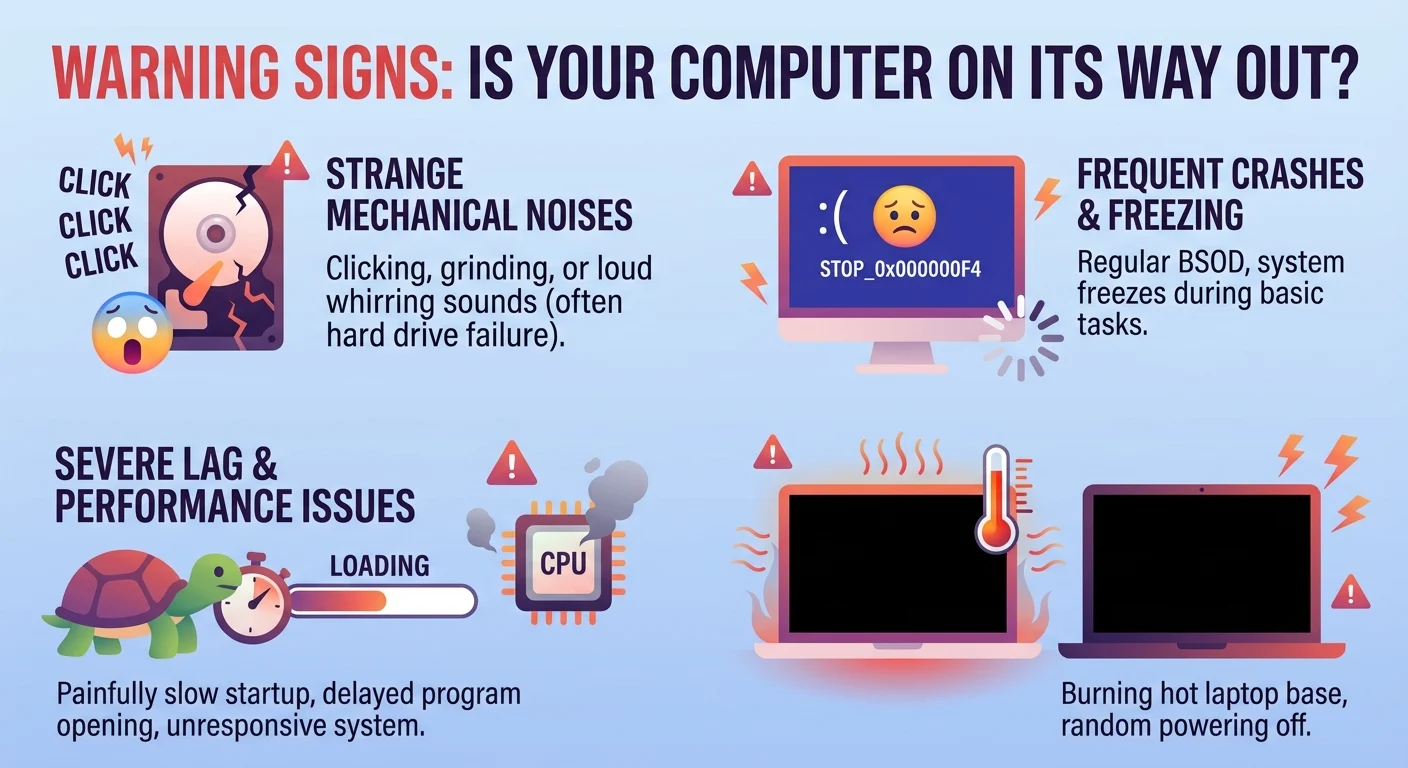
Hardware failure rarely happens all at once. Usually, your computer will give you several warnings before the motherboard finally gives up. If you notice any of these symptoms, it is time to start looking at your options for professional PC & Mobile Services.
Strange Mechanical Noises
Modern computers should run quietly. You might hear a gentle hum from the cooling fans when you play a game or edit a video. But if you start hearing loud clicking, grinding, or intense whirring sounds, you need to pay attention immediately.
A rhythmic clicking noise is almost always a death sentence for a traditional mechanical hard drive. It means the read and write arm inside the drive is physically failing. If you hear this sound, back up your files right away. It is not a matter of if the drive will fail, but when.
The Dreaded Blue Screen Appears Often
Windows users know the absolute panic of seeing the Blue Screen of Death. An occasional crash happens to the best of us due to a weird software update. But if your system constantly throws error screens and forces a restart, you likely have failing RAM or a dying motherboard.
Mac users are not immune to this either. If your Apple computer frequently freezes and displays the spinning beach ball of death for basic tasks, the internal hardware is likely struggling to keep up. When these crashes become a weekly or daily occurrence, you definitely need a new PC or at least a major repair.
Severe Lag and Freezing
We all deal with sluggish software sometimes. But severe lag is a major warning sign. If opening a simple web browser takes a full minute or switching between two Word documents causes the whole system to freeze, your hardware is waving a white flag.
This kind of extreme slowdown usually points to a failing storage drive or corrupted memory. You can try reinstalling your operating system to see if it fixes the issue. If the computer is still painfully slow after a fresh install, the physical parts are to blame, and you may want to explore our PC Sales in Delaware.
Overheating and Unexpected Shutdowns
Laptops get warm during heavy use. That is completely normal. However, if your machine gets hot enough to genuinely burn your lap, you have a severe thermal issue. This is one of the most common reasons people realize they need a new PC after years of reliable service.
When internal components get too hot, the computer will literally shut itself down to prevent melting. If your PC randomly turns off while you are just checking email, the cooling system is failing. Sometimes this just requires cleaning out dust from the fans. Other times, the processor itself is damaged from years of heat stress.
What to Do When You Notice Failing Computer Symptoms
Spotting these warning signs early gives you a huge advantage. You have time to prepare before the screen goes black for good. Here is exactly what you should do when your system starts acting up.
- Back up your data immediately: Do not wait until tomorrow. Move your photos, documents, and important files to an external drive or a cloud storage service right now.
- Run a diagnostic test: Both Windows and Mac have built-in tools to check your memory and hard drive health. These scans can tell you exactly which part is failing.
- Check for malware: Sometimes a nasty virus mimics the symptoms of failing hardware. Run a deep scan with your antivirus software just to be safe.
- Consult a professional: If you are not comfortable opening up your computer case, take it to a local repair shop. They can tell you if a cheap replacement part will fix the problem or if it is time to move on.
If you need help securing your files before the hardware fails entirely, check out our related guide on [the best automated backup solutions for home users].
Key Takeaway: Do Not Ignore the Warning Signs
A dying computer rarely dies without warning. It will usually give you plenty of hints through weird noises, random crashes, and painfully slow loading times.
Here is the thing. Ignoring these signs only makes the eventual failure more stressful.
Paying attention to the signs your computer might be on its way out allows you to protect your digital life. Hardware can always be replaced. The family photos and critical work documents stored on your hard drive cannot. If your machine is showing these symptoms, treat it as a ticking clock and get your data secured today. Whether you decide to repair it or realize you need a new PC, acting fast is the only way to avoid data loss.