(302) 262 8484
Is your Outlook stuck offline? Here’s the immediate fix

If you’re staring at your screen because an Outlook stuck offline error is preventing you from sending an important email, take a breath. You certainly aren’t the first person to deal with this annoying glitch. Most of the time, the fix takes less than ten seconds.
Outlook has a bad habit of disconnecting and refusing to reconnect on its own. You’ll usually notice a “Working Offline” or “Disconnected” message sitting quietly at the bottom right corner of your screen.
Let’s get your inbox moving again.
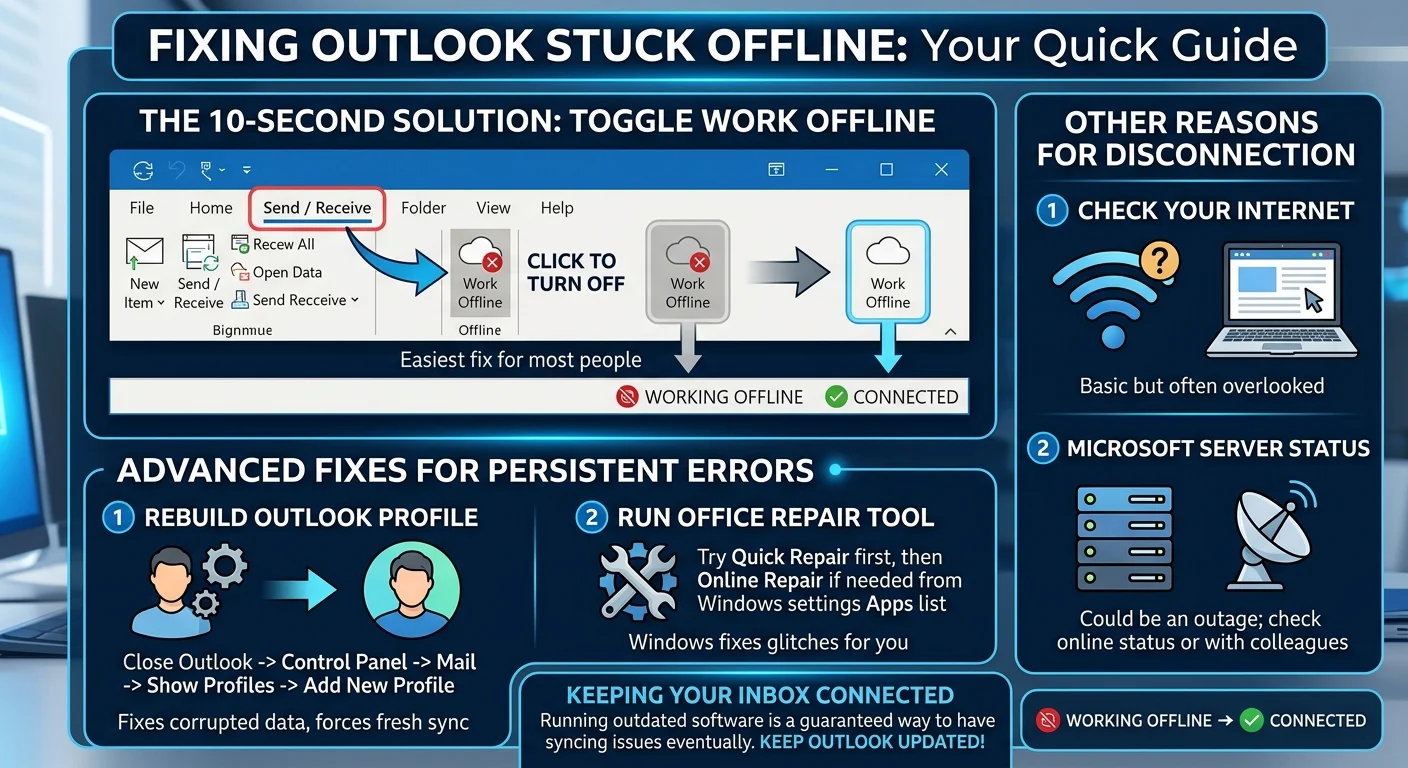
The 10-second solution: Toggle the Work Offline button
This is by far the most common culprit. It’s incredibly easy to click this button by accident and not even realize it.
Here’s exactly how to fix it right now:
- Open Outlook and look at the top ribbon menu.
- Click on the Send / Receive tab.
- Look for the Work Offline button.
- If the button is shaded dark grey, it is turned on. Click it once to turn it off.
Wait a few seconds. You should see the status bar at the bottom change from “Working Offline” to “Trying to connect” and finally to “Connected”.
If your emails start pouring in, you’re good to go.
Other reasons Outlook keeps saying disconnected
So what happens if you clicked the button and nothing changed? Your Outlook stuck offline issue might be tied to something outside of the app itself.
Check your actual connection
I know this sounds incredibly basic. But you’d be surprised how often a dropped Wi-Fi signal is the real problem.
Open up your web browser and try to load a new webpage. If the page fails to load, your internet is the issue. Restart your router or reconnect to your Wi-Fi network before messing with any more Outlook settings.
Look at the Microsoft server status
Sometimes the problem isn’t on your end at all. Microsoft 365 experiences outages just like any other digital service.
If you use a work email address, check with a colleague to see if their email is working. You can also search online for the Microsoft 365 Service Status page to see if there is a known outage in your area. If the servers are down, you just have to wait it out, or consider professional IT consulting to ensure your business has better redundancy.
Advanced fixes when Outlook is still stuck offline
If your internet is fine and Microsoft is up and running, you might have a corrupted file somewhere. This happens way more often than Microsoft likes to admit, and sometimes requires professional PC repair in Delaware to resolve deep-seated system issues.
Rebuild your Outlook profile
Your Outlook profile stores all your settings and local data. When it gets corrupted, Outlook will flat out refuse to connect to the server.
Creating a new profile is usually the best way to bypass this mess.
- Close Outlook completely.
- Open your computer Control Panel and search for Mail.
- Click on Show Profiles.
- Click Add to create a new profile and give it a simple name.
- Follow the prompts to enter your email address and password.
- Set the new profile as your default and restart Outlook.
This forces Outlook to pull a fresh copy of your data from the server. It might take a few minutes to sync everything, but it almost always cures a stubborn offline error, especially when paired with proactive IT monitoring for small business.
Run the Office repair tool
If rebuilding the profile sounds like too much work, you can let Windows try to fix the program for you. The built-in repair tool is actually pretty effective.
Head over to your Windows Settings and click on Apps. Find your Microsoft Office installation in the list and select Modify. Choose the Quick Repair option first. It takes about two minutes and usually resolves minor connection glitches.
If Quick Repair fails, go back and run the Online Repair. Just know this takes significantly longer and requires a solid internet connection to download fresh files.
Keeping your inbox connected
Nobody wants to fight with their email client just to send a quick message. Hopefully the simple button toggle fixed your problem today.
If you find yourself constantly battling connection errors, it might be time to check if your Office software needs a major update. Running outdated versions of Outlook is a guaranteed way to run into syncing issues eventually.
For more tips on managing your digital workspace, check out our guide on [optimizing your daily email workflow].