(302) 262 8484
Is Your PC Hijacked? 4 Signs Your Computer Has a Hidden Crypto Miner

You sit down to browse the web, and suddenly your computer sounds like it is preparing for takeoff. Everything is lagging. If you have not opened a heavy game or massive video file, you might be dealing with a hidden crypto miner.
Cryptojacking is a massive problem right now. Cybercriminals hijack your hardware to mine digital currency for themselves.
What exactly is a hidden crypto miner?
Let us clear up what this actually means. A hidden crypto miner is malicious software that secretly uses your computer processing power to mine cryptocurrency. Instead of buying expensive mining rigs, hackers infect thousands of regular computers to do the heavy lifting for free.
You pay the electricity bill. They keep the profits.
Top signs your computer has a hidden crypto miner
You do not need to be an IT expert to spot this stuff. Here are the biggest red flags that something shady is eating up your system resources.
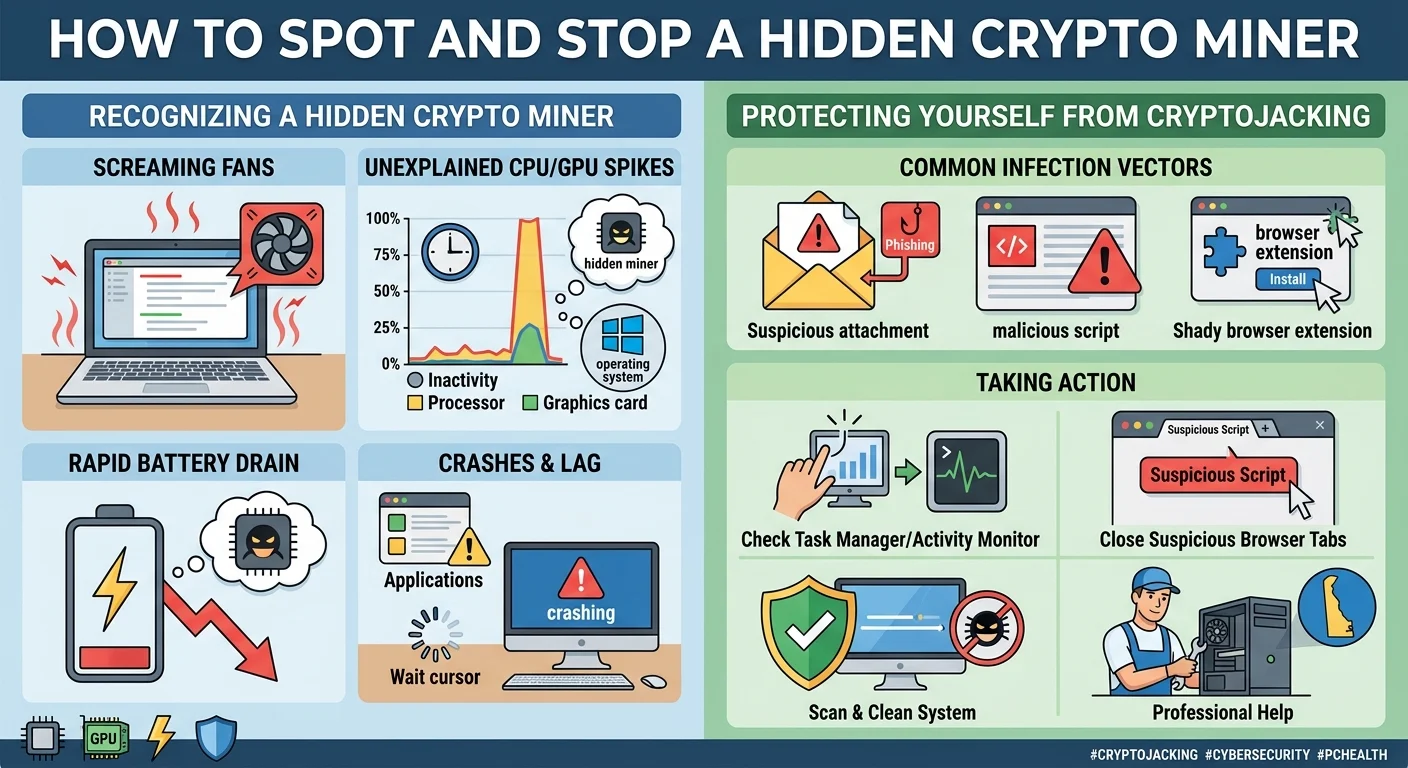
1. Your cooling fans are screaming
Computers get hot when they work hard. Your fans kick on to cool down the processor or graphics card. But if you are just reading an email and your fans are incredibly loud, that is a huge warning sign.
Mining cryptocurrency is demanding. It forces your hardware to run at maximum capacity. That generates a ton of heat.
2. Unexplained CPU or GPU spikes
This is where you can catch them in the act. Open up Task Manager on Windows or Activity Monitor on a Mac. Look at the performance tab.
If your CPU or GPU usage is pinned at 90 percent or higher while you are doing absolutely nothing, a hidden crypto miner is likely the culprit.
Here is a sneaky trick to watch out for. Some advanced malicious mining software is actually smart enough to pause when you open Task Manager. If you notice your system is super sluggish but magically fixes itself the second you check your system resources, you should be very suspicious.
3. Your laptop battery drains ridiculously fast
Laptops are designed to be efficient. A sudden drop in battery life is a classic symptom of cryptojacking. Because the mining script is forcing your processor to work overtime, it chews through your battery life.
If your laptop used to last eight hours and now dies in two, do not just assume your battery is getting old.
4. Random crashes and glitchy performance
When a hidden crypto miner hogs all your system memory and processing power, your regular apps suffer. Your browser might freeze. Simple programs take forever to open.
Sometimes your entire system will crash or reboot because it simply overheated.
How did malicious mining software get on my PC?
You are probably wondering how this happened. Hackers have a few sneaky ways to get this junk onto your machine, often bypassing standard defenses, which is why you should understand why your antivirus doesn’t catch everything.
- Clicking sketchy links in phishing emails
- Downloading pirated software or cracked games
- Visiting infected websites that run mining scripts directly in your browser
- Installing shady browser extensions
What to do if you spot signs of cryptojacking
Finding out someone is using your hardware is annoying. Luckily, fixing it is usually straightforward if you rely on professional PC repair in Delaware to clean your system.ly straightforward.
First, close your browser completely. If the high CPU usage stops, you were likely dealing with a browser-based miner. You should clear your browser cache and delete any extensions you do not recognize.
If the problem is happening at the system level, you need to run a full system scan with a reputable antivirus program. Windows Defender is great for basic protection. But a dedicated malware removal tool often catches things that slip through the cracks. Check out our guide on [best malware removal tools] if you need a reliable recommendation.
Stay vigilant and trust your gut. If your computer is acting weird, it is always better to investigate than to ignore it.