(302) 262 8484
What to do immediately if you spilled water on your laptop

It happens in slow motion. Your hand bumps the glass, and suddenly you have spilled water on your laptop. Panic sets in instantly. But take a deep breath because how you react in the next few seconds determines whether your computer survives or becomes an expensive paperweight.
Stop reading for a second, hold down the power button until the screen goes black, and then come back to this guide.
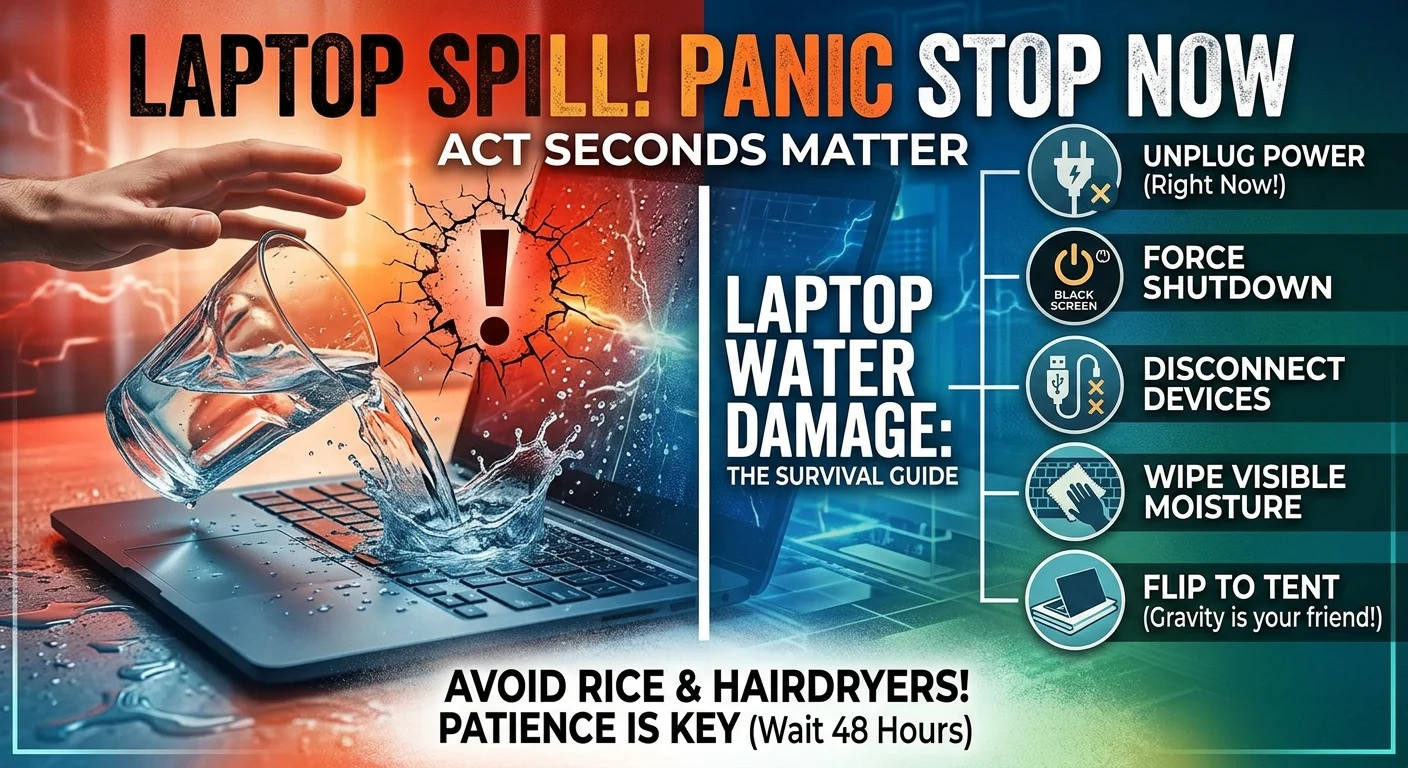
Time is your biggest enemy right now. Water and electricity are a disastrous combination. You need to break that connection before a short circuit fries your motherboard. If you want the quick checklist, here is exactly what to do right this second:
- Unplug the power cable immediately.
- Press and hold the power button to force a hard shutdown.
- Disconnect all external devices and cables.
- Wipe away visible moisture with a microfiber towel.
- Place the laptop upside down in a tent shape to drain.
Here is a closer look at why these steps matter and how to do them correctly.
1. Unplug the power cable and force shut down
Do not bother saving your work. Do not wait for a graceful shutdown process. If your laptop is plugged into the wall, yank the cord out. Then press and hold the power button for five to ten seconds until the machine completely powers off. Getting the electricity out of the equation is the single most important step you can take to prevent permanent water damage.
2. Remove the battery if possible
This is getting harder with modern laptops. If you have an older machine or a gaming laptop with a removable battery, pop it out right away, or consider professional PC & Mobile Services if you are unsure about internal components. If you are using a MacBook or a modern ultrabook where the battery is sealed inside, just skip this step and rely on the hard shutdown you just performed.
3. Unplug all your accessories
Disconnect your mouse, flash drives, external monitors, and anything else plugged into the ports. You want to strip the laptop down to just the machine itself. This prevents water from damaging your peripherals and opens up the ports so air can circulate more freely.
4. Flip it into the tent position
Grab a dry microfiber cloth or a highly absorbent towel. Wipe up any visible liquid on the keyboard and trackpad. Next, open the laptop as far as it will go. Place it upside down on the towel like a tent.
Why a tent? Gravity is your friend here. You want the water to drain out of the keyboard rather than seeping deeper into the delicate internal components.
The absolute worst things you can do to a wet laptop
People do weird things when they panic. The internet is full of terrible advice for fixing liquid spills. Let us clear up a few dangerous myths so you do not accidentally destroy your machine.
Do not put it in rice
We need to kill this myth once and for all. Rice does not magically suck water out of electronics. What it actually does is introduce tiny particles of starch and dust into your keyboard and ports. When that dust mixes with the water inside your laptop, it creates a sticky paste that ruins components.
Leave the rice in your pantry.
Keep the hair dryer away
It sounds logical to blast the water with hot air. That is a huge mistake. Hair dryers generate enough heat to melt the plastic keys on your keyboard and warp sensitive internal wiring. Even on the cool setting, a hair dryer will just push the water further inside the machine where it can do more damage.
How to properly dry out your laptop
Patience is going to be your best tool. Once your laptop is turned off and resting in the tent position, you just have to wait.
Find a dry, warm spot in your house with good air circulation. A room with a ceiling fan or a gentle desk fan works perfectly. Just make sure the fan is blowing across the laptop and not directly into the vents.
You need to leave it alone for at least 48 hours. I know it is tempting to turn it on after a few hours to see if it still works. Do not do it. Even a single drop of hidden moisture can cause a massive short circuit the moment power flows through the system again.
What if you spilled something other than water?
Plain water is actually the best case scenario. If you spilled coffee, soda, wine, or anything sugary, you have a much bigger problem on your hands.
Sugar and acids leave behind a corrosive residue even after the liquid dries. That residue will slowly eat away at your motherboard over the coming weeks. If you spilled a sticky drink, you absolutely need to have the laptop professionally cleaned. You can read more about dealing with sticky keys in our guide on [cleaning laptop keyboards].
When to call a professional for liquid damage
Sometimes the DIY approach is not enough. If you spilled a massive amount of water or if the laptop refuses to turn on after a full 48 hours of drying, it is time to call in an expert.
A professional repair shop can open the chassis, disconnect the internal battery safely, and use specialized ultrasonic cleaners to remove mineral deposits from the motherboard.
Spilling a drink on your computer is incredibly stressful. But if you act fast, cut the power immediately, and give it plenty of time to dry, there is a very good chance your device will survive the ordeal.