(302) 262 8484
The Reality of Modern Cyber Threats

We all do it. You are scrolling through your inbox while drinking your morning coffee. An email catches your eye. It says your bank account is locked and you need to verify your details immediately. You hover your mouse over that bright blue button. Let’s be honest. Right then and there, you’re one click away from a major problem.
It happens that fast.
You do not need to download a massive file or install a sketchy program to ruin your week. Cyber attacks have become incredibly sleek and silent. A single misplaced tap on your phone or click of your mouse can trigger a cascade of headaches.
How a Single Click Causes So Much Damage
Security experts sound like broken records for a reason. The internet is heavily booby-trapped. But understanding how these traps actually work is the only way to avoid them.
The Evolution of Phishing Scams
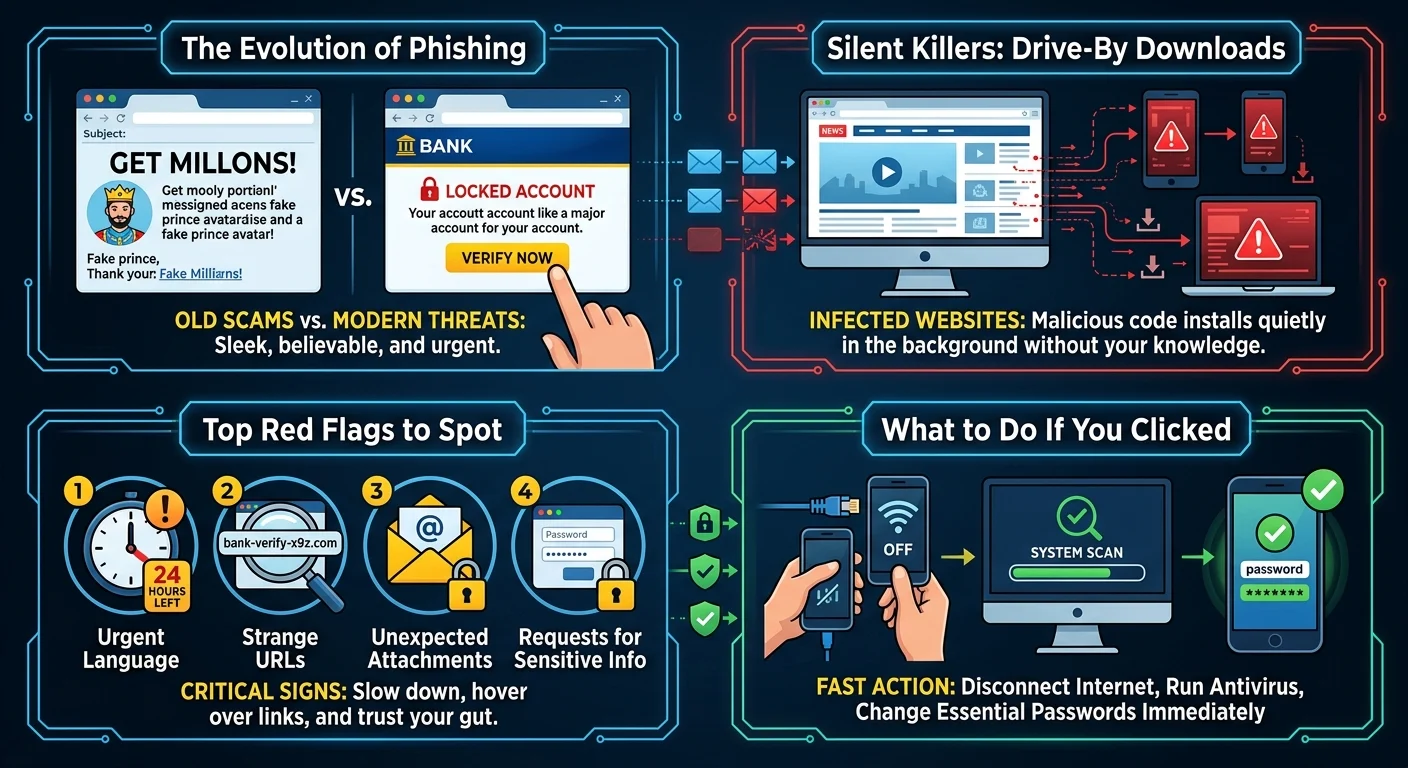
Phishing used to be painfully obvious. You would get an email from a supposed prince offering you millions of dollars. The spelling was terrible. The formatting looked like a ransom note.
Those days are gone.
Today, malicious emails look exactly like a real message from Netflix, Amazon, or your credit card company. The logos are perfect. The sender address is spoofed to look legitimate. They create a false sense of urgency because they want you to panic. When you panic, you stop thinking critically. You just click.
Drive-By Downloads Are Silent Killers
Here is the thing about modern malware. You might think you need to actively fill out a form or download an attachment to get hacked. That is simply not true anymore.
Just landing on a compromised website can be enough. Drive-by downloads use vulnerabilities in your web browser to quietly install malicious software in the background. You will not see a progress bar. You will not get a warning pop-up. The malware just slips in and gets to work stealing your saved passwords or locking your files for ransom, which is why you should contact a professional for Ransomware Removal in Delaware if you suspect an infection.
Red Flags You Should Never Ignore
So how do you protect yourself? You have to slow down. Hackers rely on your autopilot behavior, but implementing Small Business Cybersecurity Protection can help you stay alert and secure. Breaking that habit is your best defense.
Look for these warning signs before you click on anything unexpected:
- Urgent or threatening language. Real companies rarely threaten to delete your account within 24 hours.
- Strange URLs. Hover over a link before clicking. If the web address looks like a random string of letters instead of the actual company name, walk away.
- Unexpected attachments. Even if an email comes from a friend or coworker, an unexplained invoice or document is a massive red flag. Their account might be compromised.
- Requests for sensitive info. Your bank will never email you asking for your password or Social Security number.
What to Do If You Already Clicked
Mistakes happen to the best of us. If you realize you just clicked a sketchy link, do not panic. Fast action can significantly limit the damage.
First, disconnect your device from the internet immediately. Turn off your Wi-Fi or unplug the ethernet cable. This stops the malware from communicating with the hacker or sending your data out.
Next, run a full system scan with reputable antivirus software. While that is running, grab a different device like your smartphone. Use it to change the passwords for your most important accounts. Start with your email and your banking logins. For a complete recovery checklist, see our guide on [recovering from a malware attack].
Building Better Digital Habits
Now, this is where it matters. You cannot rely entirely on antivirus software to catch everything. Your best defense is a healthy dose of skepticism.
Trust your gut. If an email, text message, or pop-up feels even slightly off, it probably is.
Whenever you get an alert about an account, never use the link provided in the message. Open a new browser tab and type the company’s website directly into the address bar. Log in normally. If there is a real problem with your account, you will see a notification waiting for you in your dashboard.
Taking an extra five seconds to verify a link might feel annoying. But it is infinitely better than spending weeks trying to recover a stolen identity. Stay sharp out there.