(302) 262 8484
The Sneaky Threat of GhostPairing

If you think your account is safe just because you enabled two-step verification, think again. A clever new WhatsApp scam that bypasses two-factor authentication is making the rounds, and it is catching even the most tech-savvy users off guard. Security researchers have dubbed this highly effective campaign the GhostPairing attack.
Unlike traditional hacks that rely on stealing your password or intercepting SMS codes, this method exploits a legitimate feature you likely use every week. It relies entirely on social engineering, getting you to open the digital front door for hackers without you even realizing you did it, which is why [Proactive IT Monitoring for Small Business](https://gwizit.com/it-services-in-delaware/co-managed-it-services/proactive-it-monitoring-for-small-business/) is so critical.
Here is the thing. Your two-factor authentication PIN is completely useless against this specific threat. Let us break down how this scam works, why your security settings cannot stop it, and what you need to do to protect your personal chats.
How the WhatsApp Scam That Bypasses Two-Factor Authentication Works
The beauty of the GhostPairing attack, at least from the perspective of the cybercriminals, is how normal it feels. It does not look like a hack while it is happening. Instead, it plays out in a few highly convincing steps.
1. The Hook From a Friend
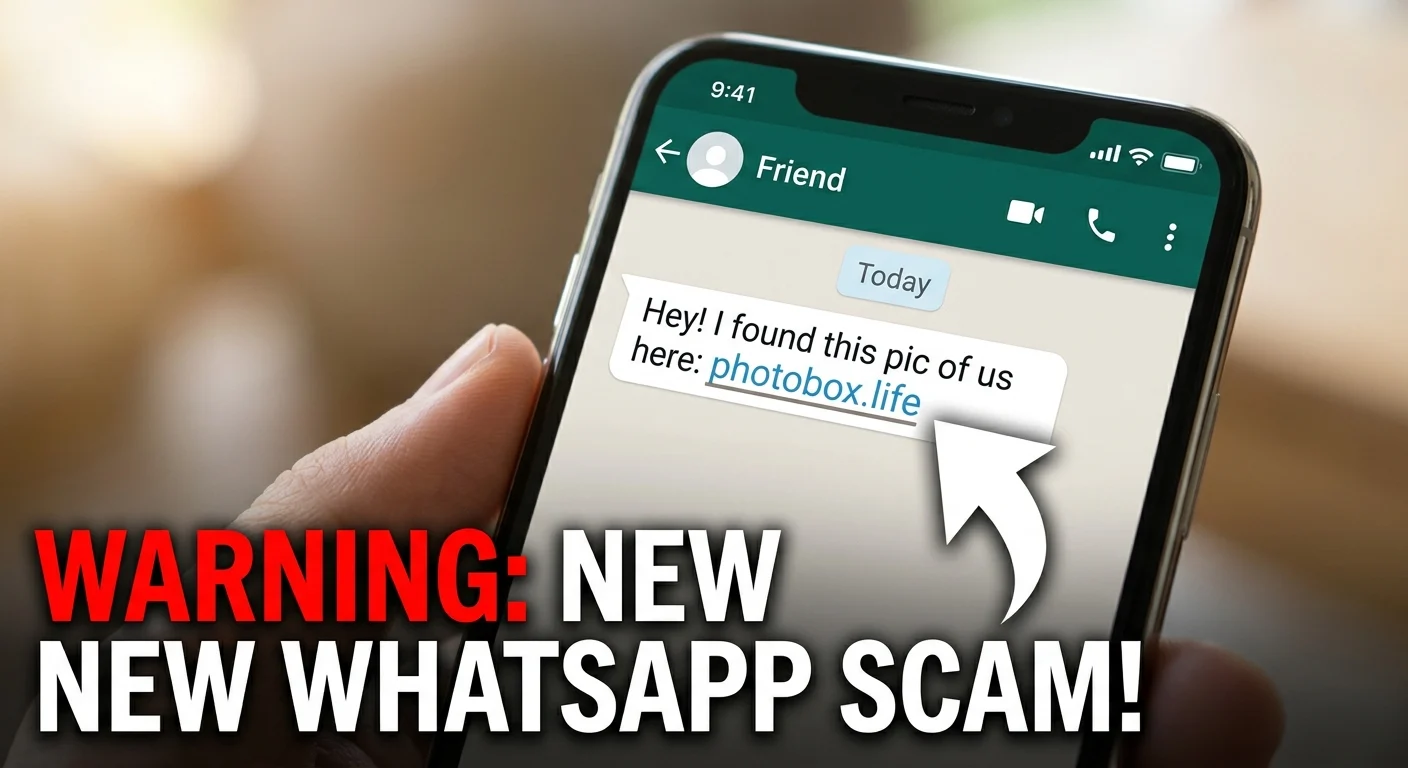
It starts with a message from someone you already know and trust. Because their account has already been compromised, you receive a casual, curiosity-inducing message. It might say something like, “Hey, I just found your photo!” or “Your pic is on the news!” followed by a link.
2. The Fake Meta Verification Page
When you click the link, you land on a page designed to look exactly like Facebook or a Meta login screen. The colors, logos, and layout are identical to what you are used to seeing. The page claims you need to verify your identity before you can view the photo.
3. The Secret Pairing Attempt
This is where the magic happens behind the scenes. The fake page asks you to enter your phone number. Once you type it in, the attackers immediately input your number into their own WhatsApp Web client to initiate a device-pairing request.
4. The Trap is Sprung
WhatsApp then generates an eight-digit numeric pairing code. The fake Facebook page displays this code to you and instructs you to enter it into your WhatsApp app to complete the verification. Many users, expecting a standard login check, open their WhatsApp settings, go to Linked Devices, and type in the code.
The moment you enter that code, you have authorized the attacker. Their browser is now registered as a linked device on your account, giving them full access to everything.
Why Your 2FA PIN Cannot Save You
So what does that mean for your security? Most people assume that enabling two-step verification (2FA) is an absolute shield. In most cases, it is. If a hacker tries to register your phone number on a brand-new phone, WhatsApp will demand your custom 2FA PIN. Without it, they are locked out.
But the WhatsApp scam that bypasses two-factor authentication side-steps this defense entirely. It does not register a new phone. Instead, it abuses WhatsApp’s companion mode, which lets you link secondary devices like a computer or tablet.
Because WhatsApp assumes you are already logged into your primary phone, the app does not ask for your 2FA PIN when linking a new device. It only requires the pairing code. By entering that code on your phone, you are manually telling WhatsApp that you trust the new connection. You are handing over the keys to your castle, and the app happily obliges.
Why This WhatsApp Scam That Bypasses Two-Factor Authentication is So Dangerous
Once the hackers have successfully paired their device, they operate in the shadows. They do not log you out of your phone, so there are no immediate warning signs that anything is wrong. You might go days or weeks without noticing a thing.
Meanwhile, the hackers can do several highly damaging things:
- Read your chats in real-time: They can view every message, photo, video, and voice note you send or receive.
- Impersonate you: Scammers can message your family and friends, using your established trust to ask for money or spread the scam further.
- Target your group chats: They can monitor employee groups or family chats, harvesting sensitive information for targeted extortion.
“Rather than attempting to defeat security systems, criminals are increasingly persuading users to approve access themselves by exploiting familiar verification prompts that people have been trained to trust.”
How to Protect Your Account From Being Hijacked
Since technical defenses like 2FA cannot stop this attack, your best defense is awareness and a healthy dose of skepticism. You do not need to be a cybersecurity expert to keep your account safe. You just need to change how you interact with unexpected links.
To keep your private conversations secure, follow these essential steps:
- Check your linked devices regularly: Open WhatsApp, go to Settings, and tap Linked Devices. If you see any browser or device you do not recognize, tap it and select Log Out immediately.
- Never enter pairing codes you did not request: If a website asks you to enter a code into your WhatsApp app to verify your identity, close the page. Legitimate websites will never ask you to do this.
- Verify unusual messages: If a friend sends you a link claiming they found your photo, pick up the phone and call them. Ask if they actually sent it. Chances are, they have no idea their account is sending those messages.
- Avoid suspicious links: Be cautious of domains that look slightly off, such as photobox.life or yourphoto.world, even if the preview image looks like a Facebook post.
If you want to make sure your overall device security is up to par, see our guide on [mobile security best practices]. Staying informed is the absolute best way to stay safe.
The scammers are getting smarter by exploiting human behavior rather than cracking codes. By keeping an eye on your linked devices and questioning unexpected prompts, you can make sure your private life stays private.