(302) 262 8484
Immediate Steps to Take If You Clicked a Phishing Link

Panic usually sets in the second you realize you just clicked on a phishing email. Your heart drops. You wonder if hackers are already draining your bank account or stealing your identity. Take a deep breath. If you are wondering what to do if you clicked on a phishing email, the most important thing is to act quickly. You can still protect your data if you follow a few critical steps right now.
Knowing exactly how to respond can mean the difference between a minor annoyance and a major security breach. Here is the exact checklist you need to follow the moment you realize your mistake.
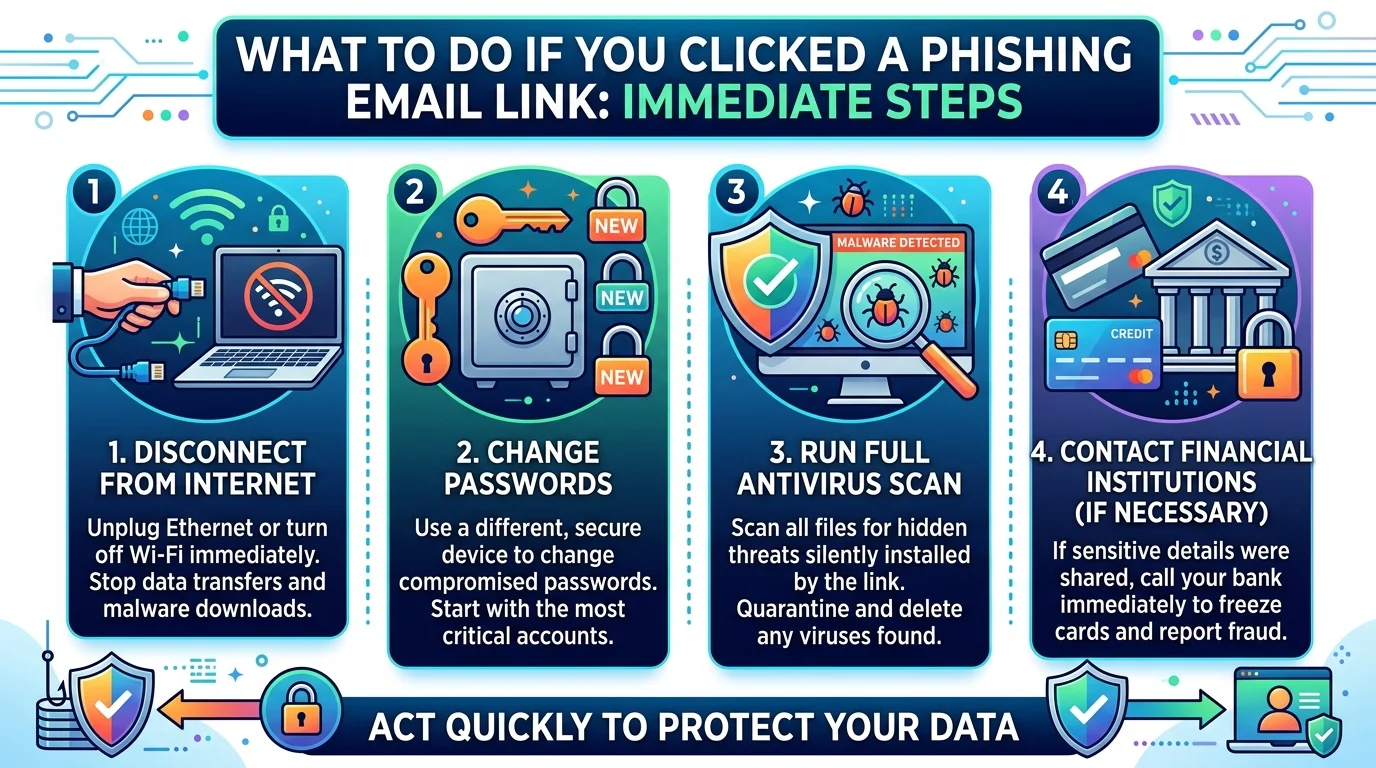
Disconnect from the Internet
The very first thing you need to do is cut off your connection. Unplug your ethernet cable or turn off your Wi-Fi immediately. Put your phone in airplane mode if you are using a mobile device.
Phishing attacks often rely on an active internet connection to download malware onto your device in the background. Severing this connection stops the download in its tracks. It also prevents any malicious software already on your computer from sending your private data back to the scammer.
Change Your Passwords
If you entered any login credentials on a fake website, those passwords are now in the hands of cybercriminals. You need to change them right away.
Use a different device to log into your accounts. For example, if you clicked the bad link on your laptop, use your smartphone over a cellular network to update your passwords. Focus on the account related to the phishing message first. After that is secure, update any other accounts that use the same password.
Run a Full Antivirus Scan
Even if you never typed out your password, clicking a malicious link can silently install malware or ransomware on your system.
Open your antivirus software and run a full system scan. Do not just run a quick scan. A deep scan will check every file on your hard drive for hidden threats. If the software finds anything suspicious, follow the prompts to quarantine and delete the files.
Did You Give Away Financial Information?
Phishing scams frequently target your wallet. If you typed in your credit card number, bank account details, or Social Security number, you need to escalate your response.
Contact your bank or credit card issuer immediately. Tell them you clicked a phishing link and suspect your account details are compromised. They can freeze your cards and issue new ones. You should also consider placing a fraud alert on your credit report to prevent identity theft down the road.
Protecting Yourself Moving Forward
The best defense against cyber attacks is prevention. Scammers are getting smarter but they still leave behind clues. Building good security habits will keep you safe the next time a shady email hits your inbox.
How to Spot a Phishing Email Before You Click
Look out for these common red flags before you click any links or download attachments.
- Urgent or threatening language: Scammers want you to act before you think. They often threaten to close your account or take legal action.
- Generic greetings: Be wary of emails that start with “Dear Customer” instead of your actual name.
- Mismatched sender addresses: The email might look official but the domain is usually slightly misspelled or completely unrelated to the company.
- Unexpected attachments: Never open zip files or unexpected invoices from people you do not know.
If you want to dive deeper into email security, check out our related guide on [how to secure your personal email account].
Set Up Multi-Factor Authentication (MFA)
Changing your passwords is a great start. Adding multi-factor authentication makes your accounts virtually bulletproof against basic phishing attacks.
MFA requires a second form of verification before letting anyone log in. Even if a hacker steals your password through a phishing site, they cannot access your account without the secondary code sent to your phone or authentication app. Turn this feature on for your email, banking, and social media accounts today.
Key Takeaways
Clicking a bad link happens to the best of us. The secret is knowing how to respond without panicking. Keep these core steps in mind if you ever find yourself dealing with a malicious email.
- Disconnect your device from the internet immediately to stop data transfers.
- Change your passwords from a safe and separate device.
- Scan your computer for malware and viruses.
- Contact your financial institutions if you shared sensitive data.
Staying calm and moving quickly is your best bet for keeping your personal information safe. Treat every unexpected email with a healthy dose of skepticism and you will stay one step ahead of the scammers.