(302) 262 8484
The main culprits behind what is actually making your WiFi feel slow

You pay for high-speed internet every month. Yet you still find yourself staring at the dreaded buffering wheel while trying to stream a movie. It is incredibly frustrating.
If you are wondering what is actually making your WiFi feel slow, the answer usually is not your internet service provider. Most of the time, the problem is happening right inside your house.
Before you spend money upgrading your internet plan, you need to look at your local setup. Several common issues quietly drag down your network performance.
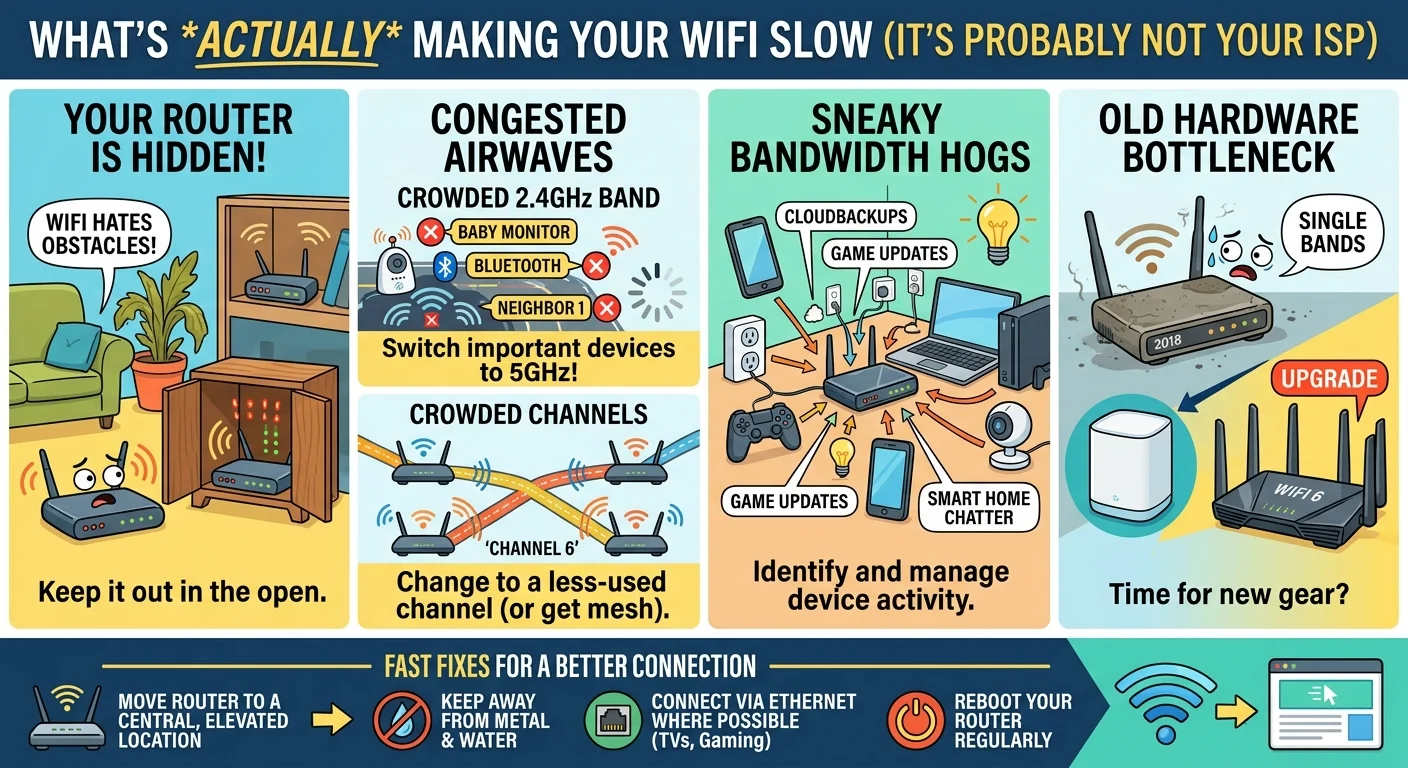
- Your router is hidden behind physical obstacles.
- You are connected to a congested frequency channel.
- Too many smart devices are eating up your bandwidth.
- Your router hardware is simply too old to handle modern speeds.
Your router is hiding in the wrong spot
We get it. Routers are ugly. They look like weird plastic spiders with blinking lights.
Because of this, people love to shove them inside cabinets or behind the living room TV. That is a terrible idea. WiFi signals are essentially radio waves and they absolutely hate physical barriers.
Materials like brick, concrete, and metal will destroy your signal strength. Even a large fish tank can absorb radio frequencies. If your router is stuffed in a closet, that is what is actually making your WiFi feel slow in the bedroom upstairs.
You are stuck on the crowded 2.4GHz band
Most modern routers are dual-band. This means they broadcast two separate networks at 2.4GHz and 5GHz.
The 2.4GHz band is great at punching through walls and covering long distances. But it is also incredibly slow and prone to interference. Almost everything wireless uses this frequency. Baby monitors, Bluetooth speakers, and even your microwave can mess with it.
If you are trying to game or stream in 4K on the 2.4GHz band, you are going to have a bad time. Switch your main devices over to the 5GHz network. It has a shorter range but offers vastly superior speeds.
Your neighbors are crowding your channels
Here is the reality of living in an apartment building or a densely packed neighborhood. The airwaves around you are totally chaotic.
Everyone has a router blasting out a signal. These routers operate on specific channels. If you and your three closest neighbors are all using channel 6, your routers are basically shouting over each other.
This invisible traffic jam causes packet loss and latency. You can fix this by logging into your router settings and changing the channel to something less crowded, or by consulting with experts who provide IT consulting to optimize your home network. Most modern mesh systems will actually do this for you automatically.
Sneaky devices draining your network
Sometimes the call is coming from inside the house. You might not be actively downloading a huge file, but your devices probably are.
Phones backup photos to the cloud as soon as they connect to WiFi. Game consoles download massive updates in rest mode. These background tasks silently eat up your available bandwidth while you wonder why your web browser is lagging, which is often a sign that you could benefit from proactive IT monitoring for small business to keep your systems running smoothly.
The smart home burden
Then there is the smart home factor.
One smart plug or wifi lightbulb uses very little data. But if you have twenty of them scattered around the house, they constantly ping your router.
This constant chatter forces your router to juggle dozens of connections at once. Cheaper or older routers simply cannot handle that kind of traffic management efficiently.
Your equipment is a serious bottleneck
You cannot expect a five-year-old router to keep up with today’s internet demands. Technology moves incredibly fast.
If you are still using the basic combination modem and router that your internet provider gave you years ago, you are missing out on serious performance. Those default units are built for cost savings, not raw speed.
Upgrading to a modern standalone router or a mesh system is often the best money you can spend on your home network. For a deeper dive on upgrading, check out our guide on [choosing the right mesh WiFi system].
How to fix your slow WiFi today
You do not need an IT degree to improve your home network. Try these simple adjustments first to see immediate improvements.
- Move your router to a central, elevated location.
- Keep the router away from large metal appliances and water.
- Connect your TV and gaming consoles directly via ethernet cable if possible.
- Reboot your router once a month to clear its memory cache.
Stop settling for a sluggish connection. A few minor tweaks to your physical setup and settings can make