(302) 262 8484
The Hidden Power of Incremental Tech Upgrades

When business owners think about upgrading their technology, they usually picture massive bills and weeks of disruption. But you don’t need a massive enterprise budget to see a real difference in how your company runs. In fact, some of the best upgrades are incredibly cheap. Making small IT investments that deliver huge results is entirely possible if you know exactly where to put your money. Let’s look at the simple changes that actually matter.
Why Small IT Investments That Deliver Huge Results Make Sense
A lot of companies waste thousands of dollars on complex software suites they barely use. That is a classic mistake. The smartest tech strategies focus on fixing the daily bottlenecks that slow your team down.
Think about a slow computer. If an employee waits just ten minutes a day for things to load, that adds up to roughly forty hours a year of wasted time. Fixing that single issue pays for itself almost instantly.
Small IT investments that deliver huge results work because they target these exact friction points. They are easy to implement. They require almost zero training. And they show immediate returns.
The Best Low-Cost Tech Upgrades for Immediate Impact
You don’t need to overhaul your entire infrastructure. Start with these targeted upgrades to see an immediate boost in how your team operates.
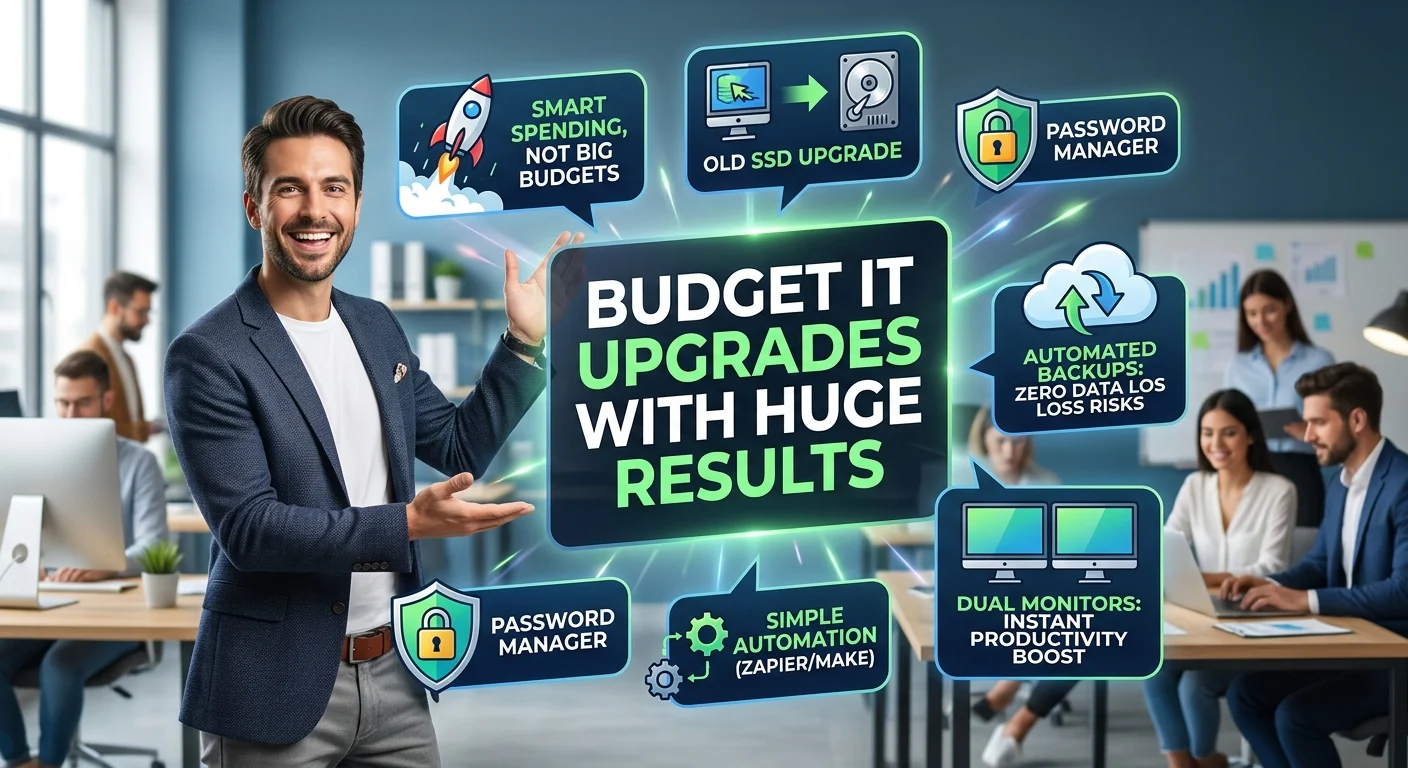
Swapping Old Hard Drives for SSDs
If you have older desktop computers or laptops running on traditional hard disk drives, you are losing money every day. Mechanical drives are slow and highly prone to failure.
Swapping them out for Solid State Drives is one of the cheapest hardware fixes available. An SSD costs less than a decent dinner out, but it will make a five-year-old computer feel brand new. Boot times drop from minutes to seconds. Applications snap open instantly.
It is much smarter to spend under a hundred bucks on a new drive than a thousand on a brand new laptop.
Rolling Out a Business Password Manager
Security breaches are a nightmare for small businesses. Yet most teams still share passwords via sticky notes or unencrypted chat messages. This is a massive risk that is completely avoidable.
Buying a business-tier password manager like 1Password or Bitwarden costs just a few dollars per user each month.
It stops the constant struggle of forgotten logins. It also lets you revoke access instantly if an employee leaves. This is a tiny price to pay for genuine peace of mind. Check out our guide on [choosing the right business security tools] for more details.
Setting Up Cloud-Based Automated Backups
Data loss is not a matter of if. It is a matter of when. Hardware fails, laptops get stolen, and ransomware attacks happen every day.
Relying on employees to manually save files to a shared drive is a terrible strategy. People forget. Instead, invest in an automated cloud backup service.
Tools like Backblaze or Carbonite run silently in the background. They cost almost nothing per machine and guarantee your data is safe no matter what happens to the physical device.
Buying Second Monitors
Sometimes the best tech upgrades aren’t even digital. Giving your team dual monitors is a proven way to boost daily productivity.
Toggling back and forth between spreadsheets, emails, and browser tabs kills focus. A second screen gives people the digital real estate they need to work comfortably.
You can pick up a high-quality monitor for under two hundred dollars. The productivity boost usually pays for the hardware in the first month alone.
Software Tweaks That Transform Daily Operations
Hardware is only half the battle. The right software subscriptions can automate the busywork that drains your team’s energy.
Connecting Apps with Basic Automation
Moving data manually from one app to another is a waste of human talent. If your sales team is copying lead information from emails into a CRM, you have a broken process.
A subscription to an automation tool like Zapier or Make acts like digital glue.
You can set up simple rules. When a new email arrives from a specific client, the system can automatically save the attachment to a cloud folder and alert the team in chat. These micro-automations save countless hours over a year.
How to Spot the Right Upgrades for Your Team
Not every tool is right for every business. Before you start spending money, you need to identify where your specific bottlenecks are.
Here is a quick framework to help you decide which upgrades are actually worth it:
- Track the complaints. What is your team always groaning about? Slow internet or crashing software are prime targets for a quick fix.
- Calculate the time cost. If a fifty-dollar tool saves an employee two hours a month, it is an automatic win.
- Look for low training requirements. The best small IT investments that deliver huge results do not require a week of onboarding. They just work.
- Prioritize security. Any cheap tool that locks down your data or prevents a breach is worth its weight in gold.
Making Your Next Move
Upgrading your technology doesn’t have to be a massive, budget-draining project. The smartest businesses know that incremental improvements often yield the best returns.
Start small. Pick one bottleneck that frustrates your team the most right now. Maybe it is slow computers, or maybe it is chaotic password management. Spend a little money to fix that specific problem.
Once you see the impact, you can move on to the next item. Over time, these minor adjustments stack up to create a highly efficient, secure, and productive workplace. And you will have done it all without breaking the bank.