(302) 262 8484
Figuring Out Your Storage Needs

Let’s get right to it. If you are staring at a wall of tech specs and wondering how to choose the correct hard drive, you are not alone. It used to be a simple choice based purely on how much space you could afford. Now you have to decode acronyms like NVMe, SATA, SSD, and HDD before you even get to the gigabytes.
Storage is the backbone of your computer. Buy the wrong drive and your brand new processor will spend half its time waiting for files to load. Buy too much of the wrong storage and you just wasted money you could have spent elsewhere.
Before you hit the checkout button, you need to understand the fundamental differences in modern storage.
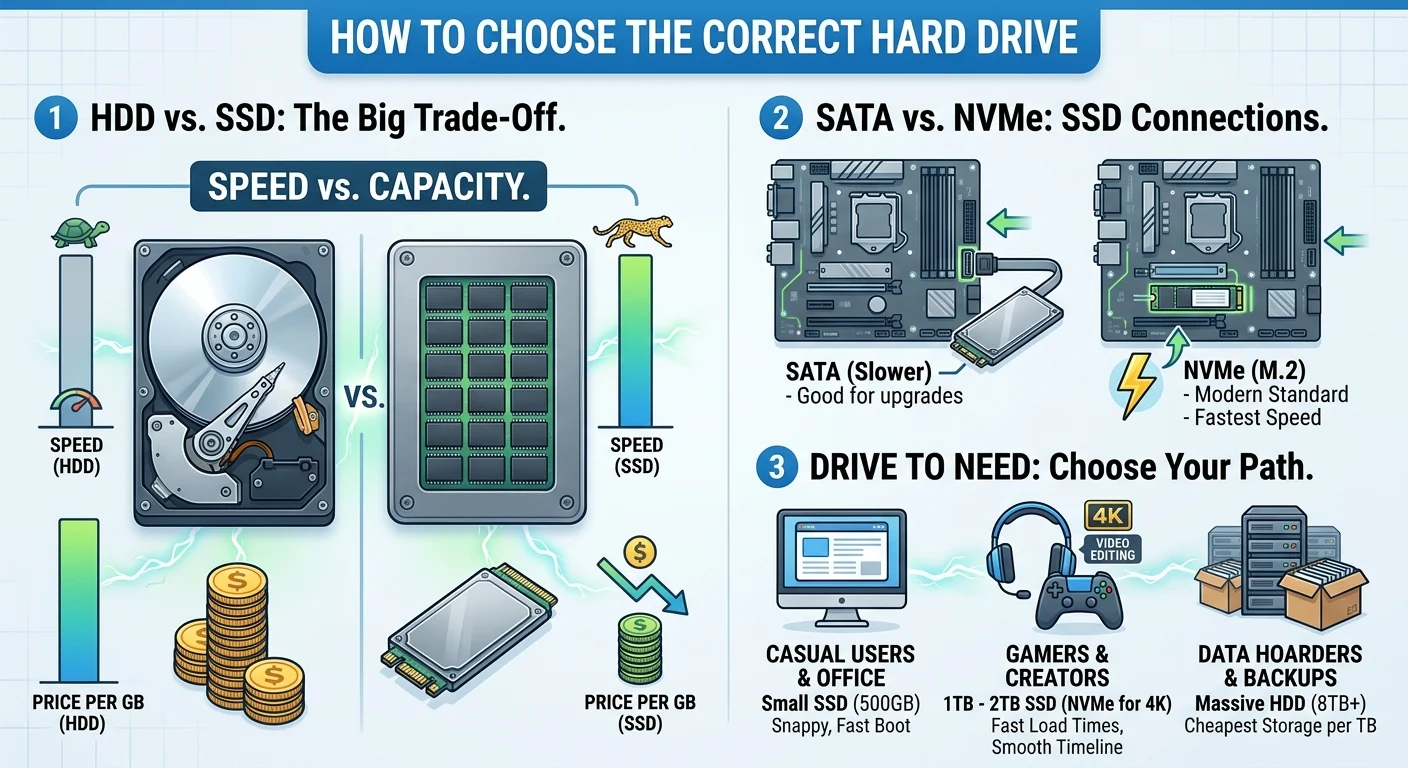
The Real Difference Between HDD and SSD
This is the biggest factor in your decision. You will see these two acronyms everywhere, and they represent completely different technologies.
What is an HDD (Hard Disk Drive)?
An HDD is the old-school spinning disk. Think of it like a tiny record player inside your computer. A mechanical arm physically moves across a magnetic platter to read and write your data.
Because they rely on moving parts, they are slow. They are also fragile. If you drop a laptop with a spinning hard drive while it is running, there is a good chance you will lose your data and require professional PC Repair in Delaware to recover your files.
But they have one massive advantage. They are incredibly cheap. If you need to store terabytes of family photos, movies, or old backups, an HDD gives you the absolute most space for your money.
What is an SSD (Solid State Drive)?
An SSD has no moving parts. It stores data on flash memory chips, similar to the technology used in your smartphone or a USB thumb drive.
SSDs are fast. Really fast. Upgrading from an HDD to an SSD is the single best upgrade you can make to an older computer, though sometimes professional PC Upgrades in Delaware are necessary if your hardware is failing. Your PC will boot up in seconds instead of minutes. Apps will open instantly.
The downside is the price. SSDs cost more per gigabyte than HDDs. However, prices have dropped significantly in recent years, making them the standard choice for almost everyone.
How to Choose the Correct Hard Drive for Your Setup
You do not need to overpay for top-tier speeds if you just browse the web and check email. On the flip side, buying a slow drive to save twenty bucks will make a high-end gaming PC feel incredibly sluggish. Here is how to match the drive to your actual needs.
For Casual Browsing and Office Work
Get a small SSD. Do not even look at an HDD for your main drive. A 500GB SSD is affordable and will make your daily tasks feel snappy and responsive. Windows will load fast, and your web browser will open the second you click it.
For PC Gamers and Content Creators
You need a combination of speed and space. Modern games easily take up over 100GB of room each. Load times on a traditional hard drive will drive you crazy.
You want a 1TB or 2TB SSD. If you edit 4K video, look specifically into NVMe SSDs for the fastest possible file transfers. Your timeline will scrub smoothly and your export times will drop.
For Data Hoarders and Backup Solutions
This is where the classic hard drive still shines. If you are building a media server or just need a place to dump years of raw footage, grab a massive 8TB or 12TB HDD.
They are perfect for data you do not need to access at lightning speed. You can read more about setting up redundant storage in our guide on [setting up a home NAS].
SATA vs NVMe: What Do Those Mean?
If you decided to go with an SSD, you still have one more choice to make. How does it physically connect to your motherboard?
- SATA: This is the older connection style. SATA SSDs look like little metal rectangles. They max out at around 500 megabytes per second. That is still much faster than an HDD, but it is the slowest type of SSD.
- NVMe (M.2): These look like tiny sticks of chewing gum. They plug directly into your motherboard without any messy cables. NVMe drives are the modern standard and can reach speeds over 7,000 megabytes per second.
Check your motherboard specs before buying. If you have an M.2 slot, buy an NVMe drive. The price difference is minimal these days, and the performance gap is huge.
Making Your Final Choice
Figuring out how to choose the correct hard drive basically comes down to balancing your budget against your need for speed.
For most people, a standard 1TB NVMe SSD is the perfect sweet spot. It offers plenty of room for apps and games while keeping your system lightning fast. Only buy a mechanical HDD if you are archiving massive amounts of data.
Keep it simple. Grab an SSD from a reputable brand, install your operating system on it, and enjoy a faster computer.