(302) 262 8484
Windows and Android Users: Check For This Dangerous Banking Malware Now

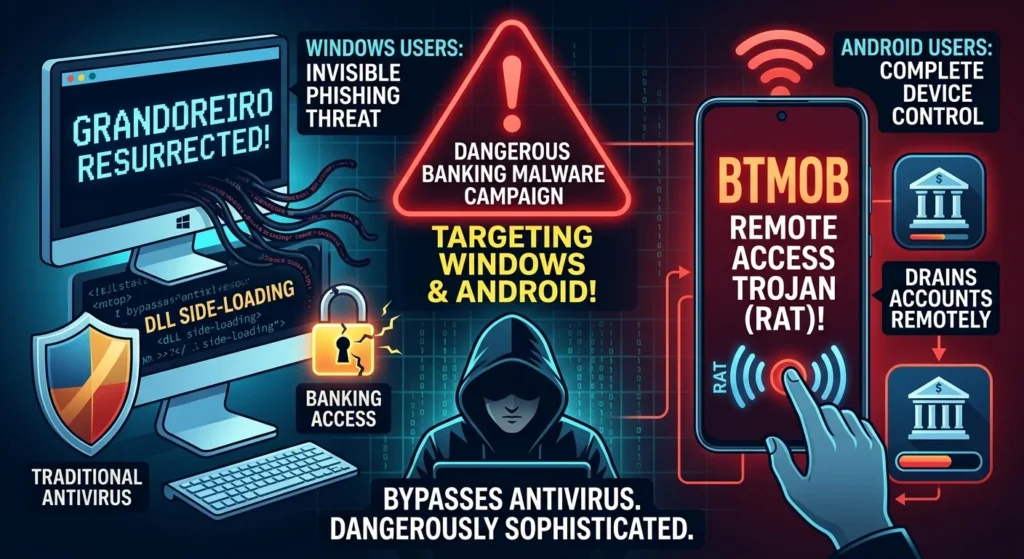
If you access your bank account from your phone or computer, you need to pay close attention. A highly sophisticated and dangerous banking malware campaign is currently targeting both Windows and Android users across the globe. Security researchers have recently flagged two massive, coordinated operations designed to bypass traditional antivirus software and drain your accounts.
The Rise of Dual-Threat Dangerous Banking Malware
Here’s the thing: hackers are no longer just trying to guess your passwords. They are deploying highly specialized tools tailored to whichever operating system you happen to be using.
For Windows users, the threat comes in the form of a resurrected version of Grandoreiro. This is a notorious piece of financial malware that has managed to bypass major law enforcement crackdowns. Meanwhile, Android users are being targeted by BTMOB, a brand-new Remote Access Trojan (RAT) that gives attackers total control over your mobile device.
How the Dangerous Banking Malware Hits Windows Users
The latest wave of the Grandoreiro malware is particularly nasty because of how it sneaks onto your PC. Instead of relying on obvious malicious files, it uses a technique called DLL side-loading.
So what does that mean for you? The malware essentially hijacks legitimate, trusted software on your computer, such as WebRTC or common communication libraries, to run its malicious code in the background. It is an incredibly quiet attack vector that easily slips past basic security scans.
Typically, this Windows malware spreads through highly convincing phishing emails. These messages often masquerade as urgent tax documents or official notices from government agencies. Once you click the link, your system is compromised.
The Android Threat: How BTMOB Takes Over Your Phone
Now, this is where it matters for mobile users. The BTMOB malware represents a massive leap forward in mobile threat design, and not in a good way.
Unlike older banking trojans that simply mimic login screens, BTMOB is a full-blown Remote Access Trojan. It is sold on dark web forums as a no-code toolkit, meaning even low-skilled cybercriminals can buy it and launch their own campaigns.
The Danger of Sideloading and Accessibility Abuse
How does BTMOB get onto your Android device? It usually starts with a classic social engineering trick. You might get a message prompting you to download an update for a streaming app, a crypto platform, or a government service.
Because these fake apps are not on the official Google Play Store, they force you to download an APK file. This is a major security red flag. Sideloading applications from random websites is easily one of the worst practices you can engage in.
Once installed, BTMOB will ask for permission to use Android’s Accessibility Services. If you grant this, the malware gains the keys to the castle. It can perform a variety of malicious actions silently.
- Capture real-time screenshots of your active banking sessions
- Intercept one-time passwords and SMS verification codes
- Record your keystrokes to steal login credentials
- Perform actions on your phone without your physical input
Why Traditional Defenses Are Failing
You might think your standard antivirus or phone security settings have you covered. Unfortunately, that is exactly what these threat actors count on.
Modern malware is designed to adapt. BTMOB and Grandoreiro use heavy code obfuscation to hide from signature-based security tools. By the time a security program updates its database to recognize the threat, the malware has already changed its code.
How to Protect Your Devices Right Now
So, how do you keep your hard-earned money safe from these threats? It comes down to changing a few basic digital habits.
If you want to keep your systems clean, follow these essential security rules:
- Never sideload apps: Only install software from the official Google Play Store or trusted developer websites. If a site forces you to download an APK file, close the tab immediately.
- Audit your accessibility permissions: Go into your Android settings and check which apps have permission to use Accessibility Services. If you see anything unfamiliar, revoke it.
- Be skeptical of urgent emails: If you receive an email claiming you owe taxes or have an unpaid bill, do not click the links. Go directly to the official website of the institution instead.
- Keep your OS updated: Always install system updates for both Windows and Android as soon as they become available. These updates often patch the exact vulnerabilities that malware exploits.
For a deeper dive into securing your home network, see our guide on [router security best practices].
What to Do If You Suspect an Infection
If you think your device has already been targeted by this dangerous banking malware, you need to act fast.
Disconnect your device from the internet immediately to cut off the hacker’s remote control. From there, use a clean device to change all of your banking passwords and contact your financial institution to monitor for unauthorized transactions. Finally, perform a factory reset on the infected device to ensure the malware is completely wiped out.