(302) 262 8484
Your Phone Never Sleeps: The Hidden Data It Collects While You Close Your Eyes

We plug our phones in, turn off the lights, and drift off to sleep. We assume our devices are doing the same. But here is the catch: while you are resting, your smartphone is working overtime. The truth about the data your phone collects while you sleep might surprise you, and it certainly changes how we look at digital privacy.
The Constant Digital Whisper: Every 4.5 Minutes
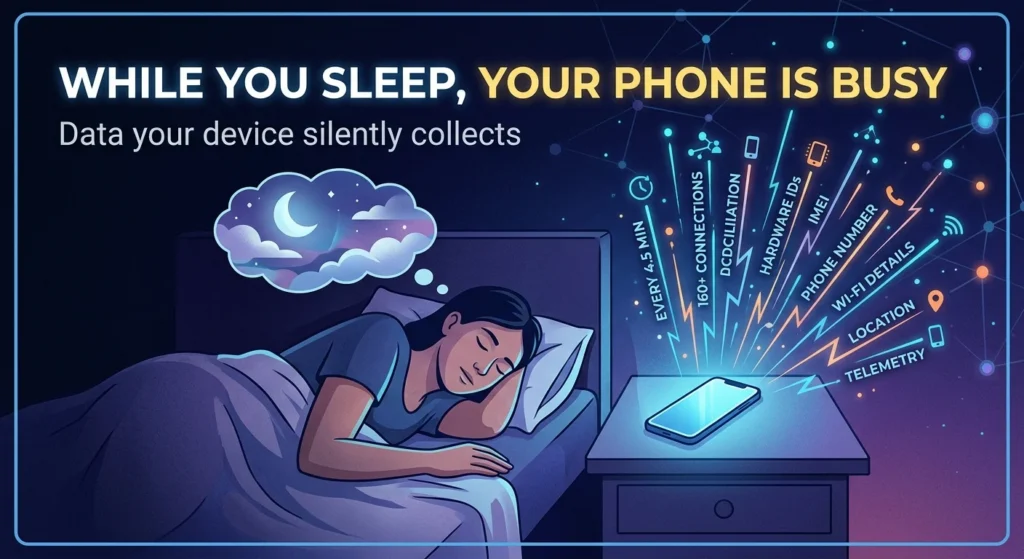
You might think your phone sits completely silent on your nightstand. However, research reveals a different story. Even when your phone is completely idle and minimally configured, both iOS and Android devices share data with Apple and Google on average every 4.5 minutes. It is a continuous, silent conversation that you never authorized.
Over the course of a single six-hour sleep window, an average smartphone can make well over 160 network connections. It is not just checking for the morning alarm. Your phone is constantly whispering to remote servers, sending diagnostic packages, and updating its location registers while you dream.
The Data Your Phone Collects While You Sleep: What Are They Actually Taking?
So, what exactly is leaving your device in the middle of the night? It is a mix of system-level telemetry and highly specific hardware identifiers that can easily trace back to you, which is why learning the easy way to detect spyware on your phone is so important. Here is the thing: much of this happens even if you explicitly opt out of tracking.
Here is a breakdown of the specific data points transmitted during those late-night connections:
- Hardware Identifiers: Your phone shares its unique IMEI, hardware serial number, and SIM card serial number.
- Network Details: The system transmits your phone number and local Wi-Fi details. In fact, iOS devices can send the MAC addresses of nearby devices and your home gateway router to Apple, paired with GPS coordinates.
- Telemetry and Analytics: Even if you opt out of sharing analytics, both major operating systems continue to send background telemetry.
- Location Signals: Background services continuously ping cellular towers and GPS satellites to map where your device rests.
Why Android and iOS Want the Data Your Phone Collects While You Sleep
Tech companies argue that this background activity is necessary to keep your device functional. They need to check for critical security patches, sync system settings, and ensure your push notifications arrive the moment you wake up. But the line between essential maintenance and commercial tracking is incredibly thin.
The Massive Gap Between Google and Apple
Now, this is where it matters. While both platforms collect data, they do not take equal amounts. Research highlights a massive disparity, showing Android devices send roughly 20 times more background data to Google than iPhones send to Apple. During a 12-hour idle period, an Android phone transmits about 1 megabyte of data, while an iPhone sends only about 52 kilobytes. If you value absolute data minimization, this is a factor you cannot ignore when deciding between Android or Apple for your next mobile device.
How Third-Party Apps Watch You in the Dark
It is not just the operating system itself that stays busy. The apps you download are incredibly active overnight. Many apps run background processes that sync to the cloud, refresh ad-tracking tokens, and communicate with data brokers.
If you use sleep tracking apps, the data collection becomes even more intimate. These apps utilize your phone’s accelerometer to monitor your physical movement in bed. Some even use the microphone to listen for snoring or sleep talking. While this information helps map your sleep cycles, it also creates a highly personal profile of your physical health and daily habits.
How to Stop the Midnight Data Drain
So what does that mean for you? You do not have to accept this silent surveillance as an inevitability. Here are a few simple ways to reclaim your privacy before you turn in for the night:
- Cut the Connection: The easiest way to stop overnight data transmission is to turn off Wi-Fi and cellular data, or simply put your phone on Airplane Mode. If the phone cannot connect to the internet, it cannot send your data.
- Disable Background App Refresh: Go into your settings and turn off background refresh for apps that do not need it. This stops third-party trackers from running in the dark.
- Audit Your Permissions: Review which apps have access to your location, microphone, and Bluetooth. If a basic puzzle game has overnight location access, it is time to revoke it.
- Use Low Data Mode: Enabling low data settings on your cellular and Wi-Fi networks will restrict background processes from running unless absolutely necessary.
If you want to secure your device even further, see our guide on [smartphone security settings] to lock down your device completely.
Your phone is a powerful tool, but it should not be a spy on your nightstand. Taking a few minutes to adjust your settings can go a long way in keeping your personal life truly private.