(302) 262 8484
Your Device Might Have Been Part Of This 17-Million Botnet

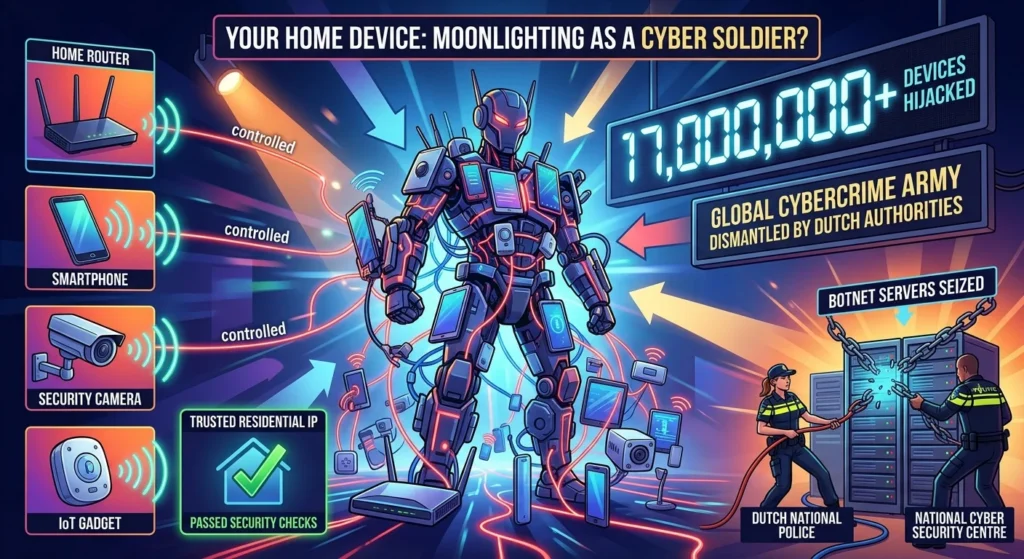
Imagine waking up to find out your home router, tablet, or smart security camera has been moonlighting as a soldier in a global cybercrime army. It sounds like the plot of a sci-fi thriller, but it is the reality for millions of internet users. Dutch authorities recently dismantled a massive 17-million botnet that had quietly hijacked consumer devices across the globe.
The scale of this operation is staggering. If you have ever left your router on its default settings or downloaded a sketchy mobile app, your device might have been part of this 17-million botnet, and you may require professional malware removal service in Delaware to clean it.
How the 17-Million Botnet Operated Under the Radar
The Dutch National Police, working alongside the country’s National Cyber Security Centre, pulled off a major victory by seizing over 200 servers physically located in the Netherlands. These servers were the brains behind a massive operation that turned everyday household tech into a weaponized network. Reports tie this infrastructure to a commercial residential proxy service known as Asocks.
So how did this happen? Cybercriminals didn’t just target high-tech servers. Instead, they went after everyday consumer electronics.
- Home routers
- Smartphones and tablets
- Smart security cameras
- Internet of Things (IoT) gadgets
By infecting these ordinary tools, the operators built a highly resilient network. Because these devices live in normal homes, they carry trusted residential IP addresses that do not trigger security alarms.
Why Criminals Wanted Your Home IP Address
Here’s the thing about modern cybersecurity. Most websites and security systems are highly suspicious of traffic coming from anonymous VPNs or massive data centers. If a hacker tries to attack a bank from a known server farm, they get blocked instantly.
Now, this is where it matters. If the attack comes from your home IP address, it looks completely legitimate. To the receiving website, it just looks like you are browsing the web, shopping, or logging into an account.
How the 17-Million Botnet Was Exploited
Once a device was compromised, it became a residential proxy. The hackers sold access to this network to other bad actors, who used your internet connection to run dirty jobs.
These activities included several highly disruptive tactics.
- DDoS Attacks: Flooding websites with traffic to knock them offline.
- Credential Stuffing: Using automated tools to guess passwords on retail or banking sites.
- Malware Distribution: Spreading malicious software to even more unsuspecting victims.
- Phishing Campaigns: Sending spam and scams that appeared to originate from trusted residential networks.
You paid the internet bill, while criminals used your bandwidth to commit crimes. It’s a frustrating reality that highlights how vulnerable our smart homes really are and why you need to know how to tell if your network isn’t secure.
Was Your Device Part of the Botnet?
So what does that mean for you? You might wonder how a device gets drafted into a botnet in the first place.
In many cases, the culprit is a malicious app. Security researchers previously found that certain free Android apps contained hidden software development kits, like PROXYLIB, which secretly turned phones into proxy nodes. In other cases, hackers simply scanned the internet for home routers using default passwords or running outdated firmware.
Most victims never noticed a drop in performance. The malware runs quietly in the background, consuming just enough bandwidth to stay invisible.
Securing Your Network Against Future Hijacks
While this specific 17-million botnet has been disrupted, others are always waiting in the wings to take its place. Protecting your home network doesn’t require a degree in computer science, but it does require some basic digital hygiene.
Here is how you can lock down your tech today.
- Change Default Passwords: Never leave your router or smart cameras on the factory-set password. Hackers have databases of these defaults and scan for them constantly. For more detailed steps, check out our guide on [how to secure your home router].
- Update Your Firmware: Turn on automatic updates for your router and all smart home devices. Manufacturers frequently patch the security holes that botnets exploit.
- Disable Remote Management: Unless you absolutely need to access your router settings from outside your home, turn off remote administration panels.
- Stick to Official App Stores: Only download apps on your phone or tablet from trusted sources like Google Play or the Apple App Store, and avoid shady third-party marketplaces.
Taking these simple steps makes your home a much harder target. Cybercriminals are lazy. If your network is locked down, they will simply move on to an easier target.