(302) 262 8484
The Dark Truth About Cheap Amazon Tech Peripherals

The Allure of the $10 USB Hub
We have all been there. You are scrolling through your feed, you realize your laptop needs more ports, and you search for a quick fix. Within seconds, you are flooded with dozens of cheap Amazon tech peripherals sporting alphabet-soup brand names and thousands of glowing five-star reviews. A sleek USB-C hub for the price of a fast-food meal seems like an absolute steal. Why pay premium brand prices when a ten-dollar alternative is just a click away?
Here is the thing: that bargain-bin peripheral might be costing you far more than you think. Behind the convenience of next-day shipping lies a wild-west marketplace filled with safety hazards, security vulnerabilities, and deceptive marketing. When you buy cheap Amazon tech peripherals, you are often participating in a high-stakes gamble with your hardware, your personal data, and even your physical safety.
Fire Hazards and Frayed Circuits: The Physical Cost of Cheap Tech
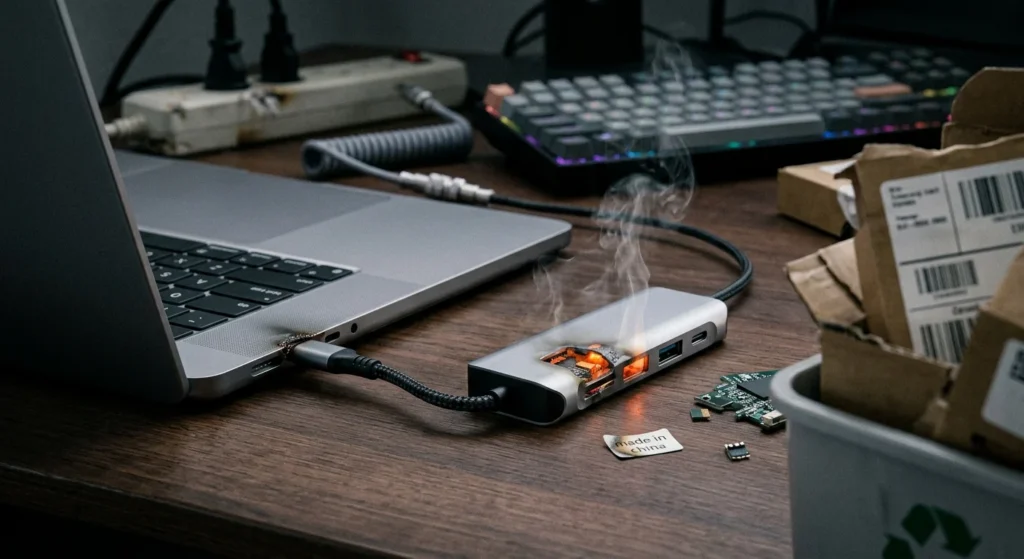
The most immediate danger of buying cut-rate electronics is the complete lack of quality control. To keep manufacturing costs incredibly low, nameless factories cut corners on materials, electrical engineering, and safety testing. This is not just about a mouse that stops working after a month. It is about devices that can literally melt, catch fire, or shock you.
Safety organizations like Electrical Safety First have repeatedly warned about the dangers of unbranded chargers, travel adapters, and replacement batteries sold online. Many of these items fail basic mechanical strength and isolation tests. In poorly designed peripherals, high-voltage electricity can easily leak into your device or your hands.
Why Cheap Amazon Tech Peripherals and Chargers Are a Safety Risk
When you buy a name-brand charger, you are paying for voltage regulation and thermal protection. Cheap Amazon tech peripherals often skip these crucial safety components entirely. Without proper isolation, a sudden power surge can send raw, unregulated voltage straight into your thousand-dollar smartphone or laptop. At best, it fries your motherboard, necessitating a visit to a shop that specializes in PC Repair in Delaware. At worst, it triggers a catastrophic thermal runaway in your device’s lithium-ion battery, leading to dangerous home fires.
The Cybersecurity Blindspot: Spyware in the USB Port
So what does that mean for you if you are only buying “non-electrical” peripherals like a keyboard, a webcam, or a simple flash drive? You are still not entirely safe. The line between harmless hardware and malicious hacking tools has become incredibly thin.
Cybersecurity experts have documented numerous cases of cheap, unbranded smart devices, TV sticks, and USB hubs arriving pre-installed with malware or spyware. Because these products are dropshipped directly from factories with zero oversight, bad actors can easily inject malicious firmware into the supply chain. The moment you plug that cheap webcam into your computer, it could be logging your keystrokes, monitoring your network, or sending your private data to a bad actor, which is why you should utilize a professional Virus and Spyware Removal service. remote server.
The Fake Review Trap: How Junk Tech Gets Five Stars
You might think you can avoid these issues by reading customer feedback. After all, if a product has a 4.8-star rating with five thousand reviews, it must be decent, right? Unfortunately, the review section on these listings is often a carefully orchestrated illusion.
Amazon has a massive, ongoing battle with fake review networks. While the company blocked over 275 million suspected fake reviews in 2024 alone, the underground industry of review manipulation remains highly sophisticated. Sellers use tactics like “review hijacking” (where they merge an old, highly rated listing for a completely different product like a spatula into their new, cheap tech listing) or simply pay review brokers to flood their pages with five-star praise.
Spotting Manipulated Reviews on Cheap Amazon Tech Peripherals
If you want to avoid getting duped by fake reviews on cheap Amazon tech peripherals, you have to look past the overall star rating. Here are some warning signs to watch out for:
- The “Frequently Returned” Tag: Amazon has started adding this warning to highly problematic items. If you see it, run away, no matter how good the star rating looks.
- Vague, Overly Enthusiastic Praise: Look for repetitive, short reviews that sound like they were generated by an AI or written by people who have never actually touched the product.
- Review Discrepancies: Read the actual text of the reviews. If the listing is for a wireless mouse, but the older reviews are praising a garden hose, the seller has hijacked the listing to steal the good rating.
- Unnatural Review Spikes: If a product suddenly receives dozens of five-star reviews on the exact same day, it is highly likely a paid review campaign.
The Environmental Nightmare: The Disposable Tech Cycle
Even if you get lucky and buy a cheap accessory that does not catch fire or steal your data, there is still a massive hidden cost. These cheap Amazon tech peripherals are designed to be disposable.
Because they are practically impossible to repair, they get thrown directly into the trash. This endless cycle of buying, breaking, and discarding is fueling a global e-waste crisis. Electronic waste is one of the fastest-growing waste streams on earth, leaking toxic heavy metals like lead, cadmium, and mercury into our soil and water systems. When you buy cheap, you are essentially paying to put plastic and toxic chemicals straight into a landfill.
How to Protect Yourself When Shopping Online
Does this mean you should never buy tech accessories online again? Of course not. But you do need to change how you shop. If you want to protect your home, your data, and your wallet, consider adopting a few better practices:
- Stick to reputable, established brands: Brands like Logitech, Anker, or even Amazon’s own tested lines generally adhere to strict safety certifications and manufacturing guidelines.
- Check for real safety certifications: Look for legitimate testing marks like UL (Underwriters Laboratories), CE, or FCC on the product itself, rather than relying on the seller’s claims.
- Use third-party review analyzers: Tools like Fakespot or ReviewMeta can help parse through a listing to filter out suspicious reviews and give you an adjusted, realistic score.
- Avoid “too good to be true” deals: If a 2TB external SSD is selling for fifteen dollars, it is not a bargain. It is a scam, and it will likely result in lost data or a corrupted system.
Investing a little extra money upfront in a high-quality, certified peripheral is always the smarter choice. It will perform better, last longer, and most importantly, it won’t burn your house down.