(302) 262 8484
The First Thing Technicians Check on Slow PCs (And How to Do It Yourself)

The First Thing Technicians Check on a Slow PC
We have all been there. You click a basic program like Google Chrome and wait. And wait. When you finally lose your patience and bring your computer into a repair shop, you probably wonder what magic tricks the IT guy is using.
The truth is much simpler.
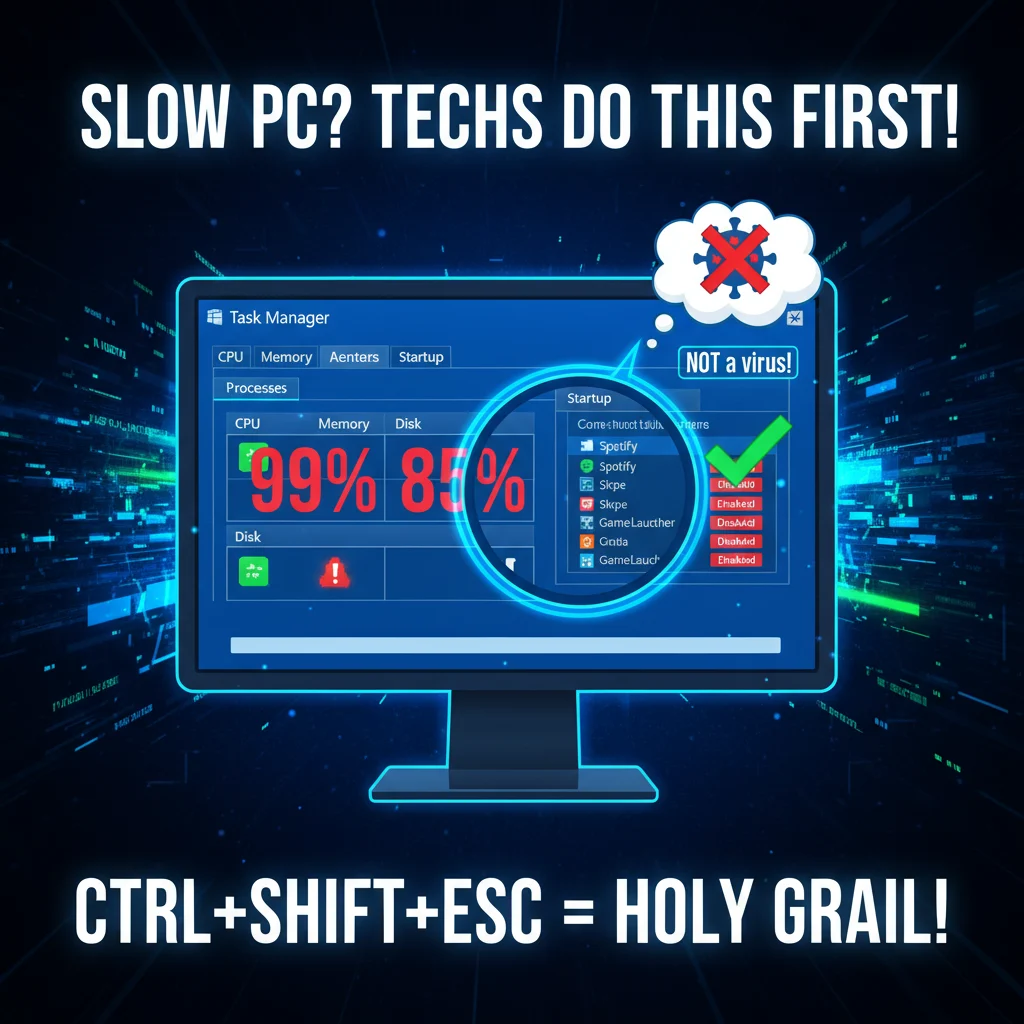
If you want to know the absolute first thing technicians check on a slow PC, it is not a deep virus scan. It is not a complex hardware diagnostic either. They simply open the Task Manager.
For Windows users, that means hitting Ctrl + Shift + Esc. If you are on a Mac, you have a similar tool called Activity Monitor. This built-in dashboard is the holy grail of computer troubleshooting.
Looking at the Big Three Bottlenecks
Why start here? Because this little window tells the entire story of your computer in real time. When a tech looks at this screen, they are hunting for bottlenecks in three specific areas.
- CPU usage: Is a random background app running your processor at 99 percent?
- Memory (RAM): Do you have forty browser tabs open while trying to run heavy software?
- Disk usage: Is your hard drive pinned at 100 percent just trying to run Windows?
That last point is incredibly common. If your disk usage is constantly maxed out while you are doing nothing, it is a huge red flag. It usually means your hard drive is failing or you desperately need to upgrade to a solid state drive.
The Hidden Culprit Ruining Your Boot Time
Once the current live performance looks okay, the next immediate stop is the Startup tab. This is where the easiest wins happen.
Software developers love to think their app is the most important thing in your life. Because of this, programs like Spotify, Skype, and various gaming launchers default to opening the second you turn on your computer. All of these programs fight for resources at the exact same time.
If your computer takes ten minutes to become usable after turning it on, this is almost certainly the problem.
A technician will ruthlessly disable everything in this list that is not essential to the operating system. You do not need Spotify running in the background before you even pour your morning coffee.
Why We Almost Never Start With a Virus Scan
Most people assume a slow computer means they have a virus. Here is the thing. Modern malware does not want to slow down your computer.
Hackers want their malicious software to run silently in the background so you never know it is there. A slow computer draws attention. Malware developers try very hard to avoid drawing attention.
Running a full antivirus scan takes hours. Checking system resources takes five seconds. Technicians always start with the fastest and most common solutions before moving on to time consuming diagnostics, or they may recommend professional PC Repair in Delaware if the issue persists.
When to Actually Worry About Malware
If your Task Manager is clean, your startup programs are disabled, and your computer is still crawling, then a scan makes sense. It is just rarely step one.
Quick Steps You Can Take Before Calling a Pro
You do not need an IT degree to fix basic performance issues. You can do the exact same checks a professional would do from the comfort of your desk.
- Open Task Manager and sort by CPU or Memory to find resource hogs.
- Navigate to the Startup tab and disable programs you do not need immediately.
- Check your hard drive space to ensure your computer has room to breathe.
- Restart your computer.
Seriously, do not skip that last step. A simple restart fixes an absurd amount of tech issues by clearing out your system memory.
If you run through these steps and your machine is still struggling, it might be time for a hardware upgrade. You can read more about that in our guide on [upgrading your PC hardware]. Sometimes aging parts just cannot keep up with modern software demands, no matter how clean your operating system is.