(302) 262 8484
Is Anyone Watching? Why Your Security Camera Feed Might Be Completely Public

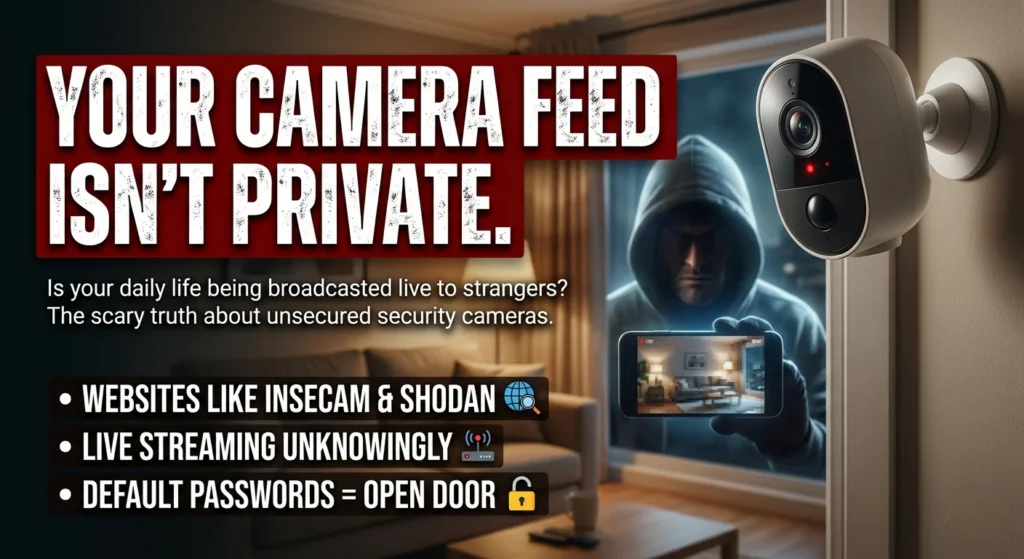
If you think your home or business is private just because you threw up a smart security system, you might want to double-check that with professional Small Business Cybersecurity Protection. The truth? Your camera feed could be wide open. Broadcasting your daily life to random strangers across the internet without you having a clue.
Every single day, thousands of people are unknowingly streaming their living rooms, backyards, office spaces, and storefronts to the public. And this isn’t some theoretical flaw we talk about in security briefings. It’s a highly active, easily searchable reality. Anyone with a basic web browser can tap right in.
How Sites Like Insecam and Shodan Expose You
Here’s the scary part. There are entire websites built just to index unsecured security cameras. Platforms like Insecam and IP Crawl literally compile thousands of live video feeds from all over the world. You don’t even need hacking skills to use them. They just scrape the internet for open devices and throw the live streams up in a neat, clickable catalog.
If that doesn’t creep you out, think about search engines like Shodan. Shodan actually crawls the web looking specifically for connected devices. It lets anyone search for webcams, routers, and smart home systems by location or manufacturer. Within seconds, a curious user can pull up live RTSP streams. Showing everything from a quiet suburban bedroom to a busy warehouse loading dock.
Why Your Security Camera Feed Might Be Completely Public
So, how does a tool built for protection end up exposing you to the whole world? Honestly, it usually boils down to a few common, completely avoidable mistakes during setup.
1. Keeping Default Passwords
A lot of people plug in their new camera, connect it to the Wi-Fi, and call it a day, ignoring the brutal truth about how fast a weak password gets cracked. They never even bother to change the factory default username and password. If your camera is still sitting there using admin and admin or 12345, it’s practically begging to be indexed. Automated bots constantly scan the web, trying these exact combinations on every single IP address they hit.
2. Relying on Unsecured RTSP Streams
Most modern IP cameras use the Real-Time Streaming Protocol—or RTSP—to send video feeds to your phone or laptop. RTSP is incredibly useful for local streaming. But it’s often unencrypted by default. If your camera supports RTSP and you’ve exposed it to the internet without setting up proper authentication, you’re in trouble. Anyone who finds your IP address can just plug that stream URL into a media player like VLC and watch you in real time.
3. Misconfigured Port Forwarding
To check their cameras when they’re away from the house, some people set up port forwarding on their routers. Bad idea. This opens a direct, unfiltered pathway from the public internet straight to the camera. Unless you’ve set up a secure virtual private network (VPN) or highly restrictive firewall rules, you’re essentially leaving your front door wide open, making it easy for attackers to identify signs your smart home camera has been hacked.
The Real-World Danger of Exposed Cameras
Having a random stranger peek at your garden might seem harmless at first glance. But the security risks are actually incredibly high. For starters, a lot of these public camera directories display approximate geographic coordinates right next to the live feed. This hands potential burglars a real-time view of your home. They can learn your daily routine and see exactly when you aren’t in the house.
Then there’s the threat of digital hijacking. Unsecured security cameras are prime targets for cybercriminals trying to build botnets. Think back to past major cyberattacks. Malware like Mirai infected hundreds of thousands of poorly protected smart devices. Then it used their combined computing power to take down massive websites like Twitter and Netflix. Your own camera could be helping hackers launch global attacks right now, and you’d never know.
How to Secure Your Security Camera Feed Today
Protecting your privacy doesn’t require a degree in cybersecurity. You can lock down your system just by following a few straightforward best practices:
- Change default credentials immediately: Create a strong, unique password for your camera right out of the box. And change it at least once a year.
- Disable UPnP and port forwarding: Don’t let your router automatically open ports for your camera. If you need more tips on this, check out our guide on [setting up a secure home network].
- Use a secure VPN for remote access: Instead of opening your camera to the public web, set up a VPN like WireGuard on your home network. This lets you securely tunnel in and view your feeds without exposing them to the open internet.
- Keep your firmware updated: Manufacturers regularly push out patches for security vulnerabilities. Turn on automatic updates if your camera supports them.
- Consider local-only storage: If you don’t absolutely need to view your cameras while you’re out, just keep the feeds restricted entirely to your local network. Zero external internet access.
So what does all this mean for you? It means it’s time to take five minutes today, log into your camera’s settings, and make sure you aren’t the star of someone else’s creepy online viewing session. A few simple tweaks. That’s really all it takes to make sure your security system is actually keeping you safe.